Collaborating with Trusted Circles
In this section:
Trusted circles are communities within ThreatStream in which you can participate, share threat intelligence in real-time, and get access to information others have shared. Trusted Circles are comprised of organizations with similar threat intelligence interests (due to their affiliation to an industry, supply chain, Incident, and so on) and enable these organizations to collaborate and discuss threat activities they have observed around a specific Campaign , adversary, or Incident. In addition to organizations that participate in Trusted Circles, the Anomali Threat Research team contributes and shares intelligence to the industry-specific Trusted Circles available on ThreatStream.
Sharing threat intelligence not only allows organizations to prepare their defenses in a timely manner but also join forces in thwarting a widespread attack.
For example, your organization is a member of a trusted circle made up of top 5 banks in the country. One of the members of this circle shares information about an Actor that tried infiltrating their servers last night. Chances are that this Actor will try other similar businesses. Your systems and servers may be the next target. Since you have received an early warning from your Trusted Circle community on ThreatStream, you can strengthen your defenses in time—set up firewall rules, block the Actor, and ensure your critical assets and data on them are under tight access controls.
When you participate in a Trusted Circle, you control what information is shared with other organizations in that circle. For example, if you want to share observables you are importing with your 2 of the 5 Trusted Circles you participate in, you have to explicitly set the Visibility for that import to those two Trusted Circles.
 Read More...
Public and Non-Public Trusted Circles
ThreatStream allows two kinds of Trusted Circles:
- Public—The names of these Trusted Circles are visible to all organizations. Any organization can request an invite to these circles. The request must be approved by the Trusted Circle owner before an organization can join that circle. The Public Trusted Circles are listed in the Public Trusted Circles table, as shown in the following figure.
-
Non-Public—The names of these Trusted Circles are not visible to all organizations but only to the members of organization that created the circle and any other organizations that may have been explicitly invited to join them. If your organization participates in any of such circles, they are listed in the Your Trusted Circles table.
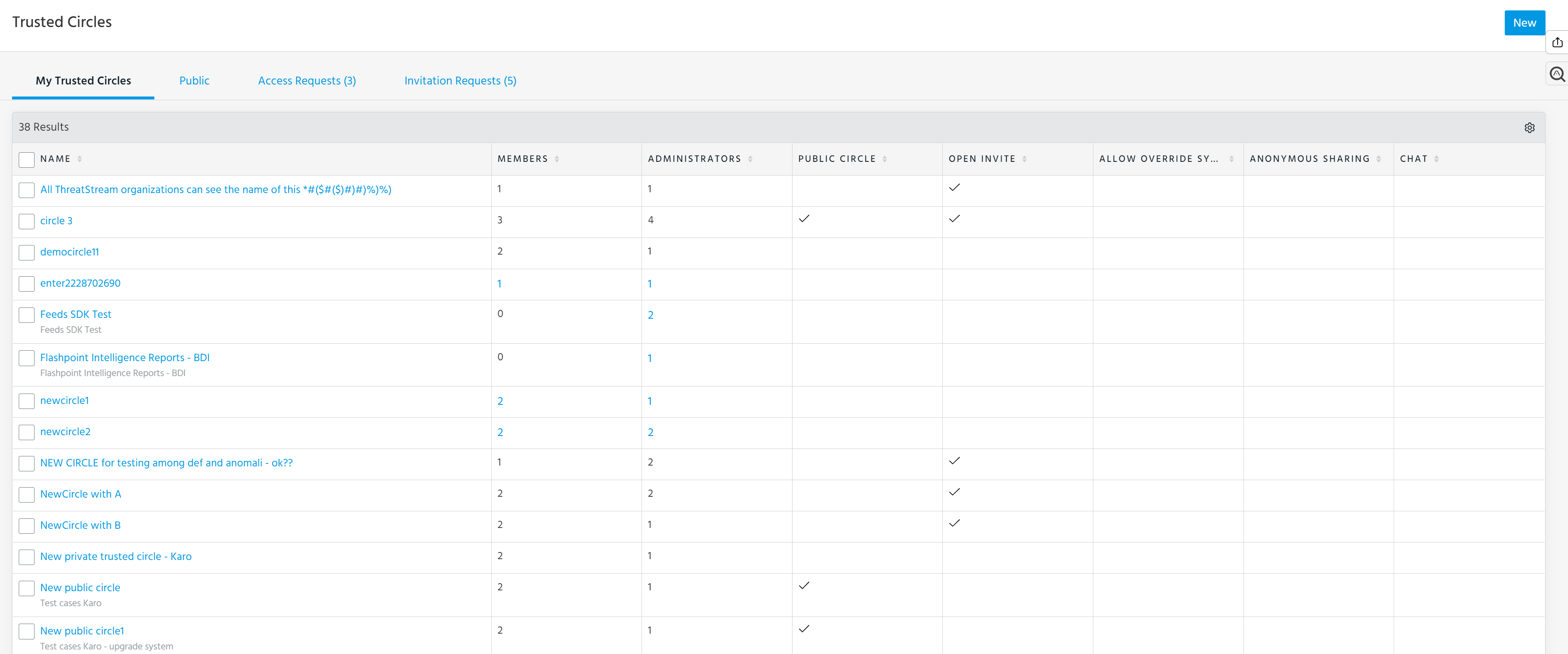
The Your Trusted Circles table is a list of non-Public and Public Trusted Circles your organization participates in. In the following figure, the Trusted Circles in blue outline are non-public.
Privacy of Data in a Trusted Circle
The threat intelligence shared with a Trusted Circle is only visible to an organization if that organization is a member of that Trusted Circle.
Whether a Trusted Circle is listed on ThreatStream for all other organizations to see and request membership depends on how it was created. The following table summarizes the settings that control this aspect.
| Public Circle | Open Invite | |
| X | X | Trusted Circle is listed in the Public Trusted Circle list and is visible to all users on ThreatStream. Any organization can request membership to the Trusted Circle. The request must be approved by the Trusted Circle owner before the organization becomes a member. |
| X | - | Trusted Circle is listed in the Public Trusted Circle list and is visible to all users on ThreatStream. Only organization administrators in this Trusted Circle can invite other organizations to join the Trusted Circle. |
| - | X | Trusted Circle is not listed in the Public Trusted Circle list and is visible only to the members of the organization that created it and any other member organizations. Any member of this Trusted Circle can invite other organizations to join the Trusted Circle. |
| - | - | Trusted Circle is not listed in the Public Trusted Circle list and is visible only to the members of the organization that created it and any other member organizations. Only organization administrators in this Trusted Circle can invite other organizations to join the Trusted Circle. |
Understanding the Role of a Trusted Circle Administrator
You must be an organization administrator to create a Trusted Circle. Once created, an organization administrator is automatically designated as the Trusted Circle administrator of that circle. ThreatStream users from the same or different organization can be designated to be additional administrators of that Trusted Circle. The users designated as Trusted Circles administrator do not need to be organization administrators; they can be non-admin users.
The Trusted Circle administrators can edit the Trusted Circles they administer, view members of those Trusted Circles, invite additional members to them, and leave the Trusted Circle (remove their organization from them). However, a Trusted Circle admin cannot create additional Trusted Circles.