Sharing Data with Trusted Circles
ThreatStream enables you to restrict the visibility of data to specific trusted circles of which your organization is a member. This article presents an overview of how to share various types of data with your trusted circles.
Sharing Observables with Trusted Circles During Import
Observables can be shared with trusted circles during import by selecting the Trusted Circle Visibility setting and then choosing the circles with which you want to share imported observables. See Importing Observables with Import Assistant for more information.
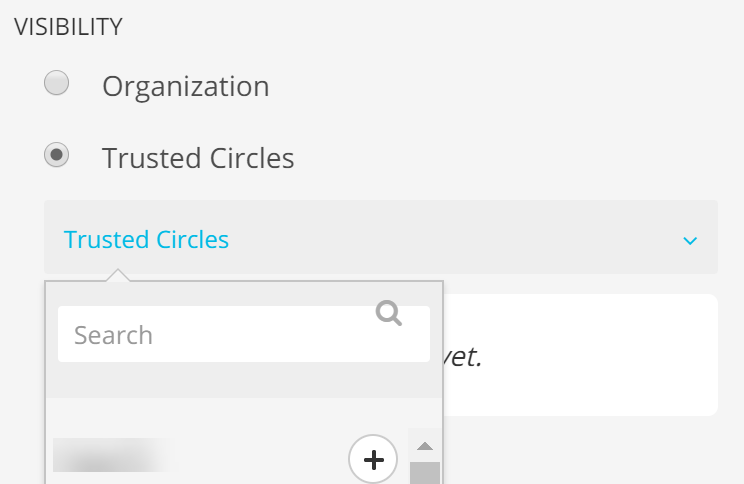
You can also share observables with your trusted circles directly from the Trusted Circles page. Any member of a Trusted Circle can share intelligence with that circle.
To share observables with a specific Trusted Circle during import:
- Navigate to ThreatStream > Manage > Trusted Circles.
-
Select the Trusted Circle with which you want to share the intelligence from the My Trusted Circles list.
-
Click Share Intelligence.
The Import page is displayed with the Trusted Circle you have selected earlier.
- Follow the Import procedure as described in Importing Observables.
Sharing Existing Observables with Trusted Circles
You can re-import existing observables restricted to your organization to share them with trusted circles of which you are a member. You can also share your existing trusted circle observables with additional trusted circles. To read more about the re-import process, see Re-importing Observable Values.
Sharing Threat Model Entities with Trusted Circles
You can use the threat model publication workflow to share new and existing threat model entities with trusted circles at any time. On the threat model entity details page, click Publish in the Actions menu and select the Trusted Circle Visibility setting. You can then select the trusted circles with which you want to share the threat model entity. See Reviewing Threat Model Entities for Publication for more information.
Sharing Sandbox Reports with Trusted Circles
The visibility of sandbox reports is set when you submit Malware for detonation and cannot be edited. To share a sandbox report with trusted circles, select the Trusted Circle Visibility setting. You can then select the trusted circles with which you want to share the sandbox report. Submitting Malware for Detonationfor more information.