Creating a Trusted Circle
Note: You must be an organization administrator to create a Trusted Circle.
To create a Trusted Circle:
-
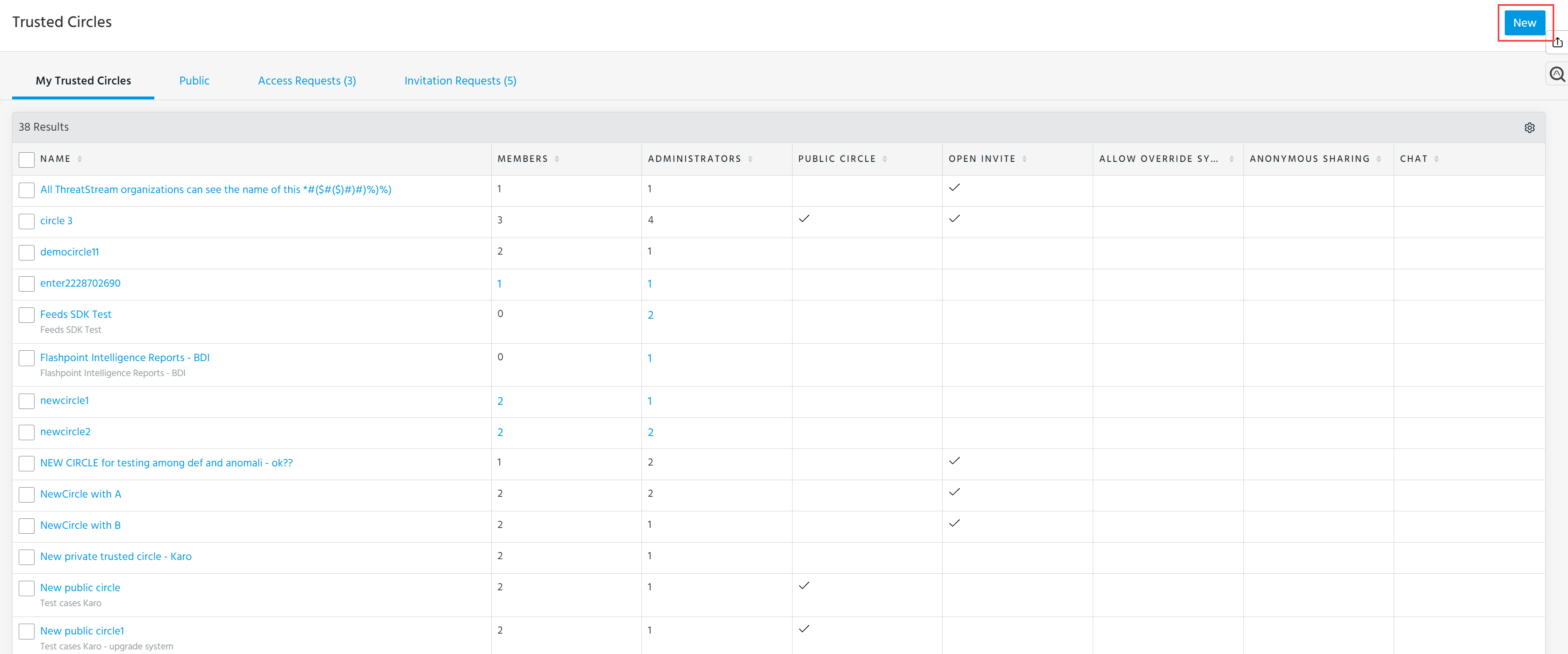
Navigate to ThreatStream > Manage > Trusted Circles.
-
Click New at the top right corner of the page.
The New Trusted Circle window is displayed.
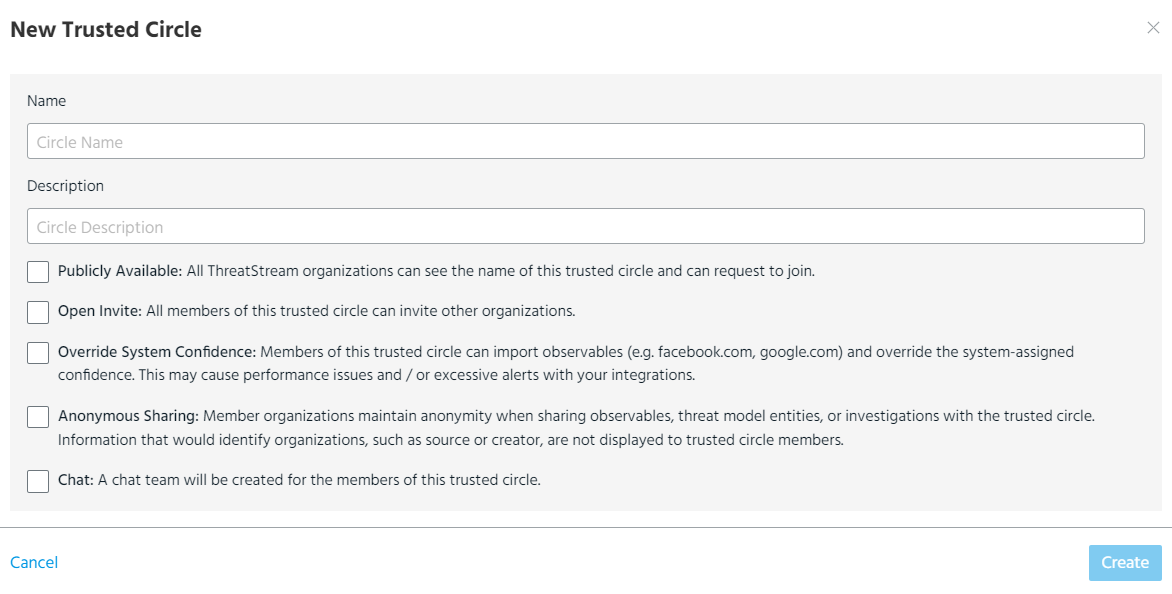
Provide the following information:
Field Description Name Enter a meaningful name for the Trusted Circle.
Description Enter an informative description for the Trusted Circle Publicly Available See Privacy of Data in a Trusted Circle for more information.
Open Invite See Privacy of Data in a Trusted Circle for information
Override System Confidence If selected, members can select Override System Confidence when importing observables that are shared with the Trusted Circle.
See Importing Observables for more information.
Anonymous Sharing If selected, member organizations and users are made anonymous in the data they share with the trusted circle. Trusted circle members will see "Analyst" in all fields that would otherwise display an organization or user name, such as Source, Assignee, or History logs. In addition to being made anonymous on the user interface, organization information is anonymized in all email notifications that display data shared with the trusted circle.
If anonymous sharing is removed from a trusted circle, data shared with the circle does not remain anonymous. If anonymous sharing is enabled for an existing trusted circle, data shared with the circle is made anonymous.
Note:
-
Organization and user information is not made anonymous in cases where data shared with the trusted circle is shared with additional trusted circles that do not have Anonymous Sharing enabled.
-
User information is not made anonymous in comments left on data shared with the trusted circle.
Chat If selected, a chat team will be created for the members of this Trusted Circle. -
-
Click Create.