Information in an Intelligence Initiative
The following is an example of the intelligence initiative:
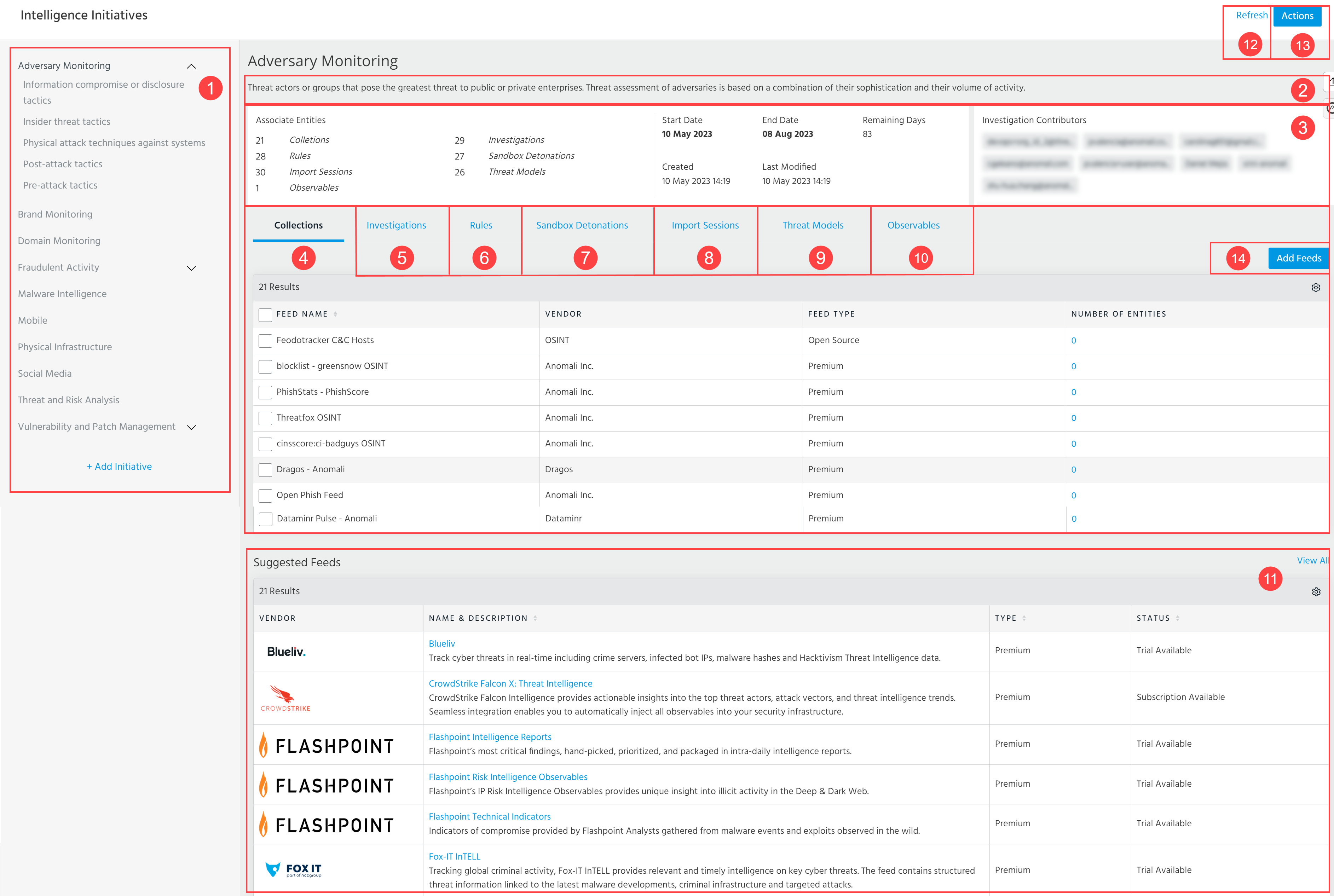
 Intelligence initiative types associated with open initiatives. Click an initiative type to view the open initiative.
When you hover over an open initiative, an add symbol enables you to add an intelligence requirement for the initiative. See Intelligence Requirements for more information.
 Description of the selected intelligence initiative.
 Intelligence initiative details. This section contains the following:
| Field | Description |
|---|---|
| Associated Entities | Counts of collections (feeds), rules, import sessions, investigations, sandbox detonations, threat model entities, and observables associated with the intelligence initiative. |
| Start Date | End Date | Time period for the intelligence initiative. |
| Remaining Days | Number of days left for the initiative. |
| Created | Timestamp of when the initiative was created. |
| Last Modified | Timestamp of when the initiative was last modified by an Org Admin. |
| Investigation Contributors | Assignees of investigations associated with the intelligence initiative. |
 Collections: Threat intelligence feeds associated with the initiative. In the Collections table view, Number of Entities contains a count of observables provided by the feed within the time period of the initiative. Click the count to drill down on the observable search screen.
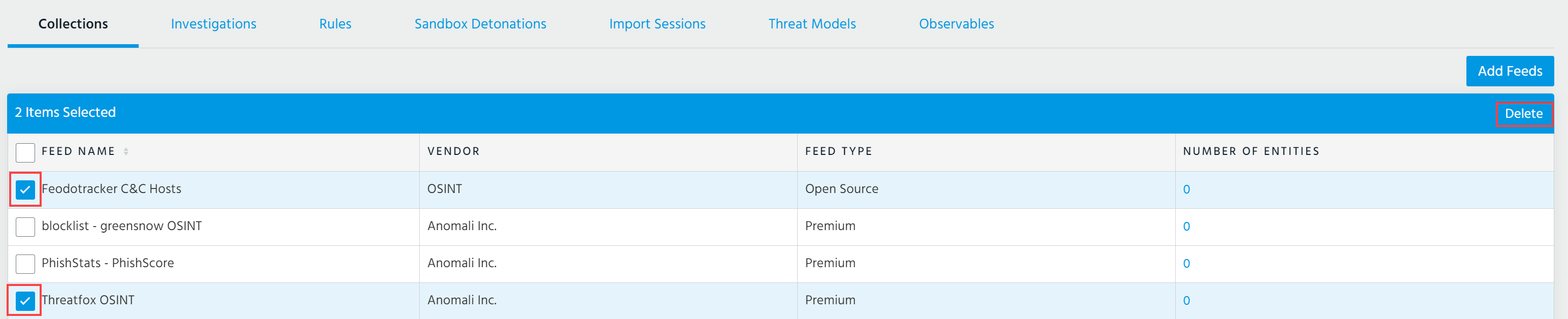
To delete a threat intelligence feed from the initiative, select the feed of your interest and click Delete.
 Investigations: Investigations associated with the initiative. Click the name of the investigation to drill down on the investigation details page.

To associate an investigation with an intelligence initiative, navigate to the investigation of interest and select the intelligence initiative under Intelligence Initiatives. You can select multiple intelligence initiatives.
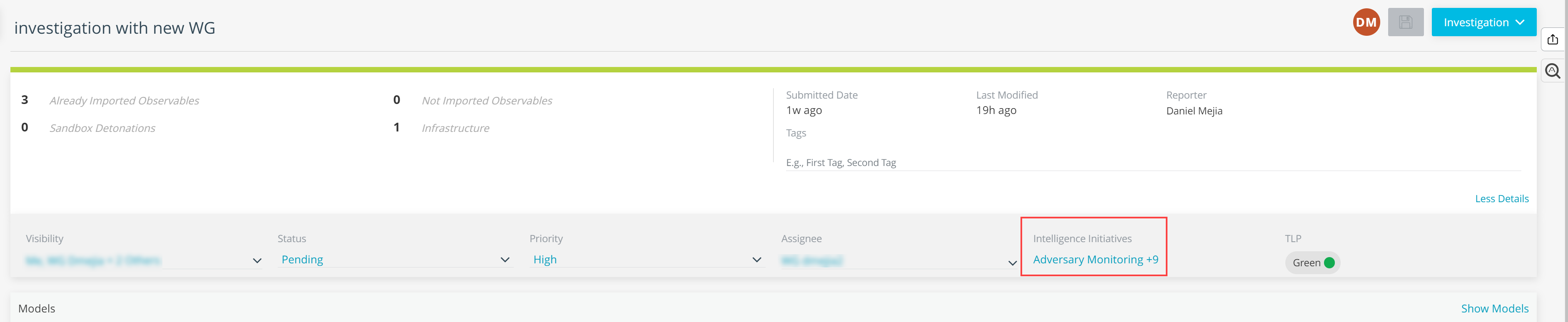
Note: After selecting the intelligence initiative with which you want to associate the investigation, save the investigation to ensure the association is created.
 Rules: Rules associated with the initiative. Click the name of the rule to drill down on the rule details page. The number displayed in the Matches column represents the number of keyword matches associated with the rule during the specified time period for the initiative.
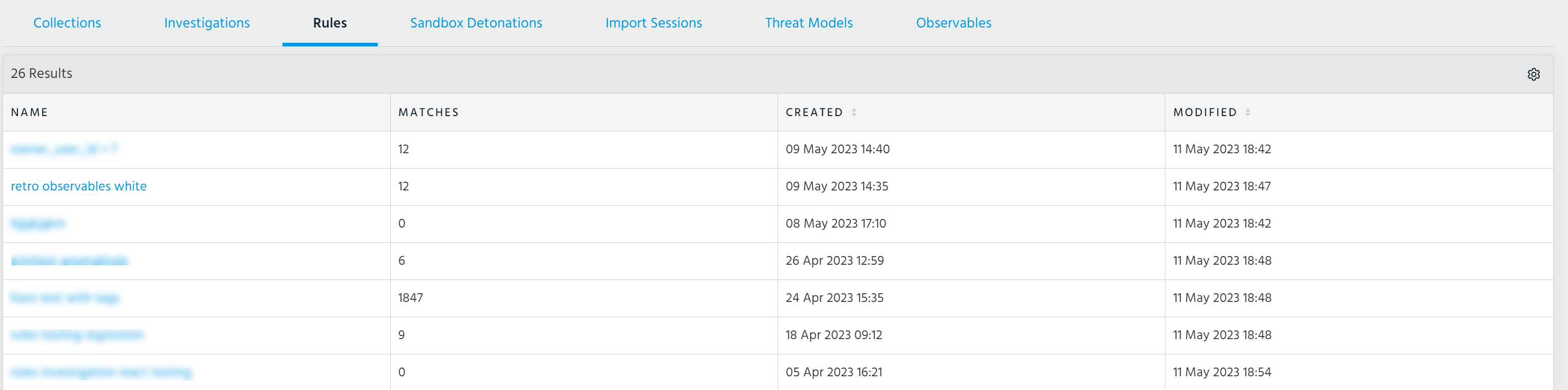
To associate a rule with an intelligence initiative, specify the intelligence initiatives of interest during rule creation or when editing an existing rule.
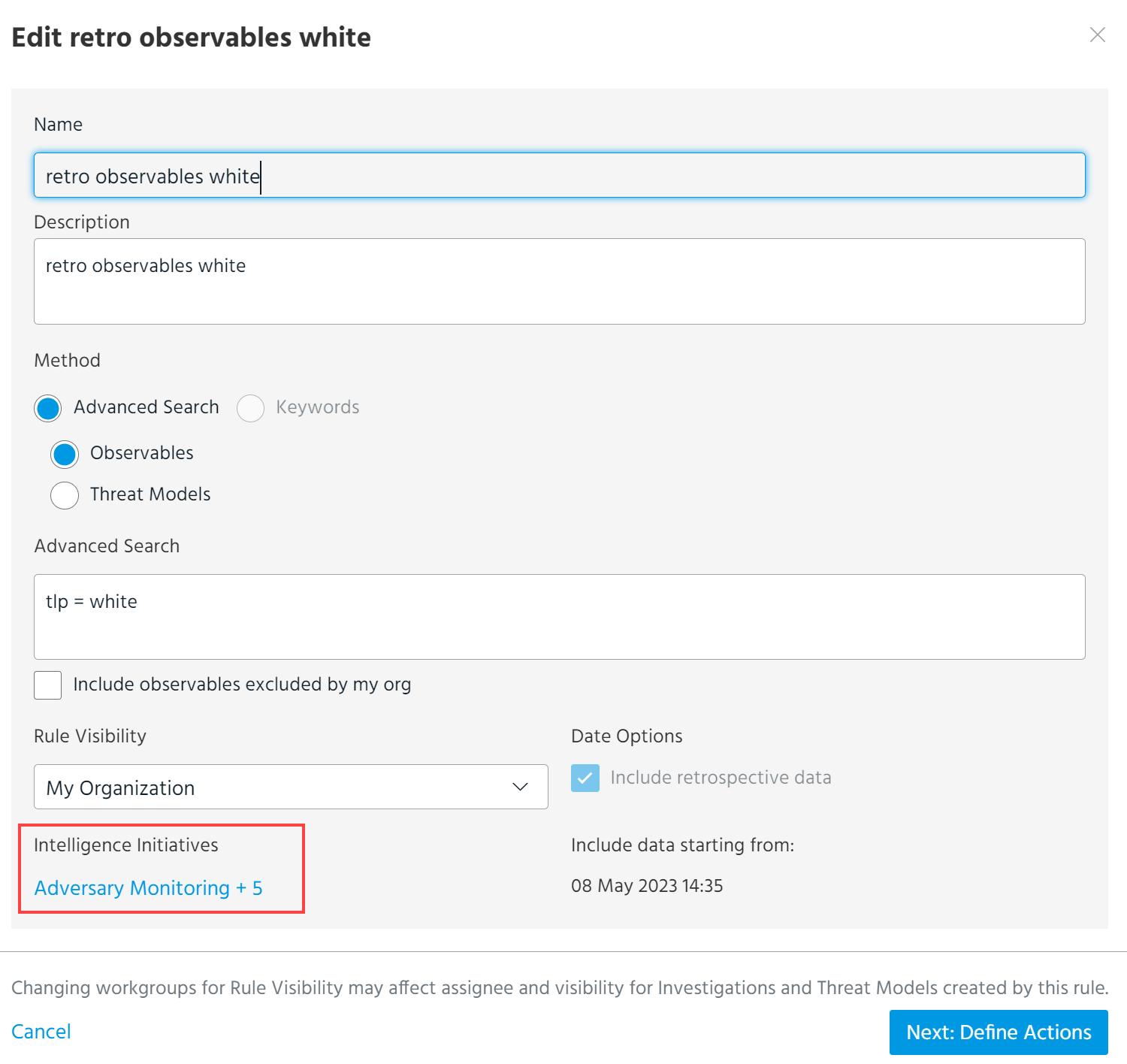
 Sandbox Detonations: Sandbox Detonations associated with the initiative.
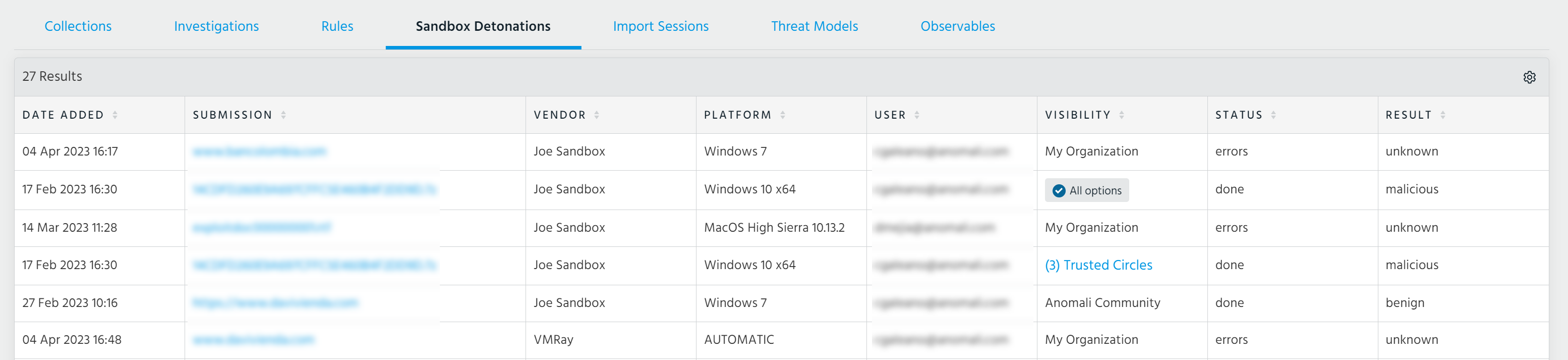
To associate sandbox detonations with the initiative, navigate to the details page of the detonation you want to associate and click Add Initiative. From the resulting window, you can select multiple intelligence initiatives. See Viewing Sandbox Reports for more information.
Additionally, you can associate sandbox detonations with intelligence initiatives during the submission process. Click Add Intelligence Initiative under Intelligence Initiative on the Analyze in Sandbox window before submitting your detonation. See Submitting Malware for Detonation for more information.
 Import Sessions: Import Sessions associated with the initiative.
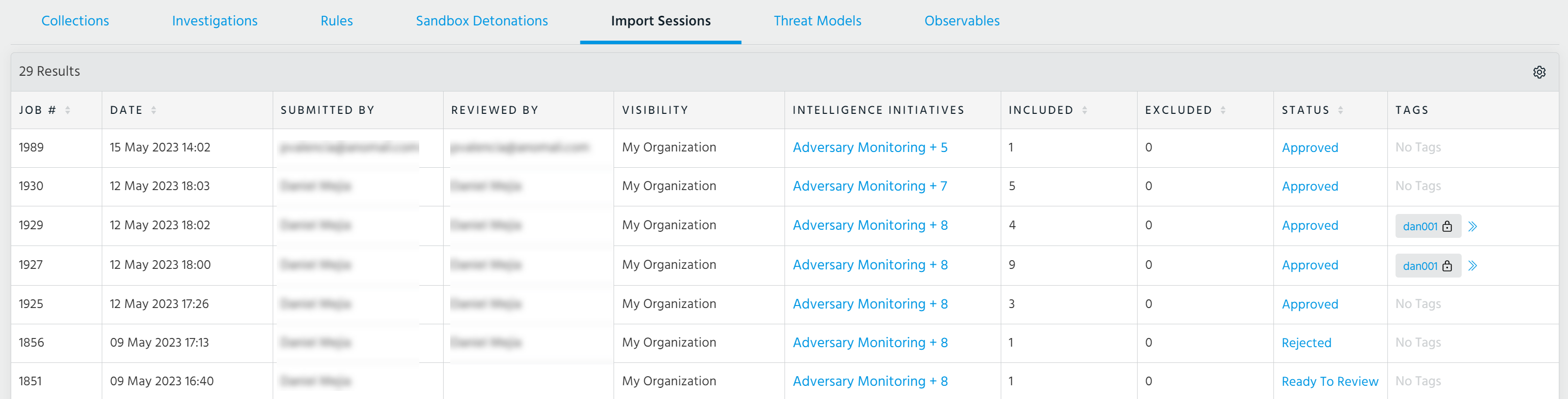
To associate import sessions with the initiative, navigate to the Import Review page of the import session you want to associate with the initiative and click Add Intelligence Initiative. From the resulting window, you can select multiple intelligence initiatives. See Viewing Import Jobs Associated With Your Organization for more information.
Additionally, you can associate import sessions with intelligence initiatives during the import process. Click Add Intelligence Initiative under Attribute to Intelligence Initiative on the import assistant before submitting your import. See Importing Observables for more information.
 Threat Models: Threat model entities associated with the initiative.
There are two methods of associating threat model entities with an intelligence initiative:
-
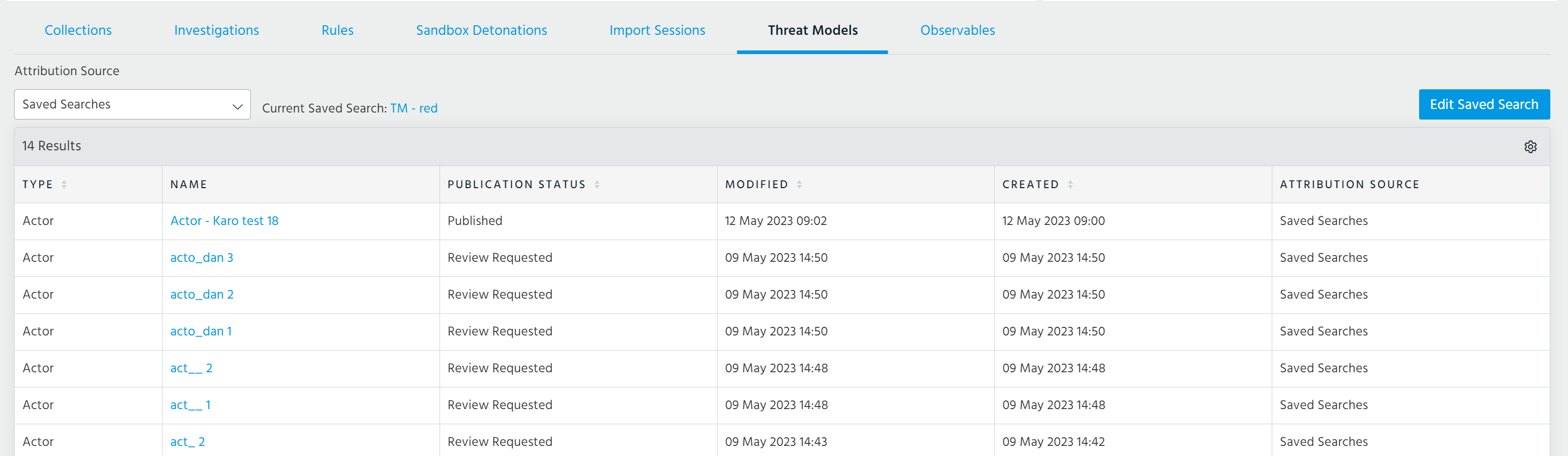
To associate threat model entities using a saved search, select Saved Searches under Attribution Source. Threat model entities that meet the search filter and the specified time period for the initiative are associated. If you have already added a saved search to the initiative, you can click Edit Saved Search to select a different saved search.
-
To manually associate threat model entities with the initiative, navigate to the details page of the threat model entity you want to associate and select the intelligence initiative under Intelligence Initiatives. You can select multiple intelligence initiatives. Additionally, you can associate threat model entities with intelligence initiatives during threat model entity creation.
Note: Threat model entities can only be manually associated with intelligence requirements from the details page of threat model entities. Saved search attribution configured for the primary intelligence initiative does not apply to associated intelligence requirements.
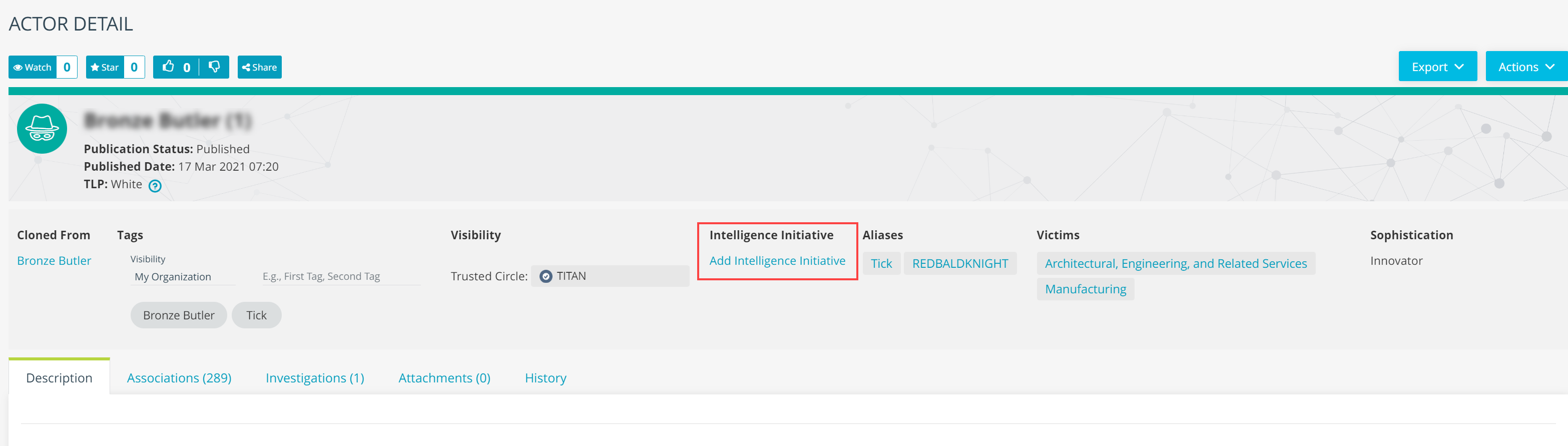
Note: When you select Saved Searches under Attribution Source, only threat model entities associated with the initiative through a saved search are displayed. To view threat model entities manually associated with the initiative, select Manual under Attribution Type and then select an Entity Type. Only entities of the selected Entity Type are displayed.
 Observables: Observables associated with the intelligence initiative.
There are two methods of associating observables with an intelligence initiative:
-
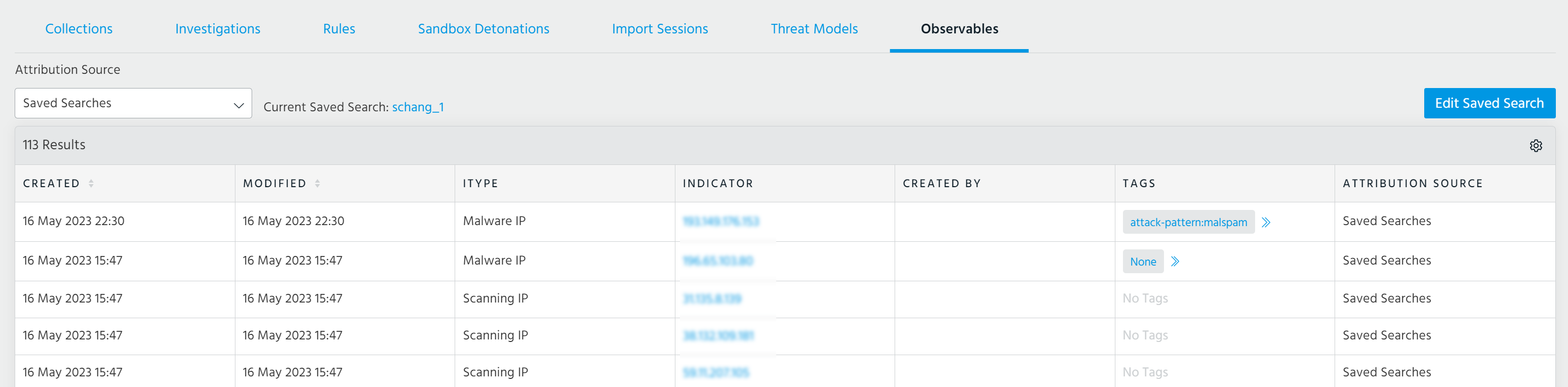
To associate observables using a saved search, select Saved Searches under Attribution Source. Observables that meet the search filter and the specified time period for the initiative are associated. If you have already added a saved search to the initiative, you can click Edit Saved Search to select a different saved search.
-
-
To manually associate observables with the initiative. Navigate to the details page of the observable you want to associate and select the intelligence initiative under Intelligence Initiatives in the Intelligence table. You can select multiple intelligence initiatives.
Note: Observables must be manually associated with intelligence requirements from the details page of the observables. Saved search attribution configured for the primary intelligence initiative does not apply to associated intelligence requirements.

Note: When you select Saved Searches under Attribution Source, only observables associated with the initiative through a saved search are displayed. When you select Manual, only observables associated through manual association are displayed.
 Suggested Feeds: Browse suggested premium intelligence feeds that provide threat intelligence relevant to the initiative type. Click the feed Name to view subscription information in the APP Store. The Status column lists whether the feed is available on a trial basis.
 Refresh: Refresh the initiative.
 Actions: The following actions are available:
-
New Initiative: Create a new intelligence initiative.
Note: You must mark active initiatives as complete before creating a new initiative of the same type.
-
Add Intelligence Requirement: Add an intelligence requirement to the selected intelligence initiative. See Intelligence Requirements for more information.
-
Edit Time Period: Edit the time period of the open intelligence initiative.
-
Complete Initiative: Complete the open intelligence initiative. See Completing Intelligence Initiatives for more information.
-
Export Report: Export the intelligence initiative in its current state. You do not have to complete an initiative before exporting it.
-
Export Previous Reports: Export previous intelligence initiatives. See Exporting Intelligence Initiatives for more information.
-
Delete: Delete the open intelligence initiative. See Deleting Intelligence Initiatives for more information.
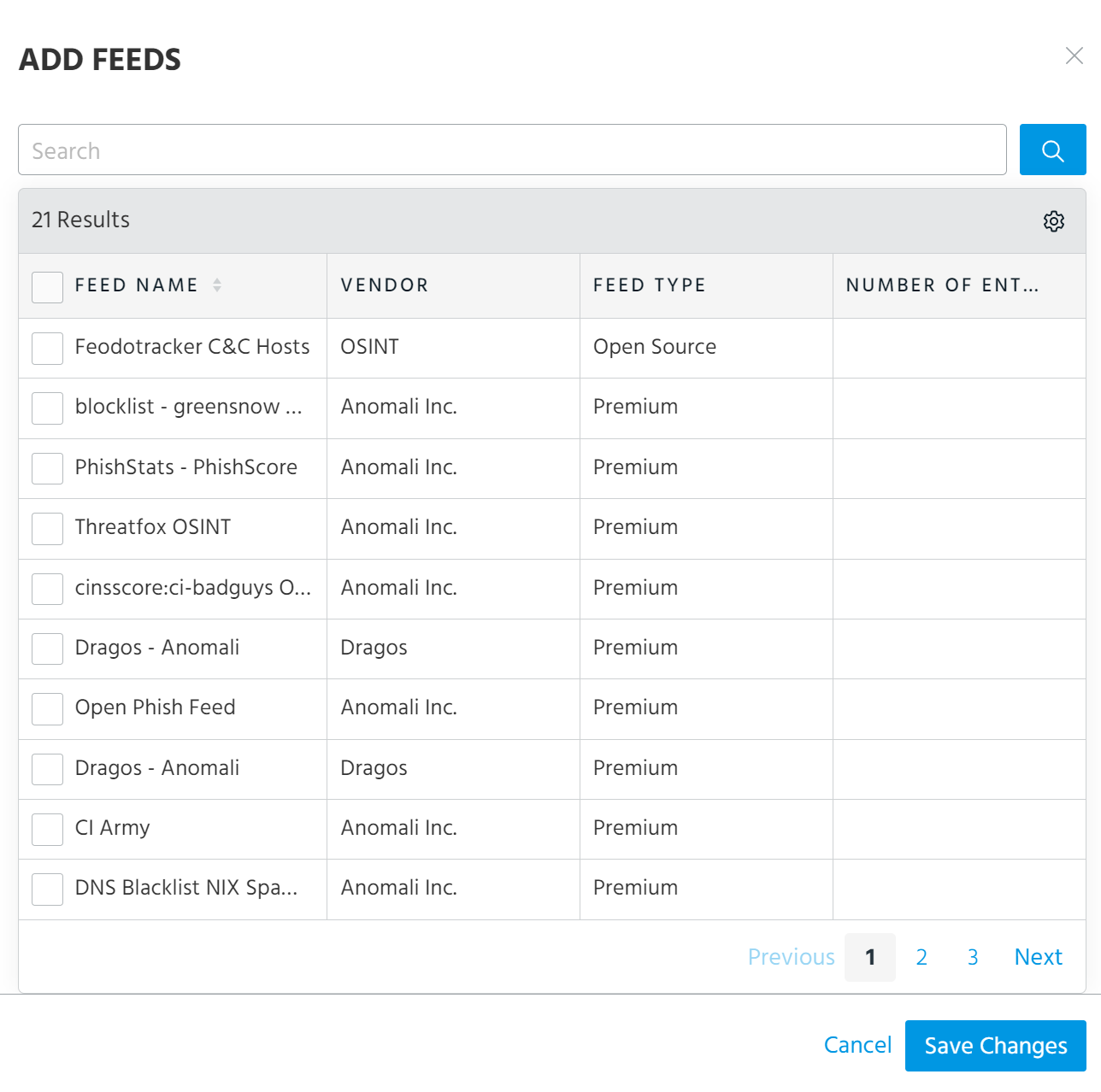
 Add Feeds: Select feeds to associate with the initiative.