Exporting Intelligence Initiatives
Org Admin and Non Admin users can export completed intelligence initiatives. Export gives you access to a full archive of completed intelligence initiatives created by your organization. Additionally, you can export open intelligence initiatives in their current state.
To export completed intelligence initiatives:
-
Navigate to ThreatStream > Manage > Intelligence Initiatives.
-
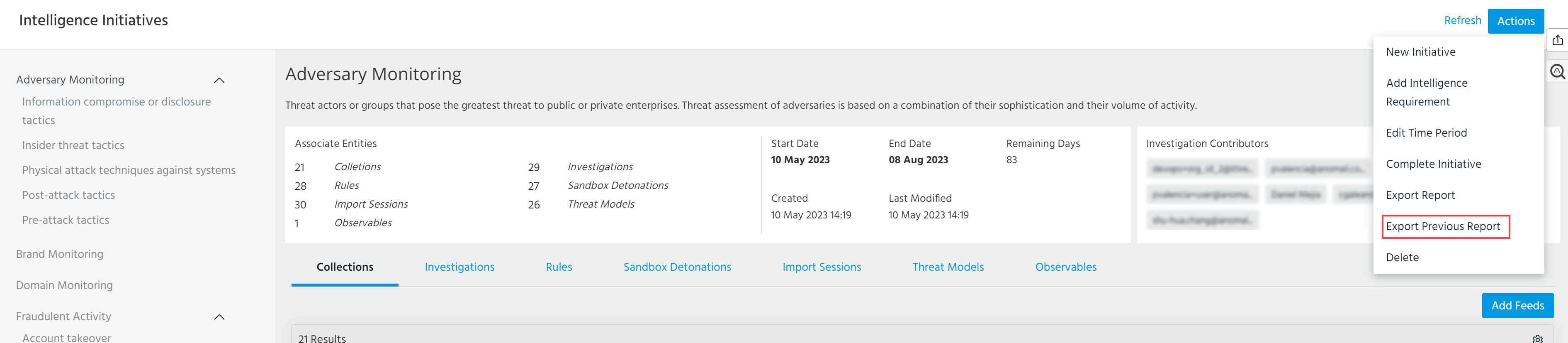
In the Actions menu, click Export Previous Reports.
-
Select the initiative type of interest.
-
Click Export.
Your download begins after ThreatStream finishes generating the PDF.
To export open intelligence initiatives:
-
Navigate to ThreatStream > Manage > Intelligence Initiatives.
-
In the left menu, click the intelligence initiative you want to export.
-
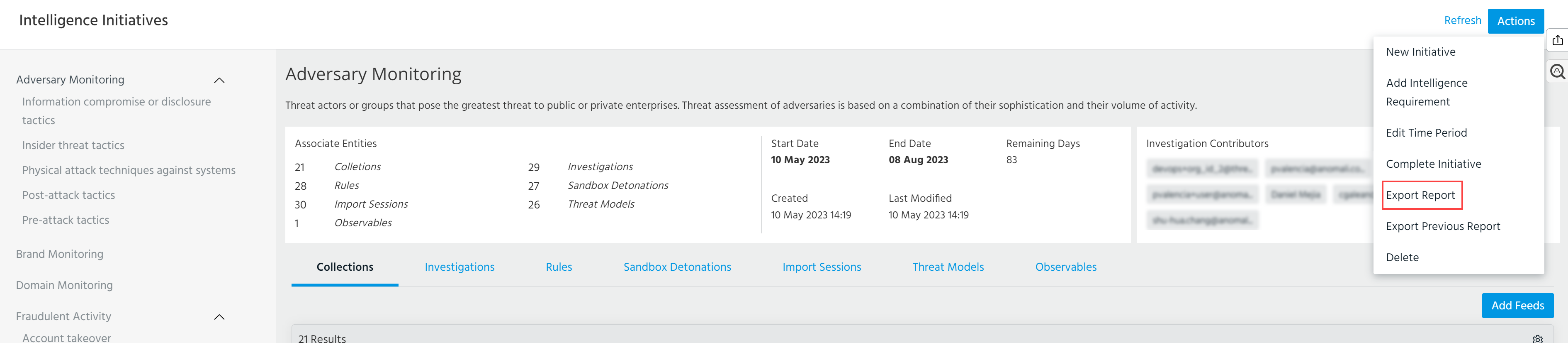
In the Actions menu, click Export Report.
Your download begins after ThreatStream finishes generating the PDF.