Completing Intelligence Initiatives
Org Admins can mark intelligence initiatives as complete at any time. Initiatives are not automatically completed when the time period expires. Intelligence requirements of primary intelligence initiatives can also be completed independently.
Completing Intelligence Initiatives
Completing Intelligence Requirements
To complete an intelligence initiative:
-
Navigate to ThreatStream > Manage > Intelligence Initiatives.
-
On the left pane, click the type associated with the initiative you want to complete.
-
In the Actions menu, click Complete Initiative.
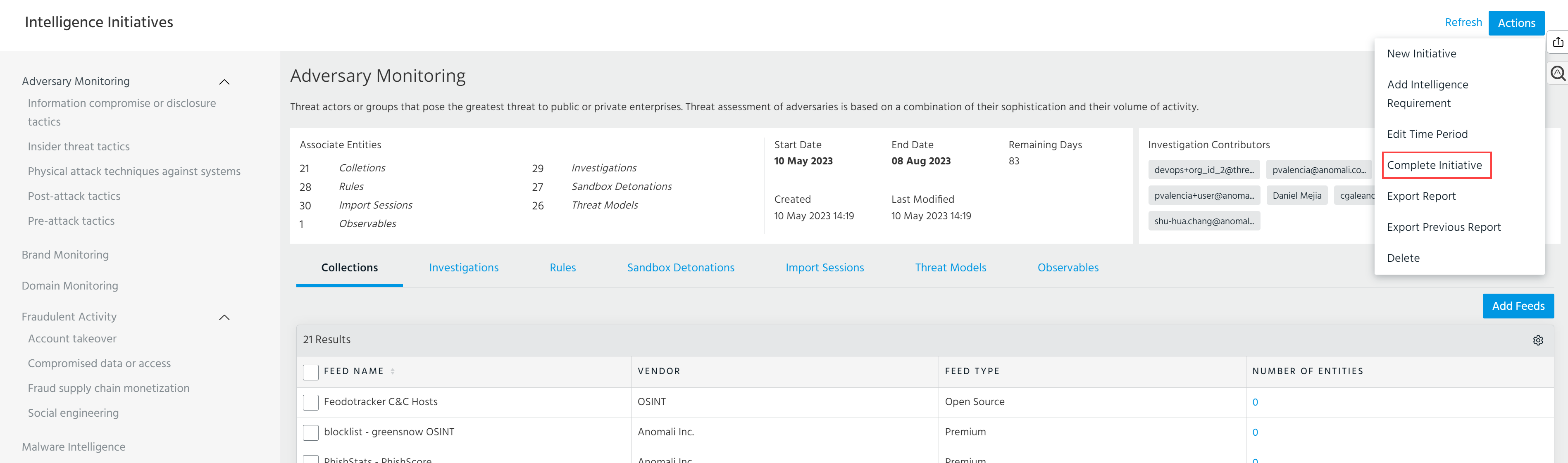
Note: You cannot edit the intelligence initiative after completion.
-
In the dialog box that opens, select Download PDF if you want to automatically export the initiative upon completion. By default, the Download PDF option is selected.
If you want to automatically create a new initiative of the same type, select Create a new initiative.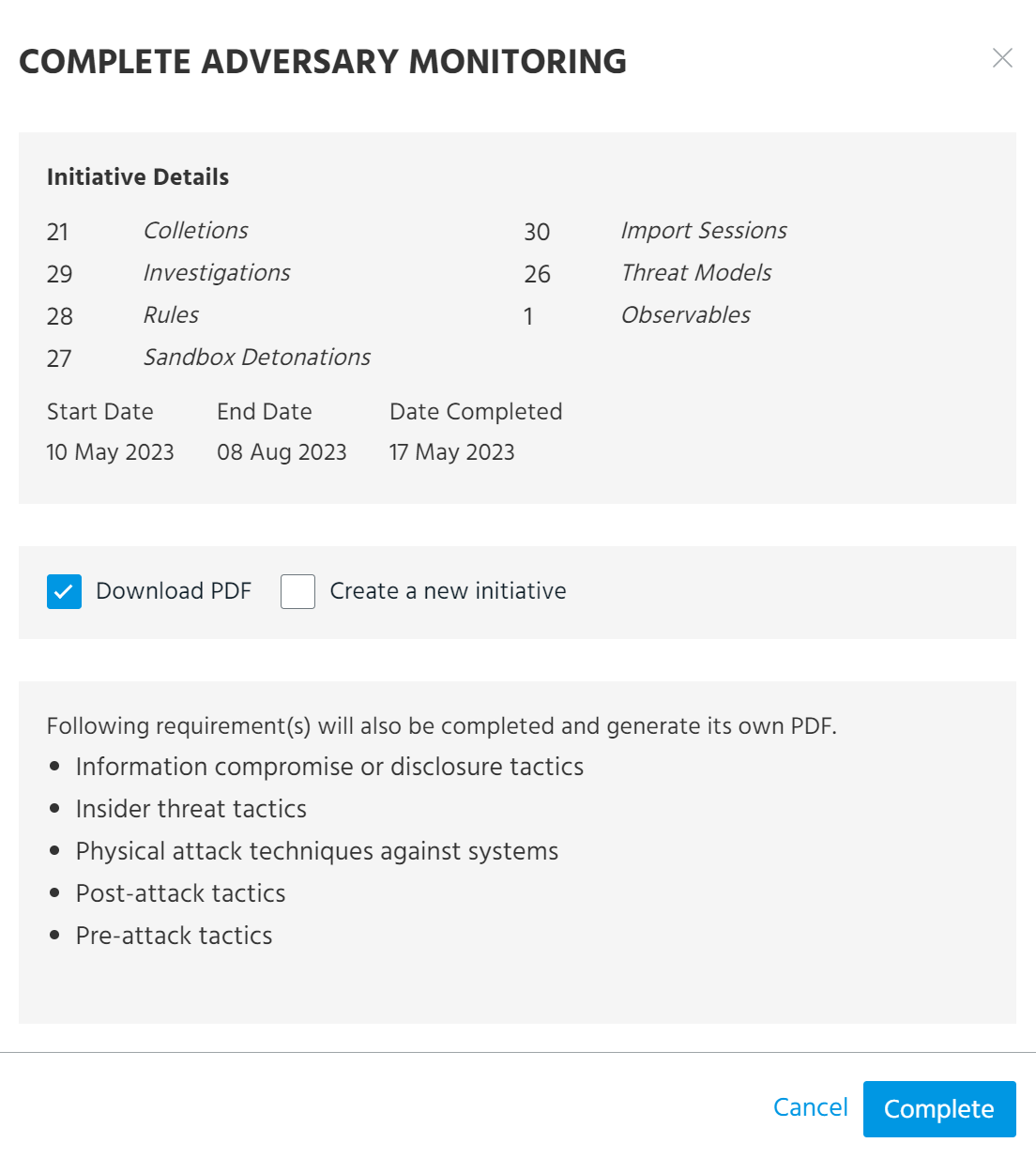
-
Click Complete.
If a parent intelligence initiative has intelligence requirements, you can complete them from the intelligence requirement pages.
To complete an intelligence requirement:
-
Navigate to ThreatStream > Manage > Intelligence Initiatives.
-
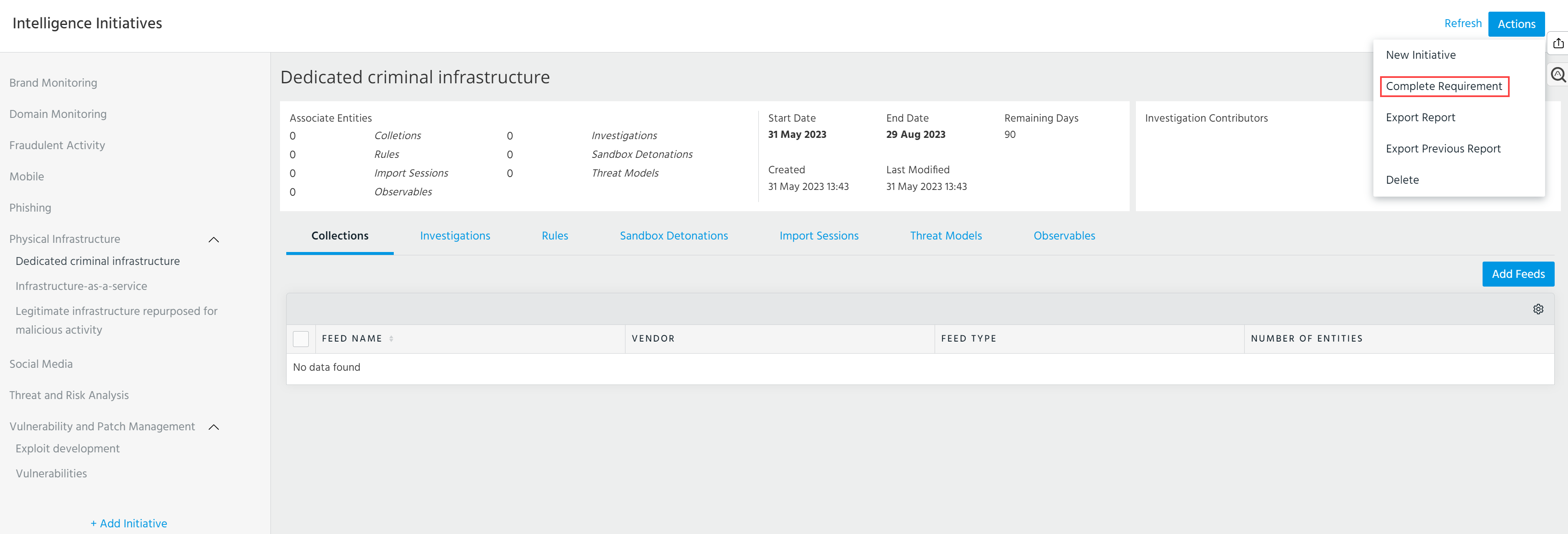
On the left pane, click the intelligence requirement that you want to complete.
-
In the Actions menu, click Complete Requirement.
-
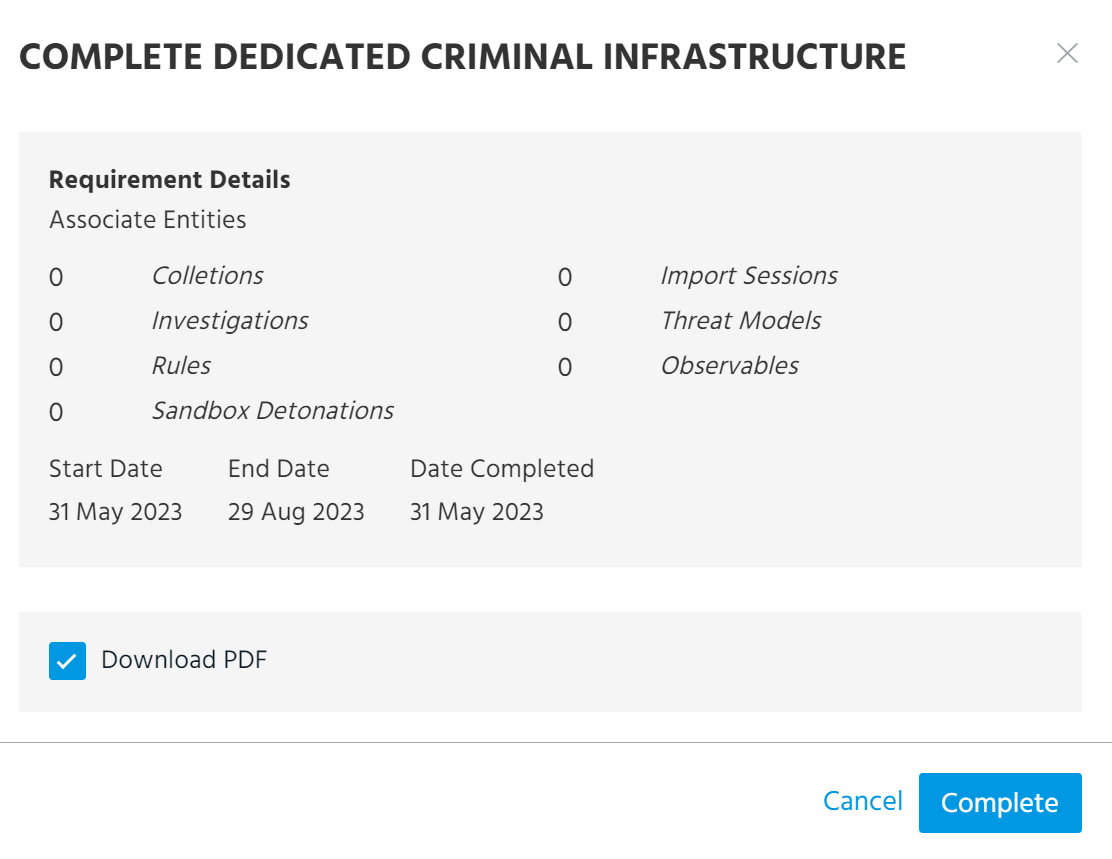
In the dialog box that opes, select Download PDF if you want to automatically export the requirement upon completion. By default, the Download PDF option is selected.
-
Click Complete.