Managing Links and Log Sources
You use the Settings > Links page to monitor the health of Anomali Links and to configure log sources.
- Note:
-
You can add use the Security Analytics user interface to add log sources and manage active/inactive status for on-prem-to-cloud data flows through Universal Link.
-
Anomali Customer Support will facilitate the onboarding and management of log sources for cloud-to-cloud data flows.
About Links
Anomali Link software is not required for all log sources. In cases where Link software is required, Anomali maintains and supports Anomali Link software to perform the following functions:
-
Collect data from the event source
-
Parse the data into normalized event log fields
-
Upload the normalized event log data to Security Analytics
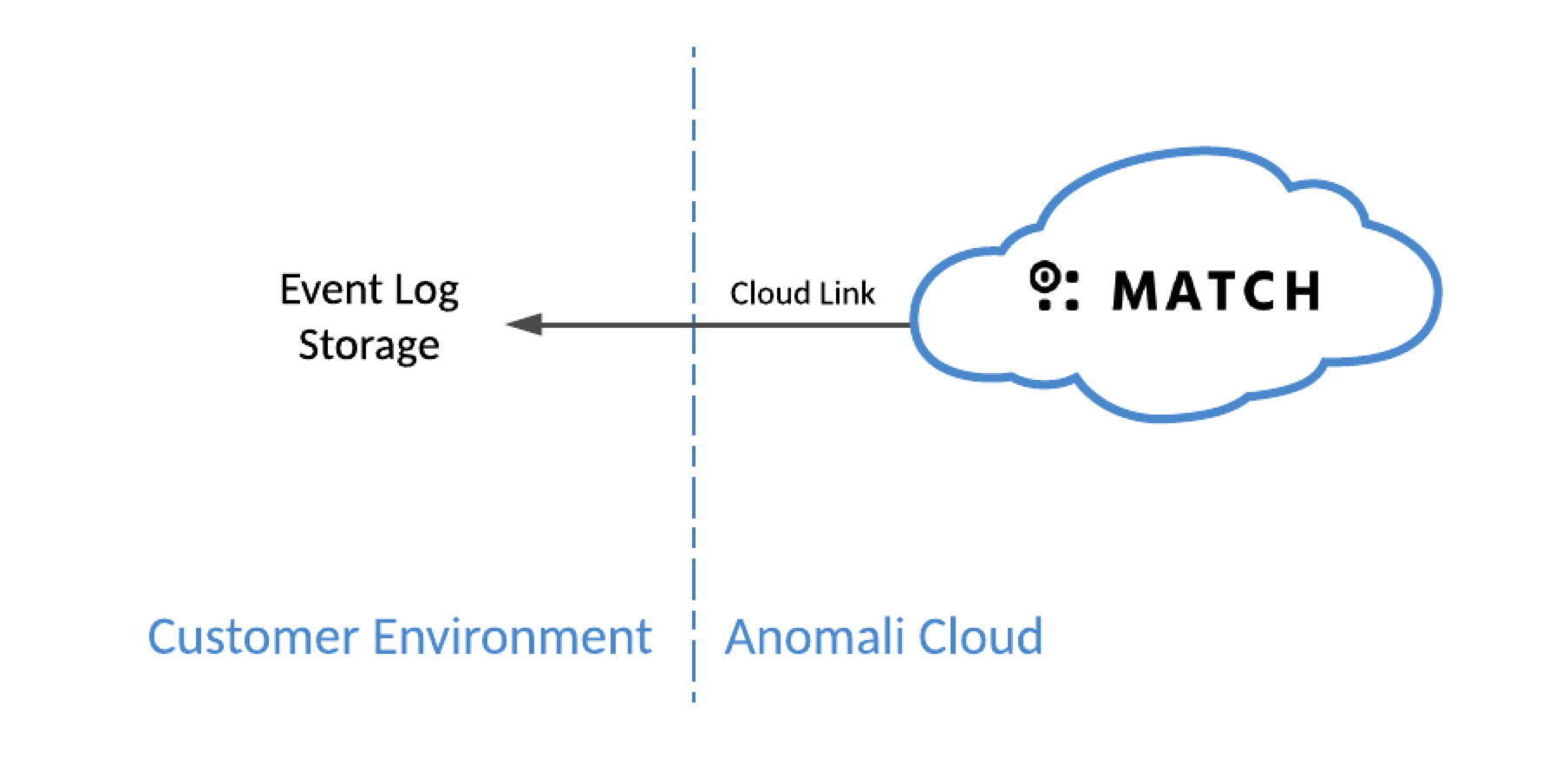
Cloud-to-Cloud Data Flow Using Anomali Cloud Link
Anomali Cloud Link ingests event telemetry that has been forwarded to cloud storage, such as Amazon Web Services S3, Microsoft Azure Event Hub, or Google Cloud Storage. For these types, Security Analytics initiates queries to retrieve logs.
For live streamed events, the process is automatic once set up and does not require any intervention from you.
For backfilling events that are older than 24 hours from now, you must contact Anomali to set up ingestion for your organization. Failing to do so can result in an impact on the timestamps of those events thus leading to inaccurate search and correlation results.
On-Premise-to-Cloud Data Flow Using Anomali Universal Link
For on premise log sources, @Anomali software is deployed on the SIEM system or on another system in your local network. A Universal Link instance connects to Security Analytics on one side and to a SIEM (or other event source) on the other side.
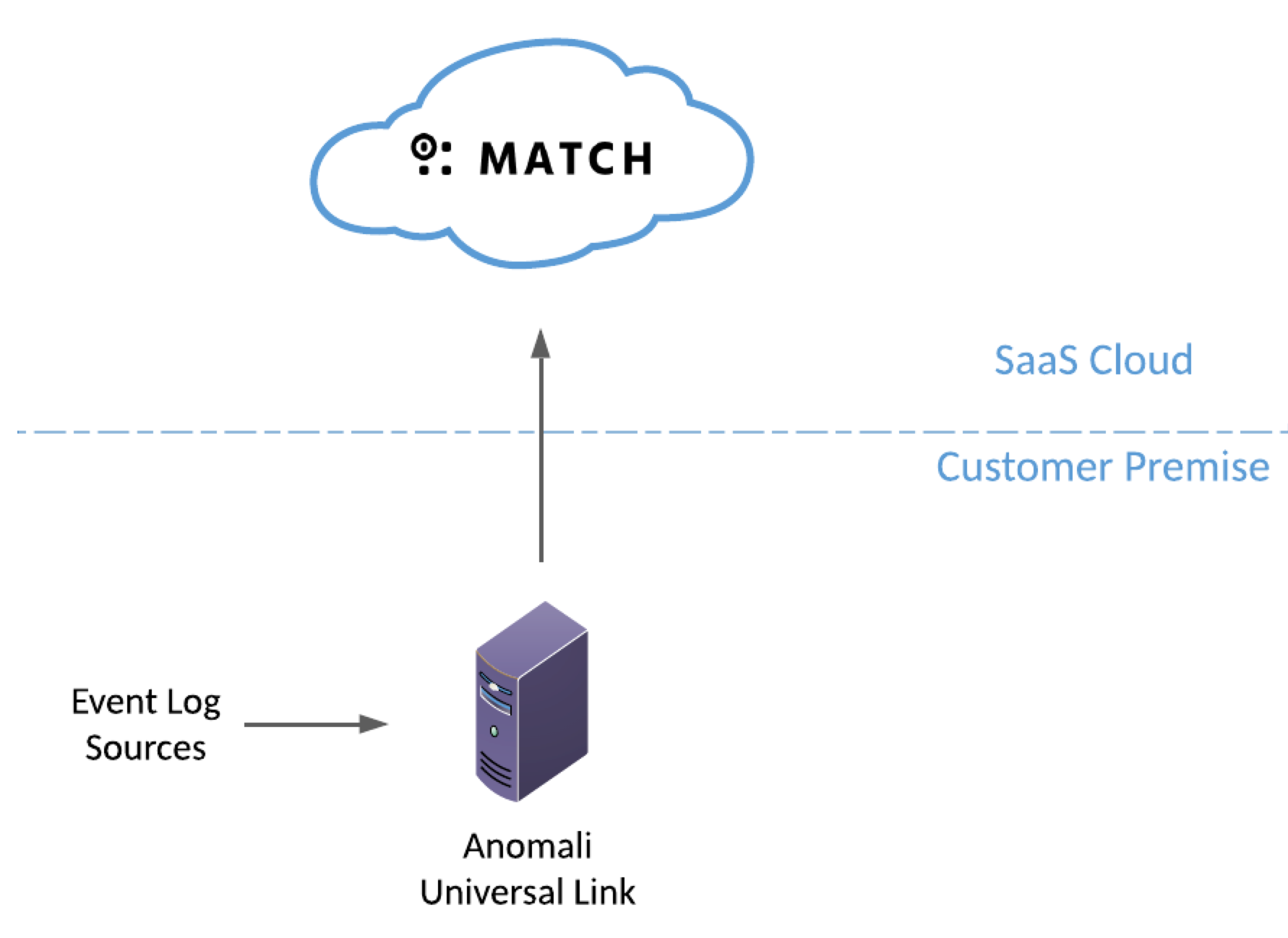
For information about installing Anomali Universal Link in your on premise environment, see the Anomali Universal Link Installation Guide.
Anomali Link for Splunk
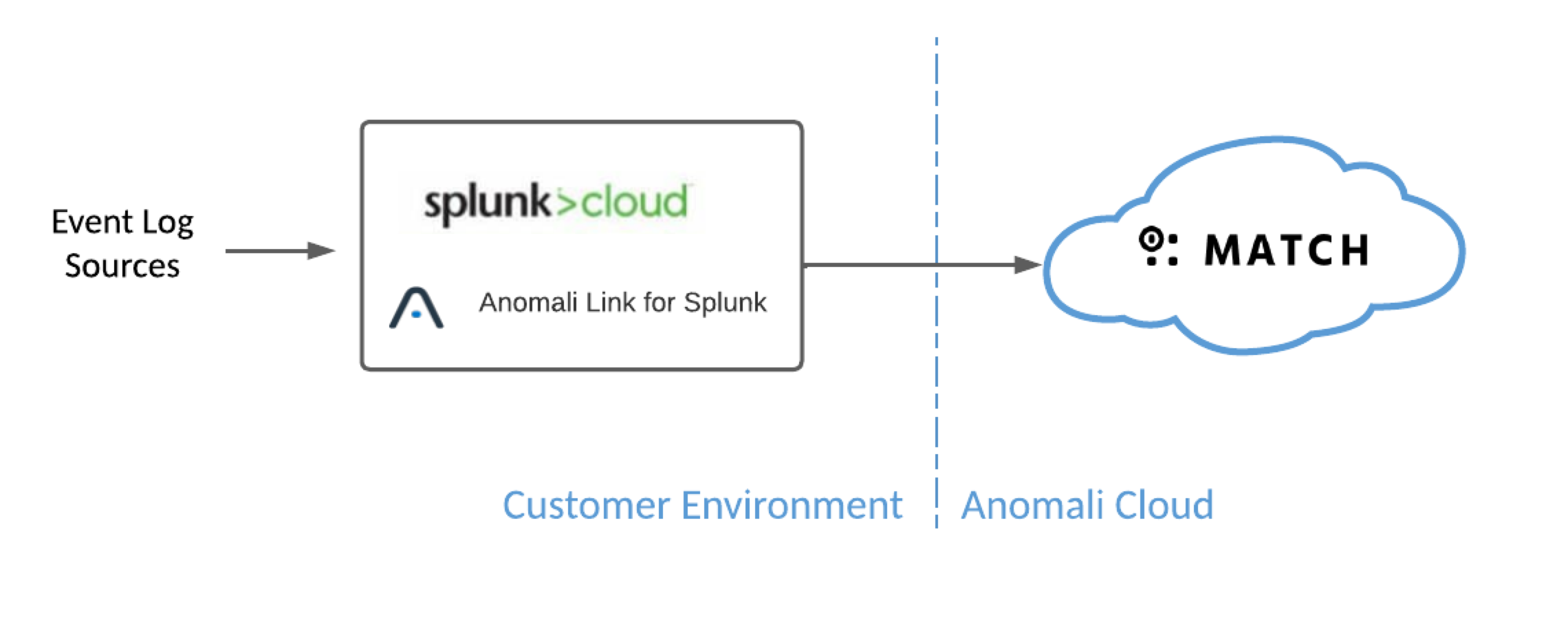
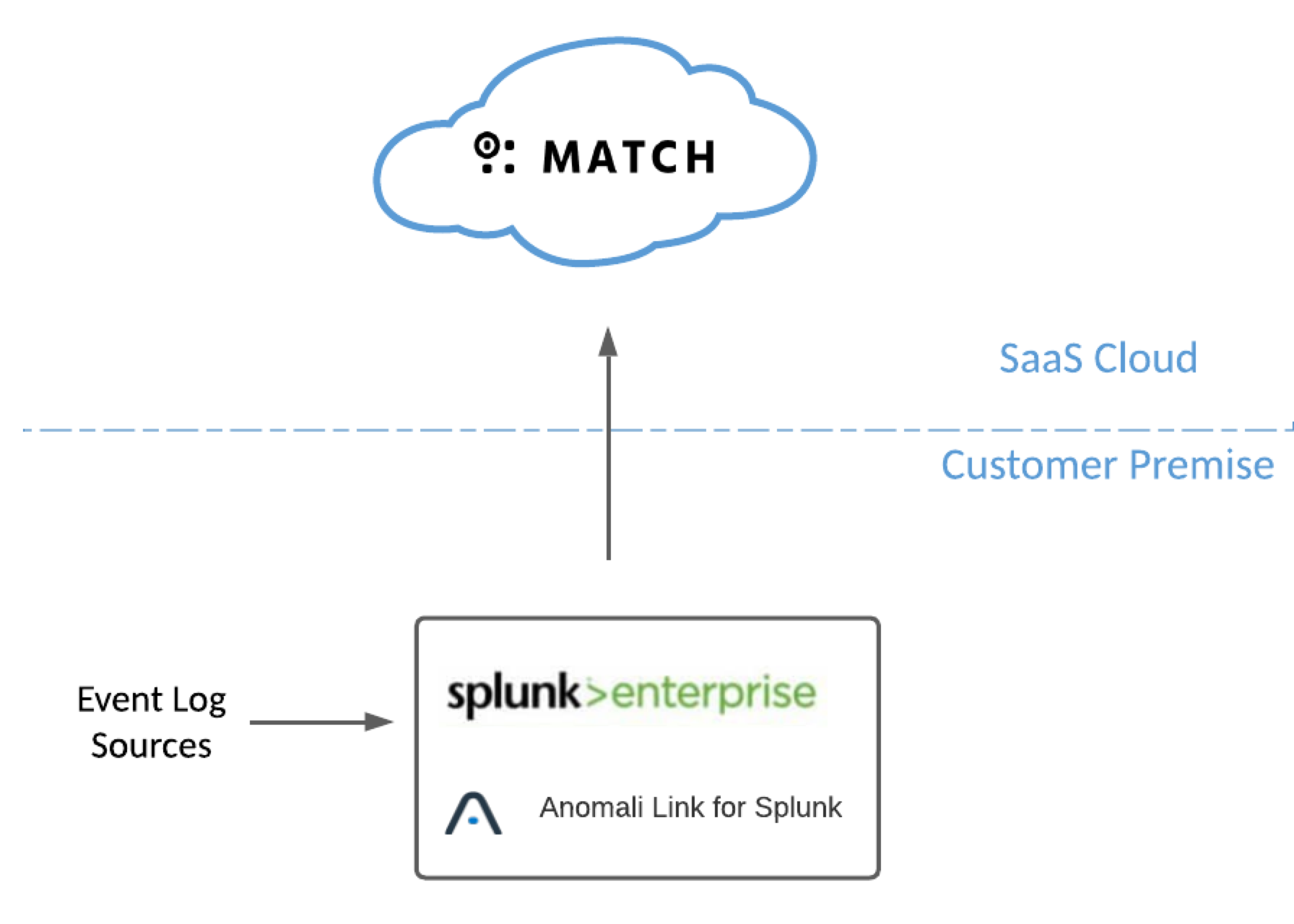
For log ingestion from Splunk, Anomali Link for Splunk is deployed on Splunk Cloud or Splunk Enterprise to facilitate log forwarding to Security Analytics.
The following figure shows a deployment with Splunk Cloud.
The following figure shows a deployment with Splunk Enterprise.
For information about installing Anomali Link for Splunk, see Anomali Link (for Splunk) Installation Guide.