Managing Asset Data Imports
You use the Settings > Assets page to import asset data or to create manual entries.
Note: When you get started with your Security Analytics deployment, import asset data before you ingest event log data. The asset data is used during correlation to enrich the results. Correlation occurs only during log ingestion.
About Asset Data Sources
Asset data encompasses details that your IT organization maintains about computer systems on your network, including hostname, IP address, MAC address, department, criticality, location, and operating system.
Asset data is used to enrich search results with asset-related fields. The enriched results make it easier for you to set up operations to monitor and report on impacted assets.
You can import asset data from Qualys scanners, Rapid7 scanners, Tenable scanners, as well as CSV files you upload or import from AWS SQS or S3 bucket locations. You can also create asset records manually.
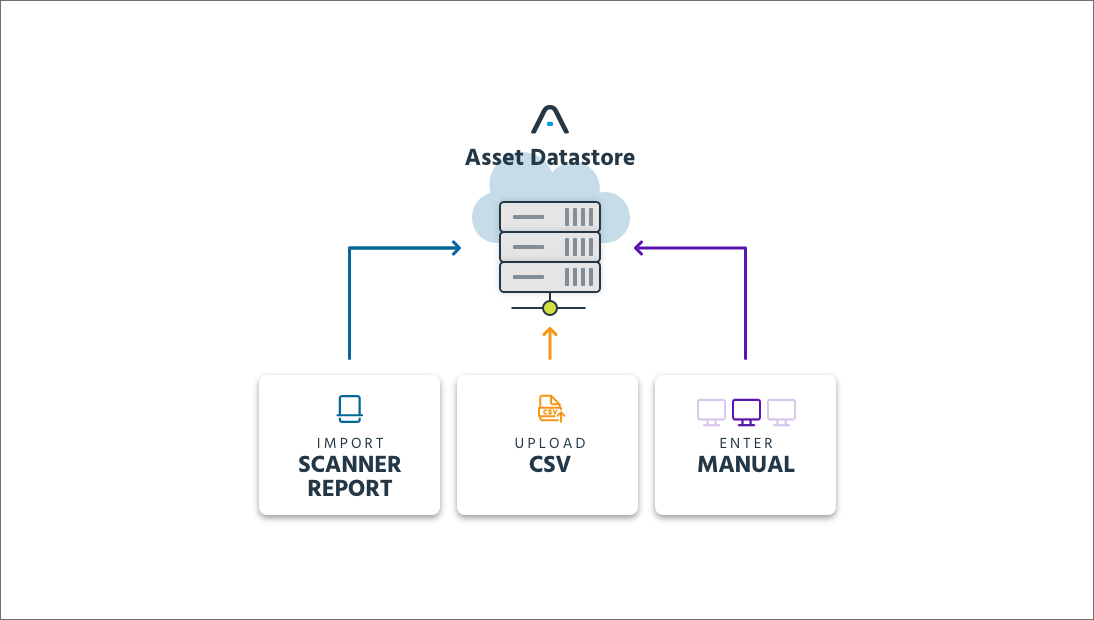
You may have imports from multiple instances of scanners or multiple types of scanners. IP address is the primary key for the asset database and is used to de-duplicate entries. If scanner reports include the same assets (for example, two entries with the same IP address), the latest entry is applied. In other words, the earlier record for the asset is overwritten. If you do not want this behavior, reconfigure the scanners to report on mutually exclusive sets of assets.
Note: After you have added asset data via scanner report, CSV file, or manual entry, the update is processed to be included in Activity search. It takes up to ten minutes for the data to be available in Activity search.