Anomali University Course:
Using Lookup Tables
A lookup table is a CSV file that has enrichment data and can be any set of fields that you want to correlate with an event log field, enabling the lookup table data to enrich Search results.
For example, the eventlog lookup table empowers AQL Views and Security Analytics to map Anomali's event log schema to different event fields from varied event log sources.
When Schema RBAC is active for your organization, the schema filters in your assigned roles determine which data this feature returns. An eventlog filter limits your results to only the eventlog data your role permits, and an OCSF filter limits your results to only the OCSF data your role permits. If a query runs against a schema for which your role has no filter assigned, the query returns a forbidden error. For details, see Role-Based Access Control for Schemas.
Anomali offers and supports two types of lookup tables:
-
System lookup tables: These are lookup tables that Anomali offers out of the box. See Anomali System Lookup Tables for more information.
-
Custom lookup tables: Anomali allows you to create your own lookup tables for downstream applications.
To learn how to create a custom lookup table, refer to Creating Custom Lookup Tables .
To learn how to view, append, update, export, or delete custom lookup tables, refer to Managing Custom Lookup Tables.
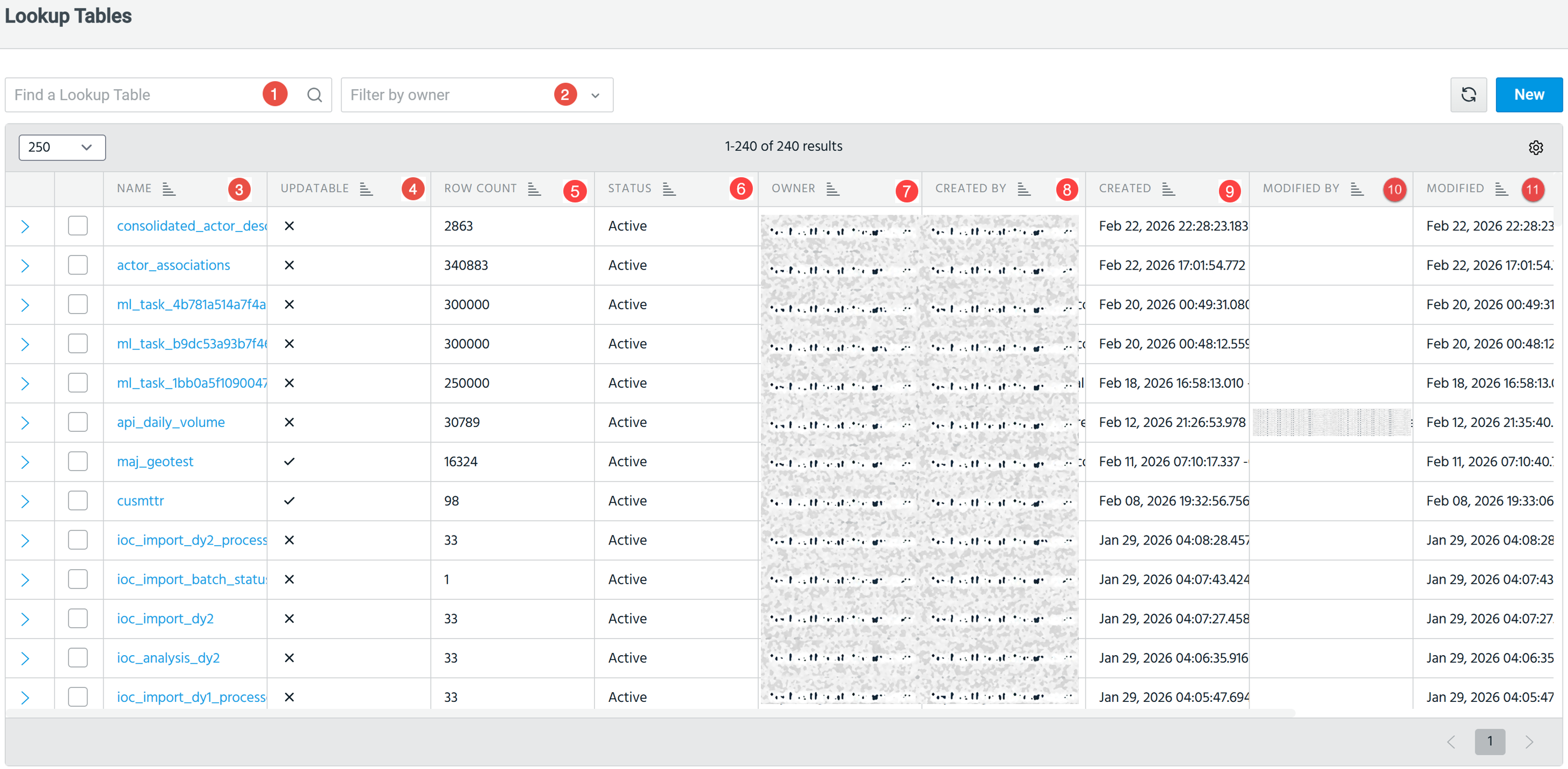
To access all lookup tables available to your organization, navigate to Search > Lookup Tables.

|
Search: Enter the lookup table name that you want to find. You can also search by name, description, modified by, created by, or owner, with the search being incremental, that is, results update as you type. |

|
Filter by owner: You can filter lookup tables by owner. Possible values include:
Note: A user can always only view and edit tables they own. See User Sharing and Permissions for more information. |

|
Filter by tag: Filter the lookup table list by one or more resource tags.
See Managing Custom Lookup Tables for details. |

|
Name: Name of the lookup table. |

|
Tags: Apply one or more resource tags to the lookup table.
Note: Users with read-only permission on a lookup table can view applied tags but cannot add or remove them. Only tag owners and users with write permission can add or remove tags. See Resource Tagging Permissions for more information.
|

|
Updatable: Whether the lookup table is updatable. |

|
Row Count: Number of rows in the table. |

|
Status: View the activation status of the lookup table:
|

|
Owner: Indicates the owner of the lookup table. By default, the creating user is the owner and is private (not shared). The owner can:
Note: A user can always only view and edit tables they own. See User Sharing and Permissions for more information. |

|
Created By: Email address of the user that created the lookup table. A user can always only view and edit tables they own. |

|
Created: Denotes the timestamp of when the table was created. |

|
Modified By: Refresh the list of lookup tables. |

|
Modified: Denotes the timestamp of when the table was modified. |

|
New: Create a new lookup table. Refer to Creating Custom Lookup Tables for details. |

|
(Optional) Enter a description for the lookup table. |
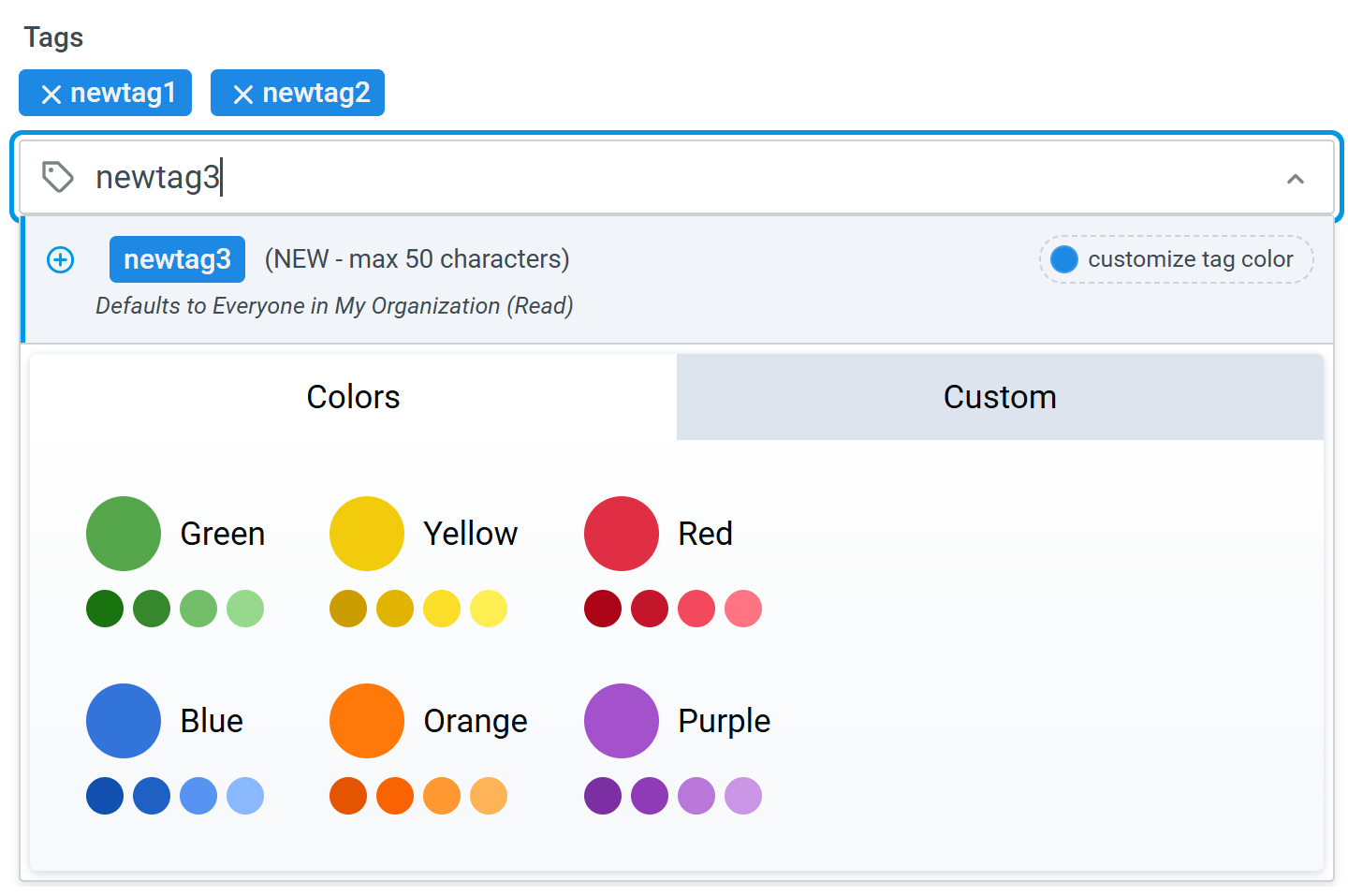
 ) to add the tag to the lookup table as well as the shared tag catalog. A new tag is added to the shared tag list immediately, even if you abandon creating or editing the lookup table.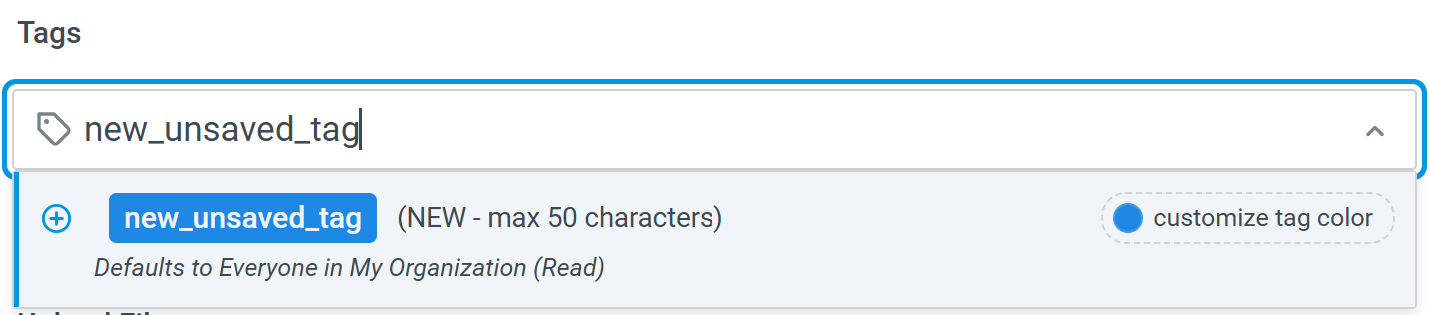
User Sharing and Permissions
All users can always view and edit lookup tables they own. They can see only lookup tables they are entitled to view, based on the permissions granted under the Sharing & Permissions tab.
If the Sharing & Permissions settings are configured as:
-
Private: Only the owner of the lookup table can view and edit the table. By default, if no sharing is specified, the lookup table is private.
-
Shared: Users with specified roles can view and edit the lookup table, according to their assigned permissions
Users with roles granted read permissions:
-
Can view, clone, and export lookup tables they own. Can only view, and cannot edit, the tables they do not own.
Users with roles granted write permissions:
-
Can modify the lookup table, but not sharing or permission rights.
-
Can use the yieldtable operator, as it supports ownership and sharing parameters.
Users who own the lookup table:
-
Can perform all actions, including editing ownership and permissions of the dashboards they own.
-
If no sharing is specified, by default, the lookup table is private (not shared).
Organization Administrators
Can perform all actions, including editing ownership and permissions of any dashboard.
Referencing Lookup Tables in AQL Search:
-
Only visible lookup tables can be referenced.
-
Auto-complete feature does not expose lookup tables to which you lack access.
-
Structured search also does not expose lookup tables to which you lack access.
-
Lookup tables can be joined with both eventlog and OCSF queries. See OCSF Schema Overview for more information about OCSF queries.
Example: Joining OCSF Data with a Lookup Table
You can enrich OCSF queries by joining them with lookup tables. The following example joins OCSF network activity data with a custom lookup table containing known malicious IPs:
| from malicious_ips
| join type=inner (
    | from eventlog
    | where event_type = "network"
) on src_ip = ip
| fields event_time, src_ip, dest_ip, threat_category, confidence