Bolstering Your Security Controls Against COVID-19
Due to an increase in targeted COVID-19 related attacks on organizations and network infrastructures, Anomali is ensuring that the threat intelligence community members have the ability to rapidly receive intelligence from Anomali ThreatStream and distribute it among peers in this community.
ThreatStream has the following resources, features, and tools available for you to understand and analyze the latest threat intelligence and automate its ingestion in your downstream security controls and integrations.
- Threat Bulletin and Campaign
- Trusted Circles
- My Events Map (customized to COVID-19 matches)
- My Alerts - Rules
- Chat - COVID-19
It is strongly recommended that you leverage all of these resources and the latest threat intelligence on ThreatStream to ensure the best possible defense for your infrastructure. Additionally, review your current filters to ensure COVID-19 specific threat intelligence is properly forwarded and ingested into your downstream integrations and other security controls.
Threat Bulletin and Campaign
The Anomali Threat Research team has issued the following Threat Bulletin and Threat Campaign about cyber threats related to COVID-19:
-
Threat Bulletin: https://ui.threatstream.com/tip/686977
- Threat Campaign: https://ui.threatstream.com/campaign/60704
These threat models are associated with observables, sandbox analysis reports, and other related threat models thus allowing you to obtain the latest threat intelligence from one central location and ingest it into your downstream integrations through Integrator, match against your event logs on Anomali Match, and ingest into your Splunk instances to automatically scan events in Splunk against the observables associated with the bulletin.
The Threat Bulletin and the Threat Campaign are automatically available to you in human-readable and machine-readable forms if you have purchased the Anomali Labs Premium Feed from the ThreatStream APP Store.
Trusted Circles
Anomali recommends joining the following Public Trusted Circles on ThreatStream. For information on joining a trusted circle, see Joining a Trusted Circle.
| Trusted Circle | Trusted Circle ID |
|---|---|
| OSINT News & Other Reports | 10983 |
| OSINT Threat Reports | 10977 |
| OSINT Vulnerability Reports | 10982 |
| Twitter - APT | 11053 |
| Twitter - Compromised Accounts | 10980 |
| Twitter - Compromised Sites | 10981 |
| Twitter - Malware | 10979 |
| Twitter - Social Engineering & Phishing | 10978 |
Note: The Trusted Circle ID links will only work once your organization has joined them.
Once your organization joins these trusted circles, the following example queries can be used to view the latest COVID-19 specific threat intelligence available from these trusted circles:
Observables in the above trusted circles in the last 30 days (adjust the date in the following query accordingly):
Threat Models in the above trusted circles in the last 30 days (adjust the date in the following query accordingly):
My Events Map (customized to COVID-19 matches)
Anomali recommends enabling the My Events Map to visualize threats tagged with COVID-19 specific threat information from around the world.
To create a My Events Map for COVID-19:
- Create a Saved Search:
- Navigate to Analyze > Observables.
- Click Advanced.
Enter this in the search text box:
(type="ip" or type="ipv6" or type="domain") and (status="active") and (value contains "COVID-19" or tags contains "COVID-19")
- Click Filter: Save as.
- Enter a name for the new filter. For example, COVID-19 or CoronaVirus.
- Click Save.
- Click Dashboard > My Events.
- Click Recent Intelligence at the lower right corner of the map to locate the saved search you created earlier.
-
Select the saved search (for example, CoronaVirus).
The My Events Map will start populating with threat intelligence related to COVID-19.
My Alerts - Rules
Configuring rules enables your organization to take automated actions when specific keywords appear in newly created Threat Bulletins, Sandbox Reports, Signatures, Vulnerabilities, or recently imported observables.
Actions you can take are: tag the threat intelligence with additional terms, associate the intelligence to a specific threat model, or add the intelligence to an investigation.
To create a rule specific to COVID-19, follow instructions in Creating Rules and use the following recommendations for parameter values. It can take up to five minutes for a newly created rule to start matching keywords.
| Field | Description |
|---|---|
| Name | COVID-19, or another name of your choice. |
| Match Within |
Keep all of these checked:
|
| Keywords |
Suggested keywords:
Add additional keywords to suit your needs. Keywords must adhere to the guidelines detailed in Keyword Syntax Requirements. |
| Indicator Types |
Accept the default value: Match All |
| Exclude |
Leave unchecked |
| Add Action |
Select the following automated actions to take when keywords match within the selected intelligence types.
|
| Exclude from notifications |
Leave unchecked |
The My Alerts widget on ThreatStream Overview Dashboard displays the recently triggered rules and corresponding automated actions taken by ThreatStream. Additionally, you can view the type of intelligence the rule matched, any enrichments, add to an investigation, export in multiple formats, clone and share within the community on the Viewing Rule Details page.
Chat - COVID-19
Anomali has created a designated Chat channel for anonymous collaboration and discussion on threat intelligence related to the COVID-19 pandemic. Additionally, the Anomali Threat Research team uses the Chat channel to share breaking news and threat intelligence updates. However, the channel is not a forum for asking questions of the Threat Research team directly.
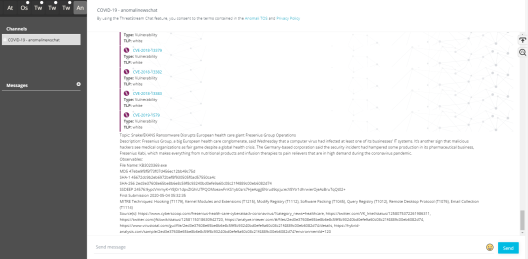
In order to access the COVID-19 Chat channel, you must join the invite only Anomali News Chat Trusted Circle. Contact your Customer Support representative to gain access.
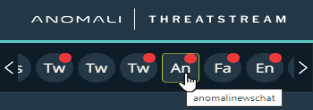
After joining the Trusted Circle, you can launch the COVID-19 chat channel by opening the "anomalinewschat" chat room.
For more information on using ThreatStream Chat, see Collaborating with ThreatStream Chat.