Integrating with Third-Party Services
ThreatStream provides integrations with third-party services for Sandbox, DNS, ticket management and more. Most third party services require that you obtain credentials from the vendor before you can activate integrations on ThreatStream. Once you configure the user credentials for these services on ThreatStream, they are available for use by your organization.
Unless otherwise noted, integrations listed on this screen support both paid and free subscriptions. As such, there is no distinction between paid and free integrations. In cases where services support paid and free subscriptions, both paid and free credentials can be used to activate the same service.
The Integrations screen includes a filter to help you browse available third-party integrations.
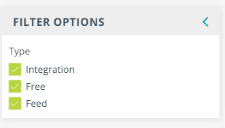
You can filter on the following integration types:
- Integration—integrations with third party services such as ticket management tools, sandboxes, DNS services, and more. See Integrations for more information.
- Free—integrations which can be activated at no cost. In most cases, free registration with the service is required before activation.
- Feed—premium threat intelligence feeds. See Managing Premium Feeds for more information.
Integrations
Click any of the logos below for more information on activating and using available integrations.
|
|
|
|
|
|
|
|
|
|
Microsoft Defender Threat Intelligence
|
|
|
|
|
|
|
|
||
|
|













Enrichments and Feeds
Enrichments and Feeds have moved to the ThreatStream APP Store. See Activating Enrichments and Managing Premium Feeds for more information.