Accessing Dashboard Library 
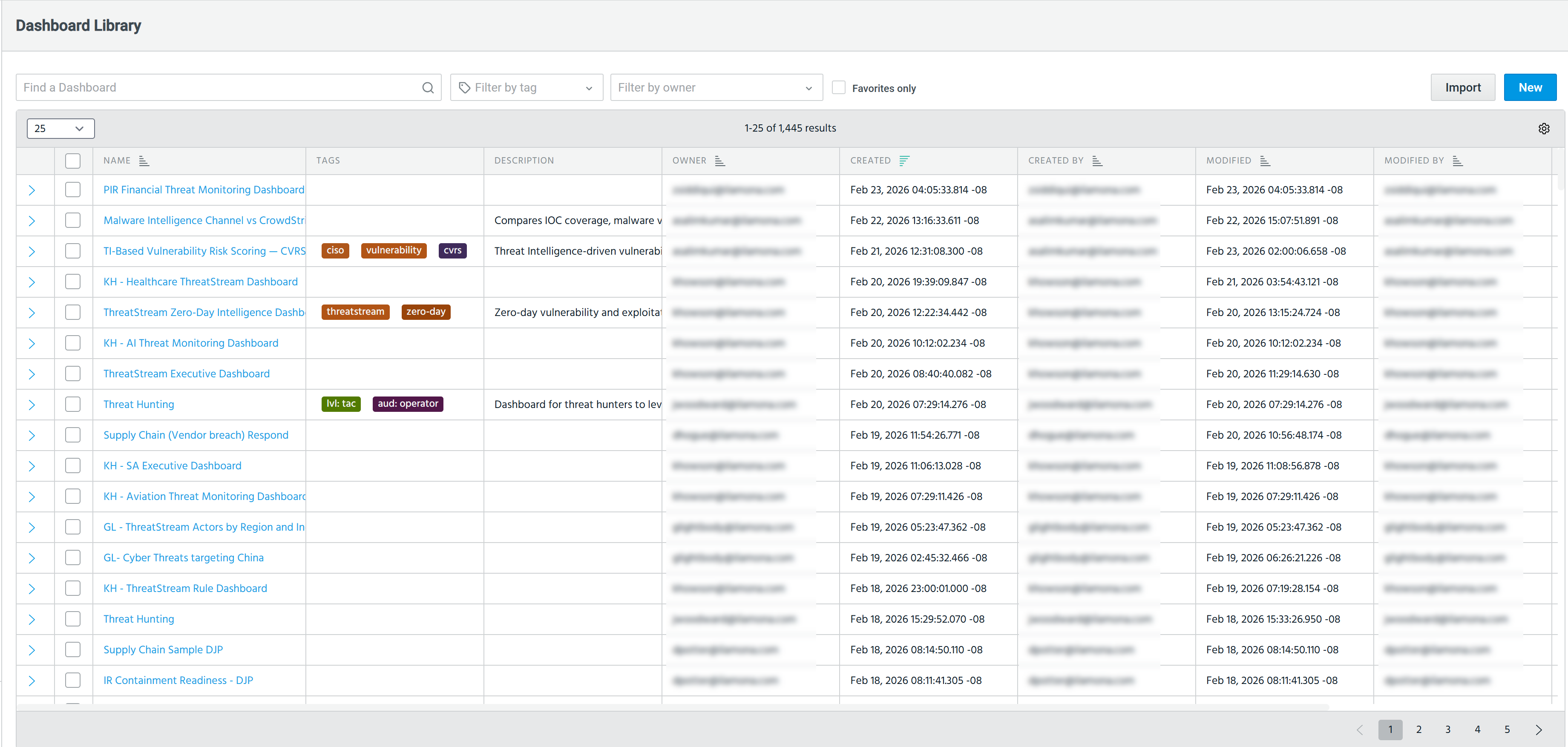
On the Dashboard Library page, you can view all Anomali out-of-the-box dashboards as well as custom dashboards created by users in your organization to which you have access.
To access the Dashboard Library, navigate to Dashboard > Library.
Dashboards in the Library can be viewed in two days:
-
As a list of dashboards, sorted by most recently modified
-
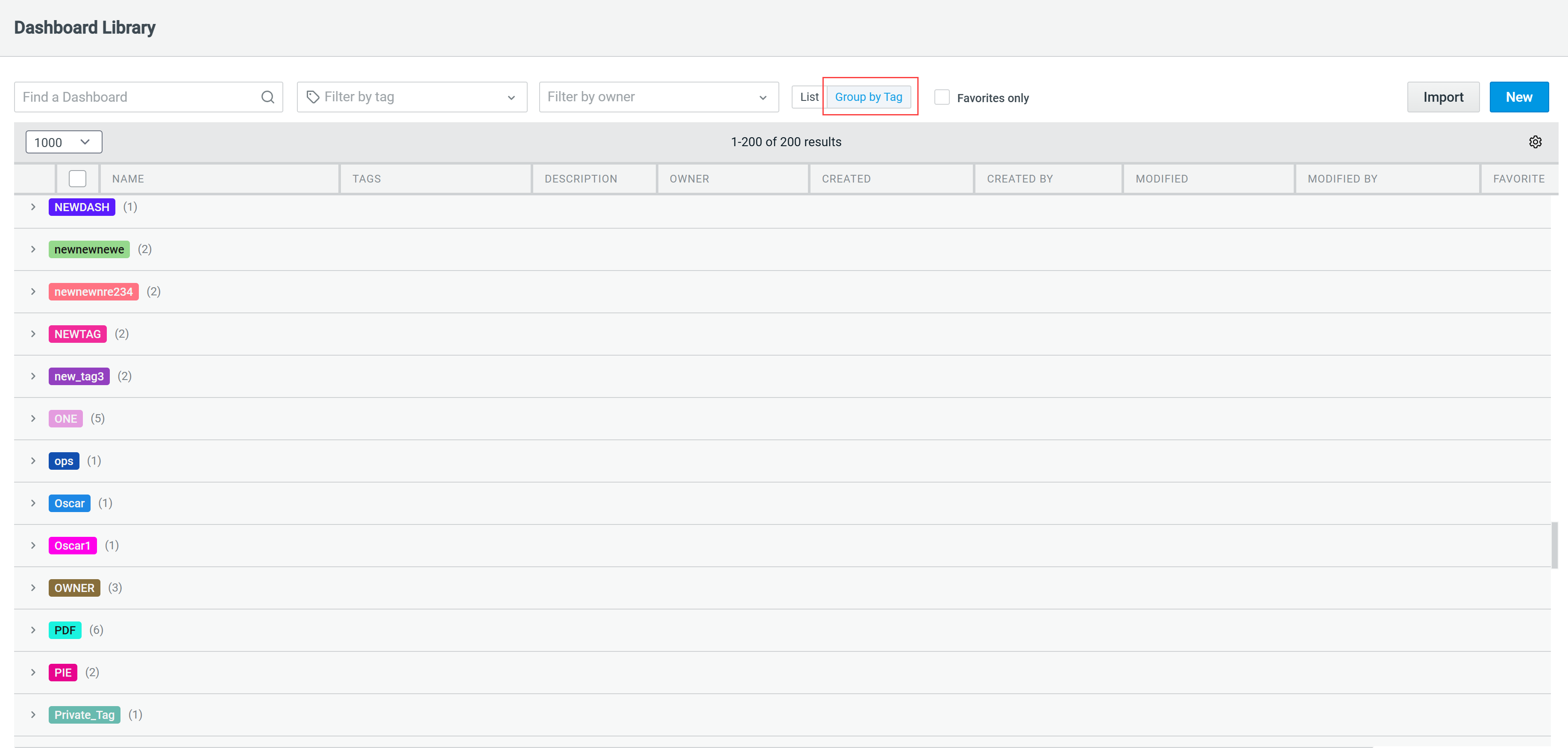
Grouped by tag
By default, the page displays the list view of all dashboards available to you. Use the available search and filter tools to quickly locate a specific dashboard. You can search for dashboards by name, description, created by, modified by, and tags. The search updates incrementally as you type a keyword. You can also filter dashboards by tag, owner, or favorites only.
The Group by Tag list view allows you to view dashboards grouped by the tags applied to them. To view all dashboards associated with a specific tag, click the tag of your interest.
From the Dashboard Library page, you can also take the following actions:
For more information on available out-of-the-box dashboards, refer to ThreatStream Content Dashboards and Security Analytics Content Dashboards.
For more information on custom dashboards, refer to Custom Dashboards.