Importing Dashboards
If you have a ready-made dashboard in JSON format, you can import it to the dashboard library.
To import a dashboard:
-
Navigate to Dashboard > Library.
-
Click Import.
-
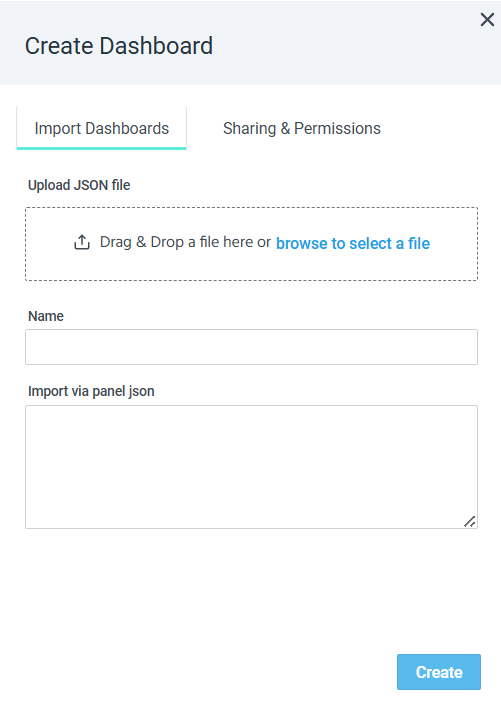
In the Create Dashboard dialog box, drag and drop the JSON file you want to upload. Alternatively, paste a JSON panel in the Import via panel json box.
-
Enter a meaningful dashboard name.
-
Configure the Sharing & Permissions settings:
-
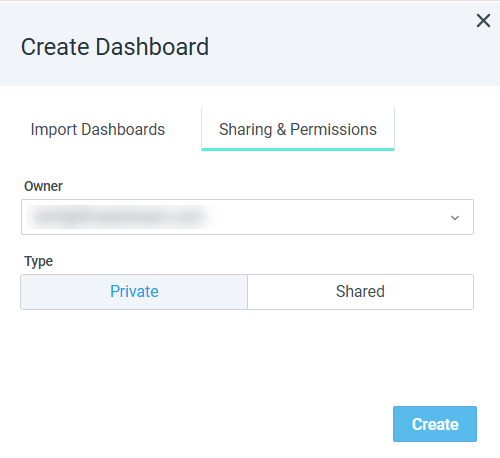
Select the owner of the dashboard. If no owner is specified, the user creating this dashboard is considered the owner.
-
Define whether the dashboard is private or shared. If no type is specified, the dashboard type is set to Private.
If you select Shared, choose which user roles can access the dashboard and define their permissions. For more details on dashboard permissions, refer to Managing Custom Dashboard Permissions.
Note: To learn more about user roles, refer to Managing Roles.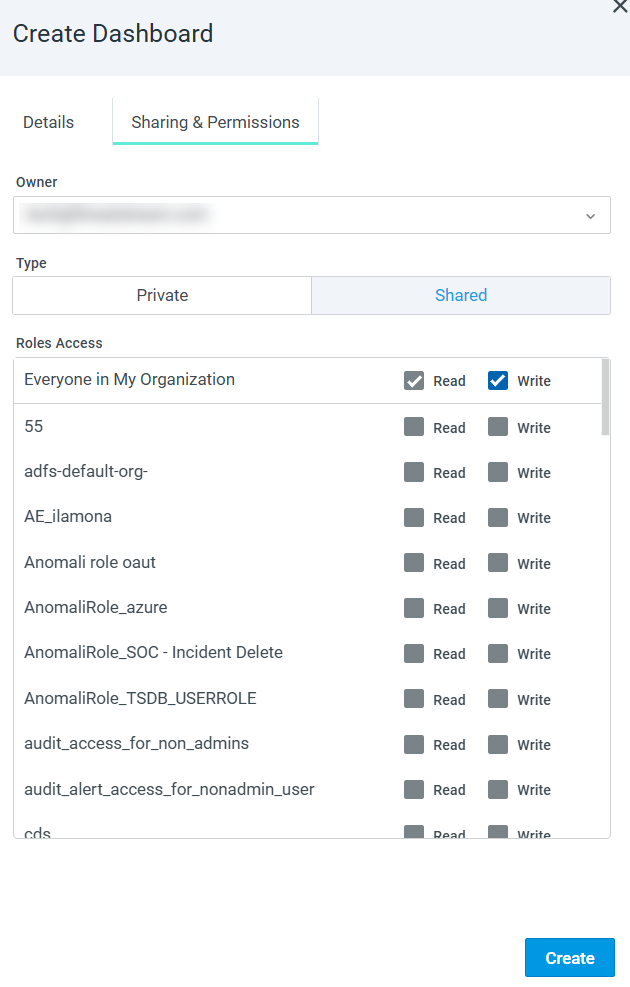
-
-
Click Create.
The imported dashboard is added to the dashboard library.