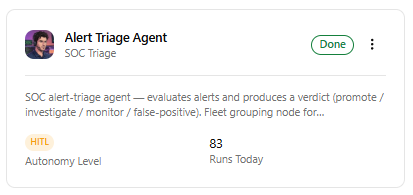
Alert Triage Agent
Agentic triage begins at the Alerts tier of the SOC Operations workflow. By default, alerts generated by an alert rule are automatically evaluated by the Alert Triage Agent when Auto Triage with AURA is enabled for the rule. See Creating Alert Rules for details.
The Alert Triage Agent evaluates each alert along with relevant context, including enrichment data, entity risk, historical activity, threat intelligence, and relationships with other alerts. The Agent can also recognize when several alerts that may not warrant escalation individually become significant when considered together.
Based on its analysis, the Alert Triage Agent can recommend one of the following outcomes:
- Promote: The available evidence recommends moving the alert to an incident for formal investigation. Promote does not mean that agent has definitively determined that the activity is malicious. The recommendation is presented for human approval. After approval, AURA creates the incident and preserves the relevant source-alert linkage automatically. The incident is then automatically handed off to the Incident & Investigation Agent for further investigation. You do not need to perform a manual hand-off before the incident investigation begins.
-
Investigate: The initial triage is inconclusive but additional queryable telemetry is available in the environment to investigate immediately. Upon receiving this verdict, the Alert Triage Agent automatically transfers ownership to the Incident & Investigation Agent, preserving all extracted entities, rule lineage, and initial enrichment context. The investigation executes directly at the alert level to query host telemetry, network events, and threat intelligence observables without prematurely generating an incident. The lifecycle concludes with an attached Investigation Report that resolves into one of three exit states: recommending incident creation for confirmed threats, closing as a false positive for verified benign activity, or routing to an analyst via the Approval Queue if findings remain inconclusive.
-
Monitor: The available evidence does not justify creating an incident, but it also does not provide enough positive evidence to classify the activity as benign. An alert with a Monitor recommendation is re-evaluated on a schedule seven times. Each re-evaluation looks for additional evidence that would support promoting the alert or classifying it as a false positive. You can view them on the Alerts page. See Alerts. If sufficient evidence to promote the alert is not found within the seven evaluation attempts, the alert is routed to the Approval Queue for further action by the human. You can then close the alert (Close as Expired) or Promote to Incident.
-
False Positive: The available evidence clearly shows why the activity is benign. Alerts classified as False Positive are automatically resolved and removed from the active work queue. The decision, rationale, and supporting evidence remain part of the auditable history of the alert for later review. You can view the alerts marked as False Positive on the Alerts page. See Alerts.
You can review the agent recommendation, reasoning, supporting evidence, and agent trace from the alert details pages in the Approval Queue. See Using Approval Queue for details.
If you select Promote and approve the recommendation, the agent automatically:
-
Creates an incident.
-
Associates the source alert or alerts with the incident.
-
Updates the source alerts to indicate that they are linked to an incident.
-
Assigns the appropriate incident type.
-
Automatically assigns the Incident & Investigation Agent to perform investigation. See Incident & Investigation Agent for more information.
For details on monitoring and managing activity of the Alert Triage Agent, refer to Monitoring Status and Activity of Individual Agents.