Accessing Organization Cases
The Case Management page acts as a central workspace where you can view, filter, create, and manage cases, while also tracking key attributes such as case status, priority, case type, and ownership.
To access your organization cases, navigate to ThreatStream Next Gen > Investigation & Analysis > Case Management.
(Click the image to enlarge it.)
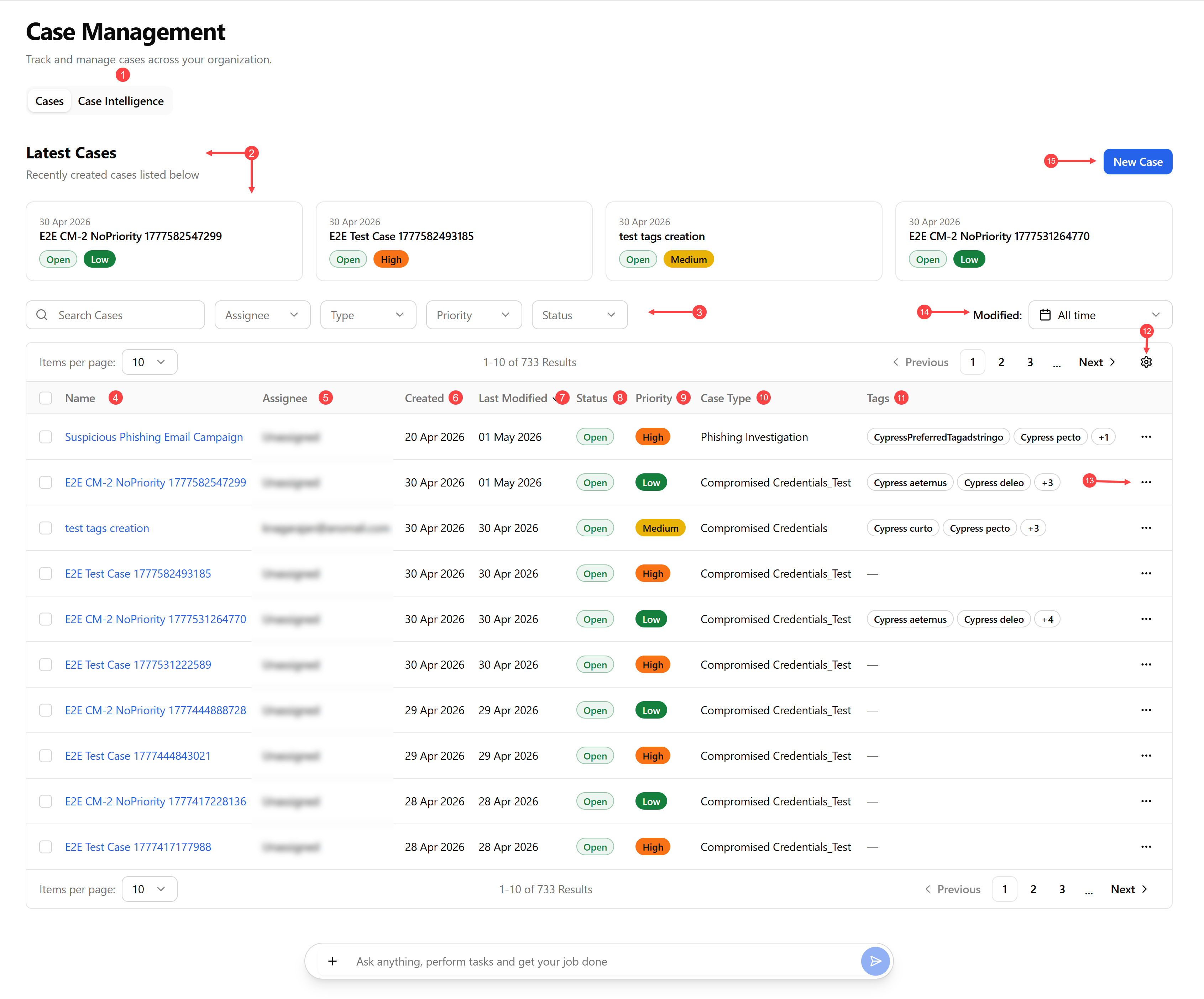
 Case Intelligence: Create and manage case types. For details, see Creating and Managing Case Types.
 Latest Cases: View the last cases created by your organization members, their status, priority, and date created.
 Search & Filter Cases:
-
Search: Search cases by their names. The search is case insensitive and updates incrementally.
-
Assignee: Filter cases by the user to whom they are assigned.
-
Type: Filter cases by their type. To learn more about case types, see Creating and Managing Case Types.
-
Priority: Filter cases by their priority—Critical, High, Medium, and Low.
-
Status: Filter cases by their status—Open, In Progress, and Closed.
 Name: Name of the case.
 Assignee: User assigned to this case.
 Created: Timestamp of when the case was created.
 Last Modified: Timestamp of when the case was last modified.
 Status: Status of the case. Possible values include Open, In Progress, and Closed.
 Priority: Priority of the case. Possible values include Critical, High, Medium, and Low.
 Case Type: Type assigned to the case.
 Tags: Tags assigned to the case during the case creation.
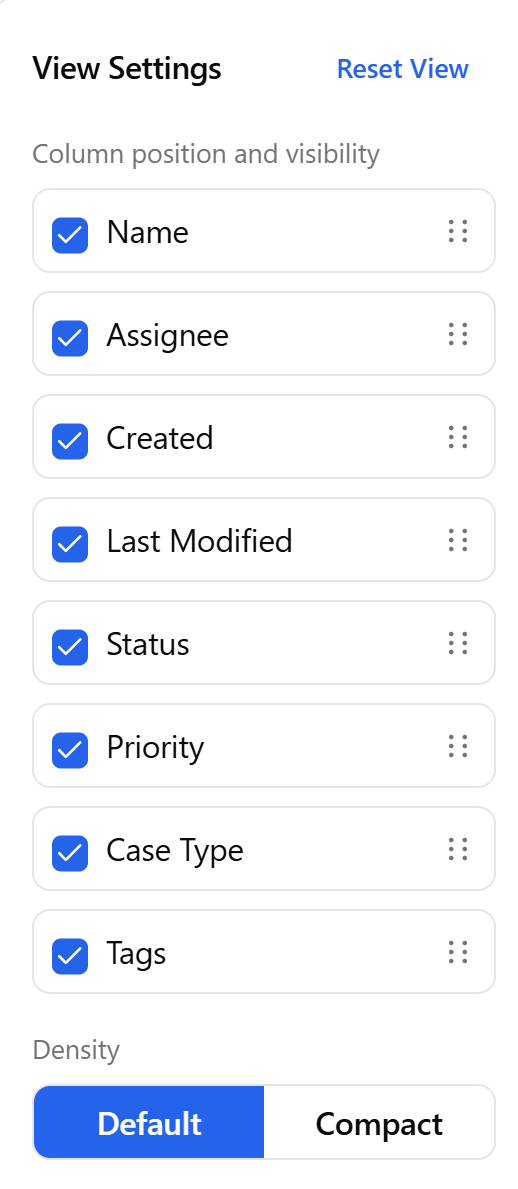
 View Settings: Select the columns and table density (default or compact) to be displayed. By clicking the drag handle icon (
 ), drag and drop columns to change their position in the table. To return the view back to its default settings, click Reset View.
 More options menu (...):
-
View: View case details. See Viewing Case Details for details.
-
Edit: Edit the case. See Editing Cases for details.
-
Delete: Delete the case. See Deleting Cases for details.
 Modified: Select a time range for cases to be displayed. By default, all cases ever created within your organization are displayed.
Possible values include: Last 24 hours, Last 7 days, Last 30 days, Last 90 days, This year, and Custom.
 New Case: Create a new case. See Creating a Case for details.