Creating a Case
All organization users can create cases.
Note: Case types must be created by your Organization Administrator prior to creating cases. See Creating and Managing Case Types for details.
To create a new case:
-
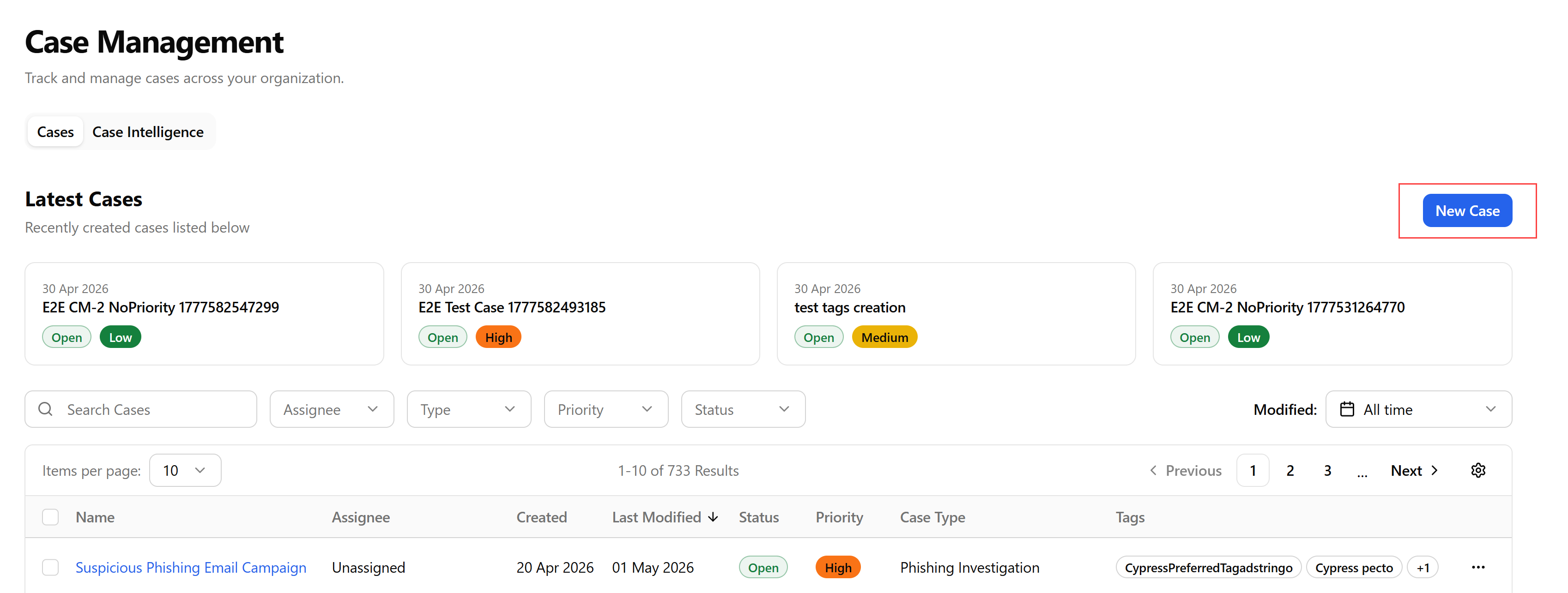
Navigate to ThreatStream Next Gen > Investigations & Analysis > Case Management.
-
On the Case Management page, click New Case.
-
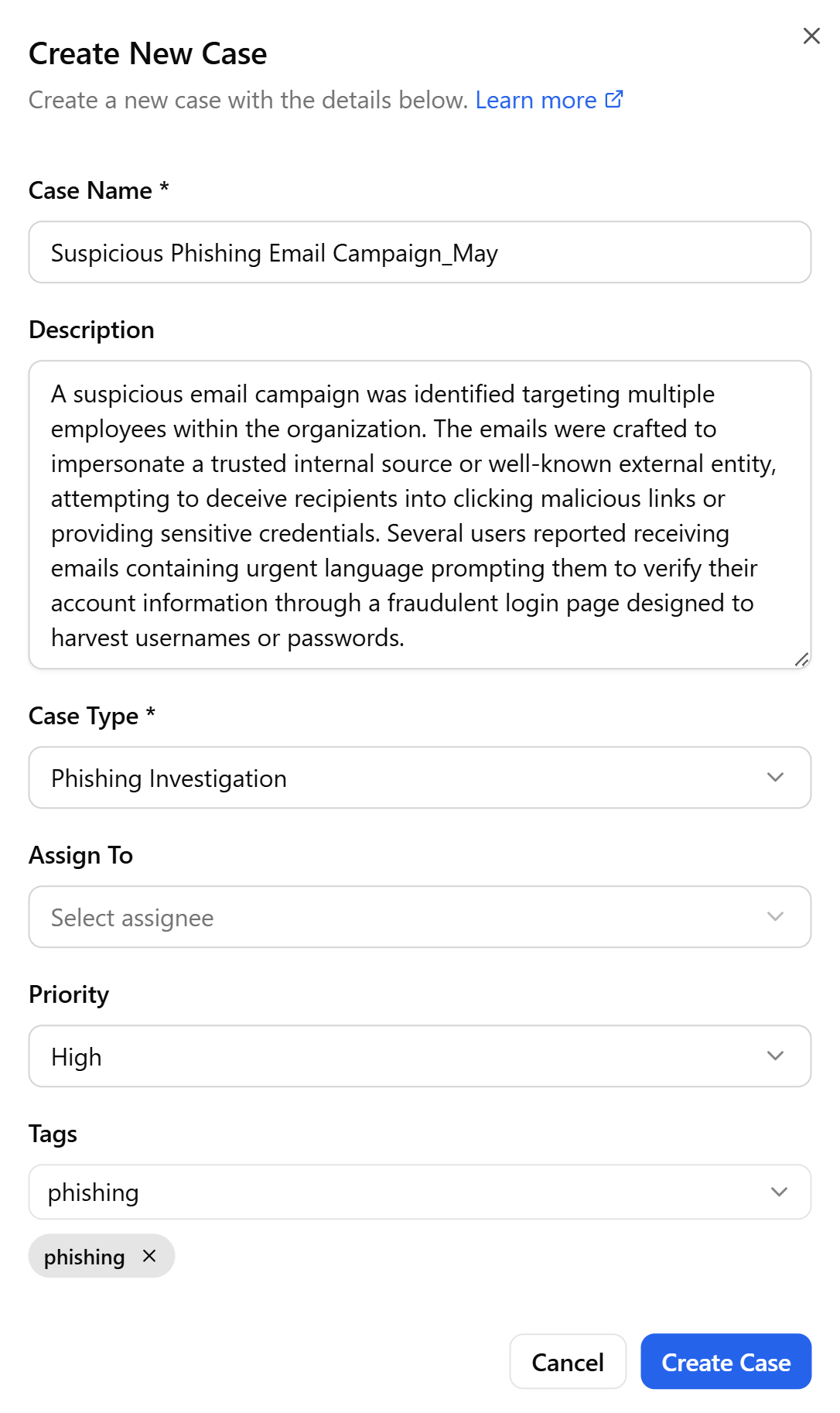
In the Create New Case dialog box that opens, enter a unique case name.
-
(Optional) Provide a description for the case.
-
Select a case type.
-
(Optional) Select a user to whom you want to assign the case investigation.
-
Select a case priority—Critical, High, Medium, or Low. By default, Low priority is assigned.
-
(Optional) Select the tags you want to assign from the preferred list of tags, or add custom tags by entering a tag name and clicking +.
-
Click Create Case.
The new case is created and added to the list of organization cases visible to all users.