Using MITRE ATT&CK Frameworks in Threat Models
Threat model entities contain a heat map visualization of MITRE ATT&CK frameworks. This implementation provides a visual representation of MITRE ATT&CK associations and insight into the impact of the threat represented by the threat model entity with regard to the MITRE ATT&CK framework.
The Anomali Threat Model contains a library of MITRE ATT&CK techniques targeting enterprises, mobile devices, and industrial control systems. When attack patterns or TTPs with the prefixes [MITRE ATT&CK] or [MITRE PRE-ATT&CK] are added to a threat model entity, they are automatically plotted on one of the MITRE ATT&CK Frameworks in the threat model entity.
Below is the example of the threat model entity containing the Enterprise MITRE ATT&CK v15.1 Framework.
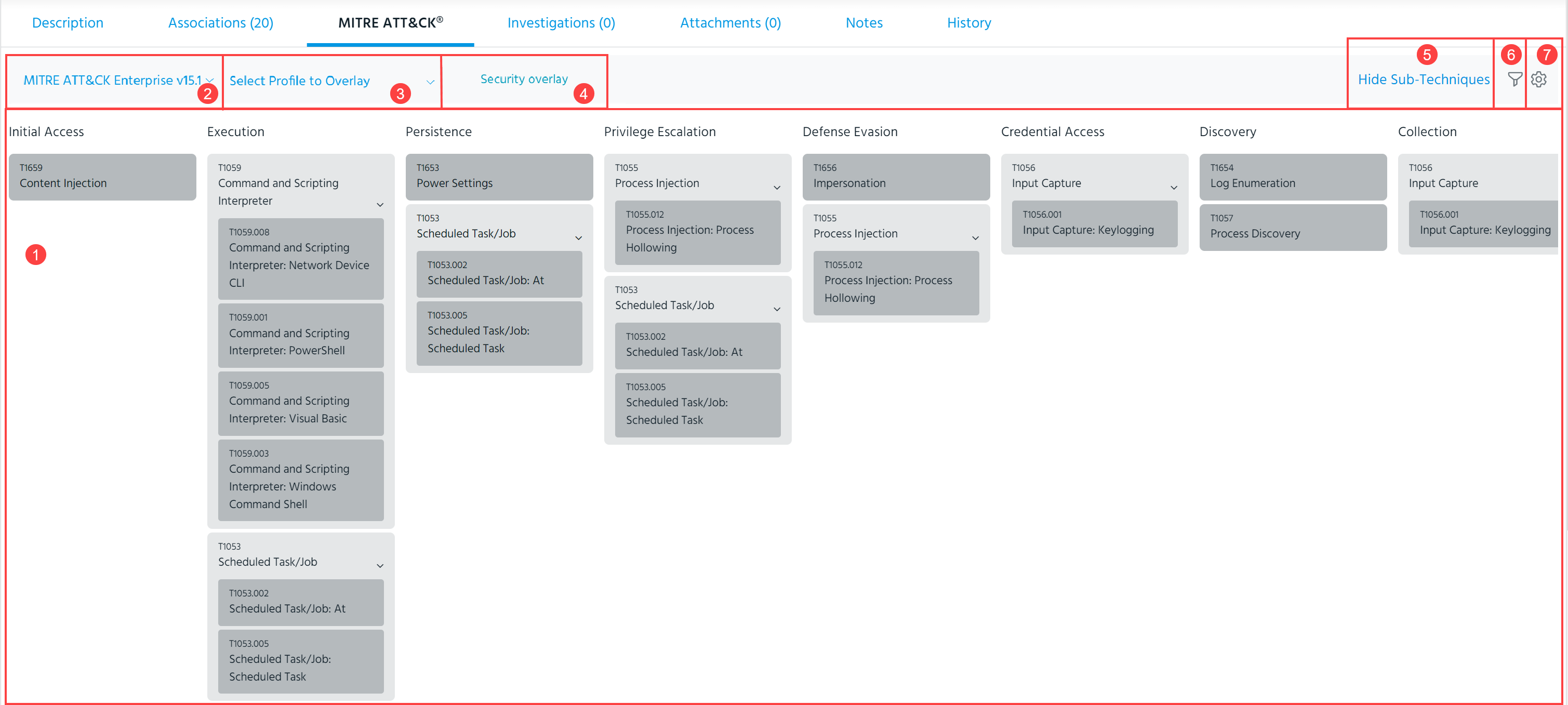
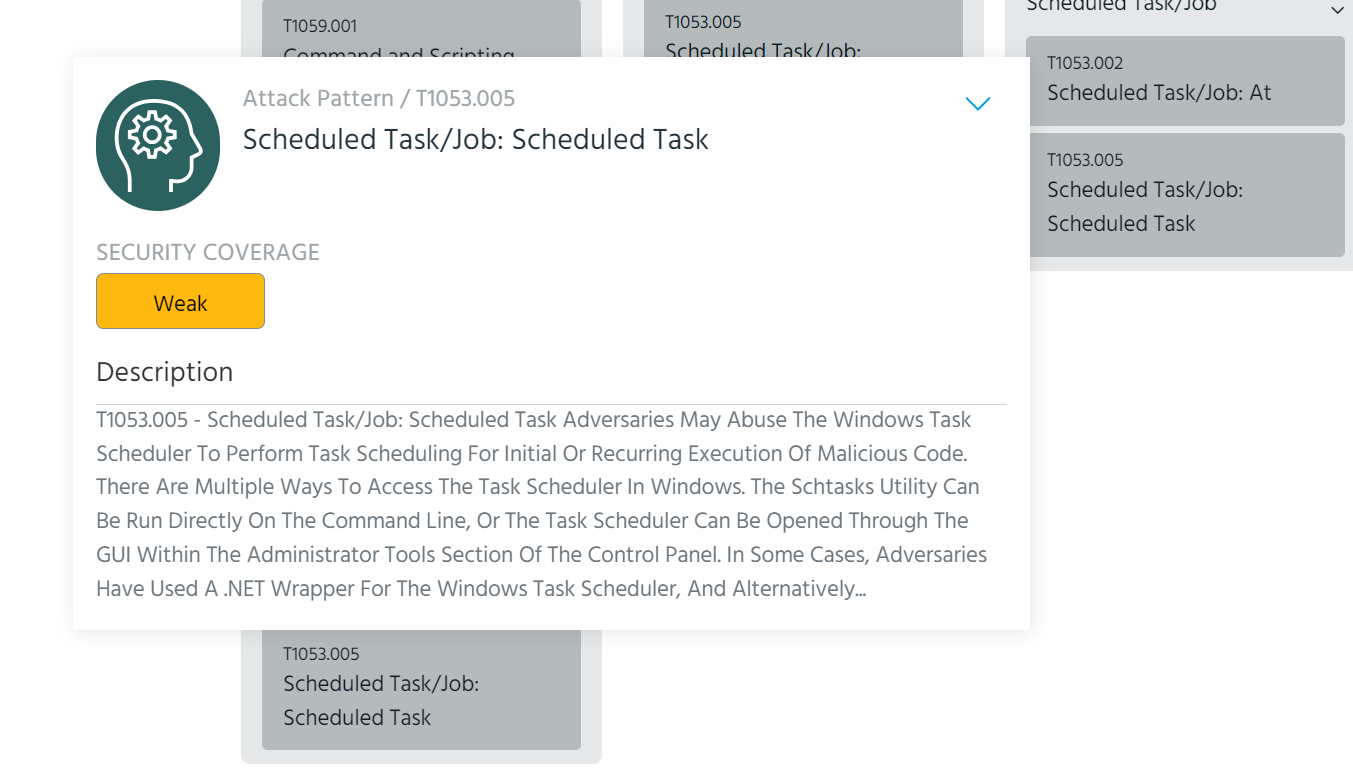
 Matrix: MITRE techniques associated with the threat model entity are plotted on the matrix. You can click techniques on the matrix to view a description and access complete technique details.
 Select Profile to Overlay: Select a MITRE ATT&CK profile to display the security coverage representation configured for the selected profile. For more information on MITRE ATT&CK profiles, see Managing MITRE ATT&CK Profiles. For more information on security coverage, see Configuring Security Coverage of MITRE ATT&CK Profiles.
 Current MITRE ATT&CK Framework Type and Version: Current default type and version of the MITRE ATT&CK Framework used by your organization. See Specifying a Default MITRE ATT&CK Version for your Organization and Configuring Security Coverage of MITRE ATT&CK Profiles.
 Security overlay: View security control representation on the framework of the selected MITRE profile to get a snapshot of your coverage for a particular threat. For more information on configuring your security control representation, see Configuring Security Coverage of MITRE ATT&CK Profiles.
 Show/Hide Sub-Techniques: If your organization has configured an applicable MITRE version, the page contains an additional Show/Hide Sub-Techniques option. Click Show Sub-Techniques to expand the matrix to display sub-techniques for each technique. Additionally, you can expand sub-techniques for individual techniques by clicking the arrow next to the technique on the matrix.
Note: Sub-techniques are only visible on the matrix of MITRE ATT&CK Enterprise v7.2 and above.
 Filter: Filter techniques by associated Entities and Platforms. Additionally, a Hide Unused switch enables you to hide the techniques that are not associated with the threat model entity.
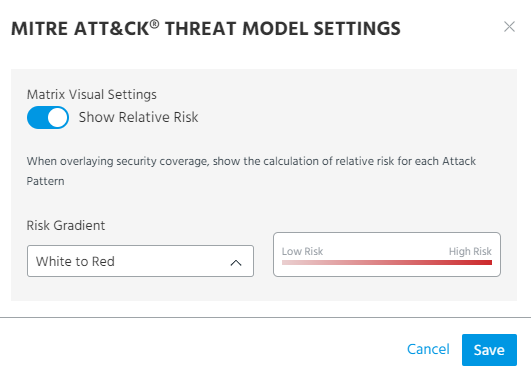
 Settings: The following MITRE ATT&CK threat model settings are available:
-
Show Relative Risk: When enabled, the Relative Risk view displays your coverage of the threat as a heatmap.
-
Risk Gradient: Color gradient used when the Security overlay setting is enabled.