Using MITRE ATT&CK Frameworks in ThreatStream
Anomali ingests MITRE ATT&CK techniques to the Anomali Threat Model as updates become available. Currently, ThreatStream supports MITRE ATT&CK v6.2, v7.2, v8.2, v9.0, v10.0, v10.1, v11.0, v11.3, v12.1, v13.1, v14.1, v15.1, v16.1, v17.0, v17.1, v18.0, v19.0, v19.1, and v19.2.
ThreatStream enables you to configure a representation of your MITRE ATT&CK security coverage. See Configuring Security Coverage of MITRE ATT&CK Profiles for more information. After configuring your MITRE ATT&CK security coverage, you can leverage this information within investigation to gauge your coverage of threats under investigation. See Using the MITRE ATT&CK Framework in Investigations for more information.
Note: MITRE ATT&CK entities cannot be cloned.
MITRE ATT&CK v7.2 and later Techniques
MITRE ATT&CK techniques and sub-techniques associated with v7.2 and later are classified as attack patterns in the Anomali Threat Model. Like other entities in the Anomali Threat Model, these attack patterns can be added to investigations and exported in various formats.
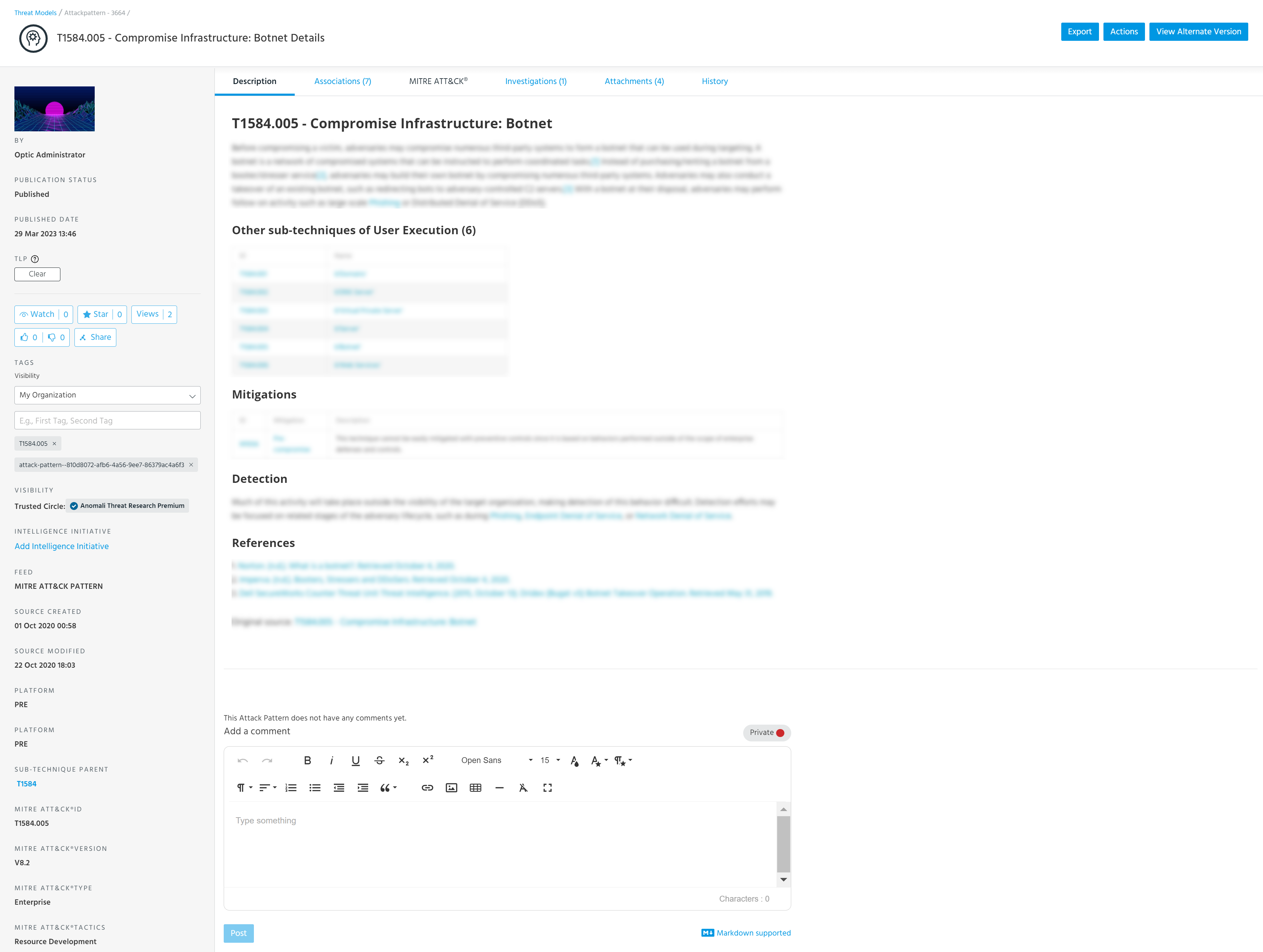
Details pages for v7.2 and later attack pattern entities contain the following additional fields: Data Sources, Defense Bypassed, MITRE ATT&CK® ID, MITRE ATT&CK® Version, MITRE ATT&CK® Type, MITRE ATT&CK® Tactics, Platforms, Permission Required, and System Requirements. Parent entities include a Sub-Techniques field, which contains a list of links to related sub-techniques. Sub-techniques contain a Sub-Technique Parent field, which contains a list of links to related parent techniques. Below is an example of a MITRE ATT&CK attack pattern in ThreatStream.
(Click the image to enlarge it.)
For more information on attack patterns in ThreatStream, see Viewing Attack Pattern Details.
Viewing Alternate Versions of MITRE ATT&CK Techniques
ThreatStream enables you to view alternate versions MITRE ATT&CK techniques and sub-techniques associated with v7.2 and later from attack pattern detail pages.

To view alternate versions of MITRE ATT&CK techniques:
-
Navigate to ThreatStream > Analyze > Threat Model.
-
Locate the v7.2 or later MITRE ATT&CK technique of interest and click the Name. The attack pattern details page is displayed.
-
Click View Alternate Version and then select the version of interest. Information associated with the selected version is displayed.
If the version you select differs from the default version an Org Admin has specified for your organization, the following message is displayed at the top of the screen:

Specifying a Default MITRE ATT&CK Version for your Organization
Org Admins can specify a default MITRE ATT&CK version for their organization. Specifying a MITRE ATT&CK version determines which version is displayed by default on attack pattern details pages for MITRE ATT&CK techniques associated with v7.2 and later. Additionally, doing so determines which version your organization uses for determining security coverage on the MITRE ATT&CK Security Coverage screen.
To specify a default MITRE ATT&CK version:
- You must be an Org Admin to specify a default MITRE ATT&CK version.
- ThreatStream enables you to select versions which are later than your current selection. You cannot revert to earlier versions.
- Navigate to the Organization tab of the ThreatStream Settings page.
-
Under MITRE ATT&CK, your current default is displayed next to Current Version. Click Change Version to specify a new default.
-
On the resulting page, select a new default version.
-
Click Change to save your changes.
MITRE ATT&CK v6 Techniques
MITRE ATT&CK techniques associated with v6 are classified as TTPs in the Anomali Threat Model. Like other entities in the Anomali Threat Model, these TTPs can be added to investigations and exported in various formats.