Attack Flow Library
The attack flow library in ThreatStream is a collection of common MITRE Attack Flows (MAF), which provides a way to fingerprint attacks. Attack flows enable you to visualize a sequence of offensive techniques used in an attack, the relationships between those techniques, and other information that can be extremely valuable to cybersecurity practitioners. By identifying the presence of an actor, campaign, or malware at an early stage of an attack flow, you can stop or prevent further attacks on your organization.
ThreatStream allows you to view attack flows created by the Anomali ATR team. You can also import MITRE custom attack flows to ThreatStream to use them within your organization. Attack flows that belong to your organization can be viewed, updated, exported to a JSON file, or deleted.
Furthermore, if you use AQL dashboards, you can add attack flows to them. See MITRE ATT&CK Flow for details.
To access attack flows, navigate to ThreatStream > Analyze > Attack Flow.
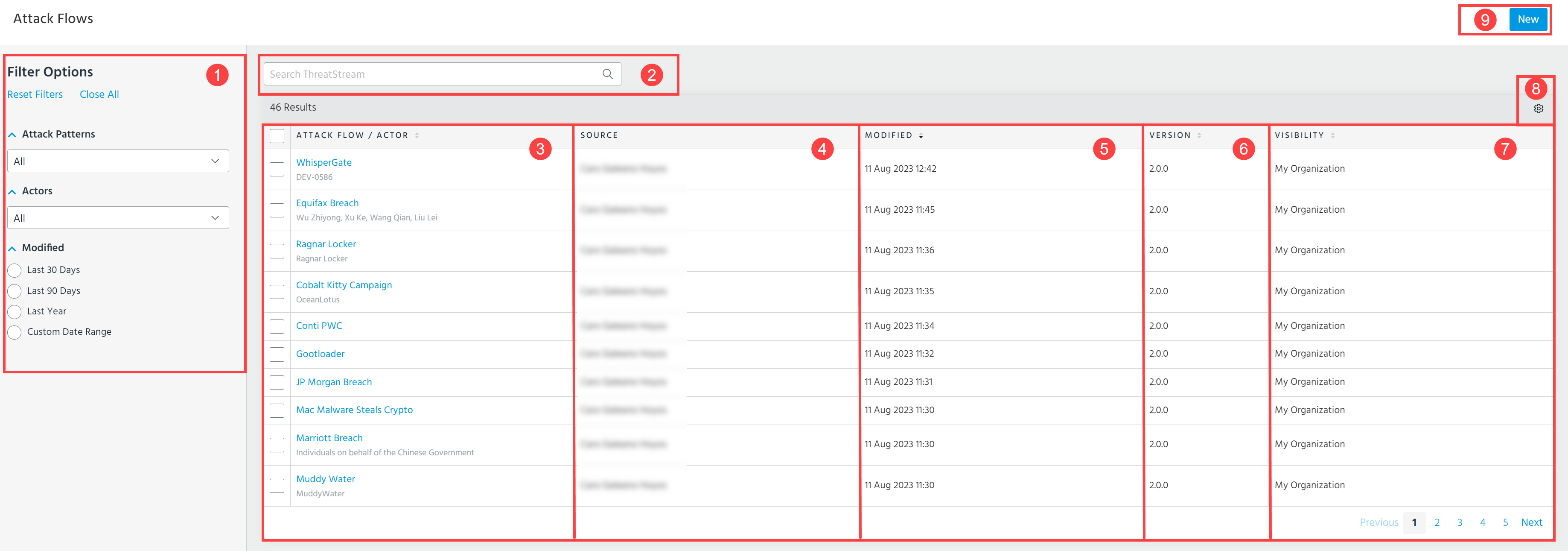
 Filter Options: Filter the displayed attack flows by attack patterns, actors, or the time when they were modified.
 Search: Enter a keyword to find attack flows of your interest.
 Attack Flow/Actor: Select an attack flow that you want to analyze. Malware and tools associated with an attack flow/actor are displayed under the attack flow/actor's name.
 Source: Displays a user or a research group, that created the attack flow.
 Modified: Displays a date when an attack flow was modified.
 Version: MITRE ATT&CK version.
 Visibility: Displays what group of users can see the attack flow.
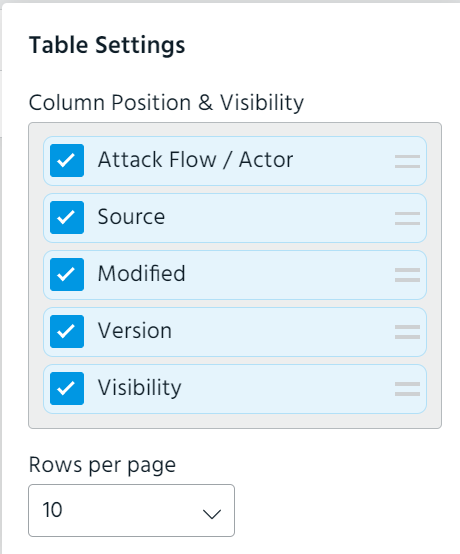
 Table Settings: Select the columns to display. The following columns are available for selection: Attack Flow/Actor, Source, Modified, Version, and Visibility. Additionally, select the number of rows you want to be displayed per page.
 New: Create an attack flow. See Creating Attack Flows for details.
From the Attack Flows page, you can also take the following actions:
-
Update a selected attack flow. See Updating Attack Flows for details.
-
Export a selected attack flow to a JSON file. See Exporting Attack Flows for details.
-
Delete selected attack flows. See Deleting Attack Flows for details.