Updating Attack Flows
Org Admins and attack flow owners can make changes to imported MITRE attack flows.
To update an attack flow:
-
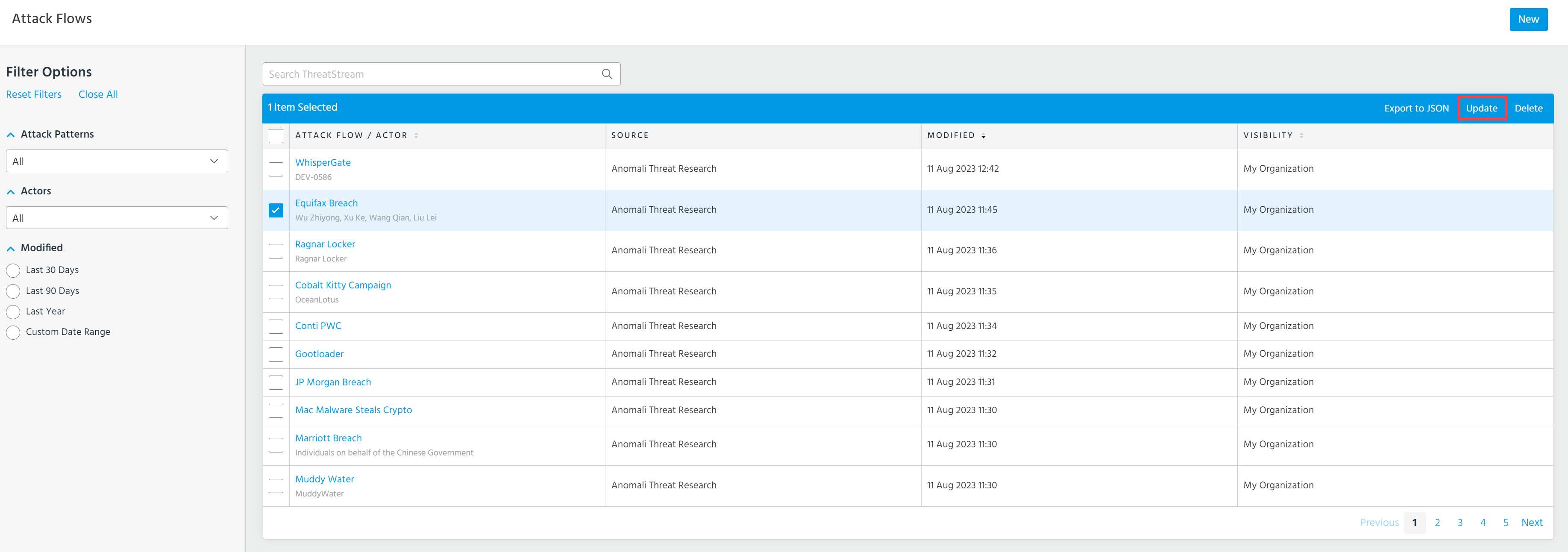
Navigate to ThreatStream > Analyze > Attack Flow.
-
Select the attack flow that you want to update.
-
Click Update.
-
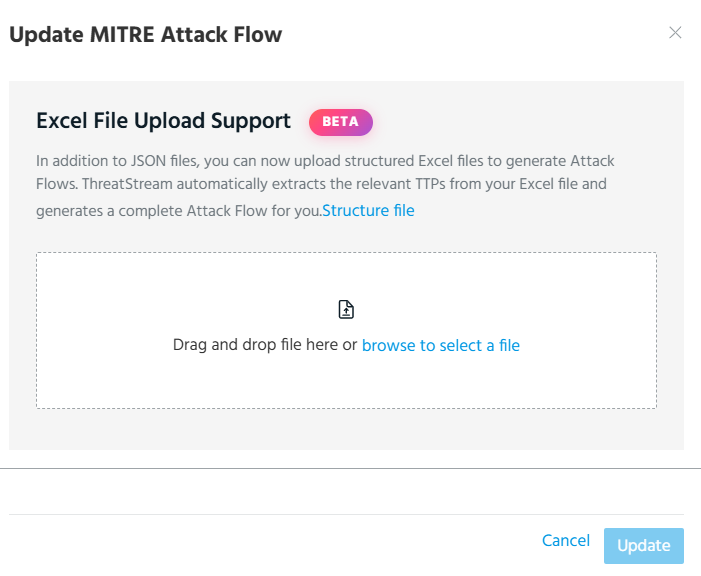
In the dialog box that opens, drag and drop or browse to select a JSON or Excel file with the updated MITRE attack flow.
-
Click Update.
The imported attack flow overwrites the existing attack flow.