Creating a Macro (Classic UI)
On the Macros page, you can create new custom macros that will be available to all users of your organization. Macros can include any part of a search query, such as a field list or where clause, and do not need to be a complete query. Each macro within the Anomali platform requires a unique name and the AQL definition. The description and arguments are optional.
To create a macro:
-
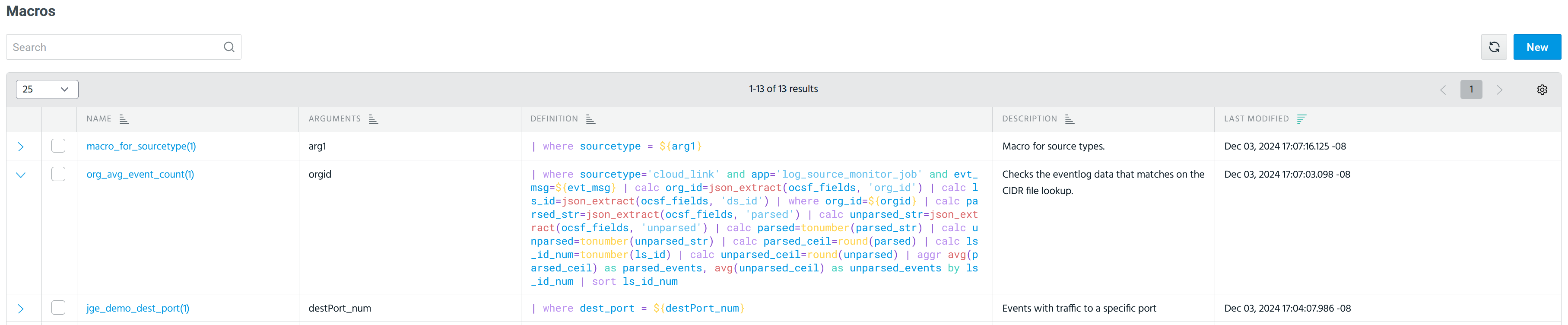
Navigate to Manage > Macros.
-
Click New.
(Click the image to enlarge it.)
-
In the New Macro dialog box that opens, provide the following information:
-
Name: Enter a unique name for the macro. To be used in Search, only the following characters are accepted in macro names: letters, numbers, underscores (_), hyphens (-), and dots (.). However, the first character of a macro name must be a letter.
Note: If a macro includes arguments, add the number of arguments in parenthesis after the macro name. For example,test_macro(3), where(3)is the number of arguments in the macro. -
(Optional) Description: Enter a description of what the macro can accomplish in Search.
-
(Optional) Arguments: Add macro arguments when you need to change or control the output of the macro. Arguments are the actual values that are passed to the macro when it is executed. For example, to search for event traffic going to destination port 443, the search query will be the following:
|where dest_port = 443. However, using an argument instead of443allows any port number to be inserted into the query. -
Definition: Enter the AQL search query that will be executed when the macro is inserted in Search. Arguments must be wrapped in
${ }in the macro definition.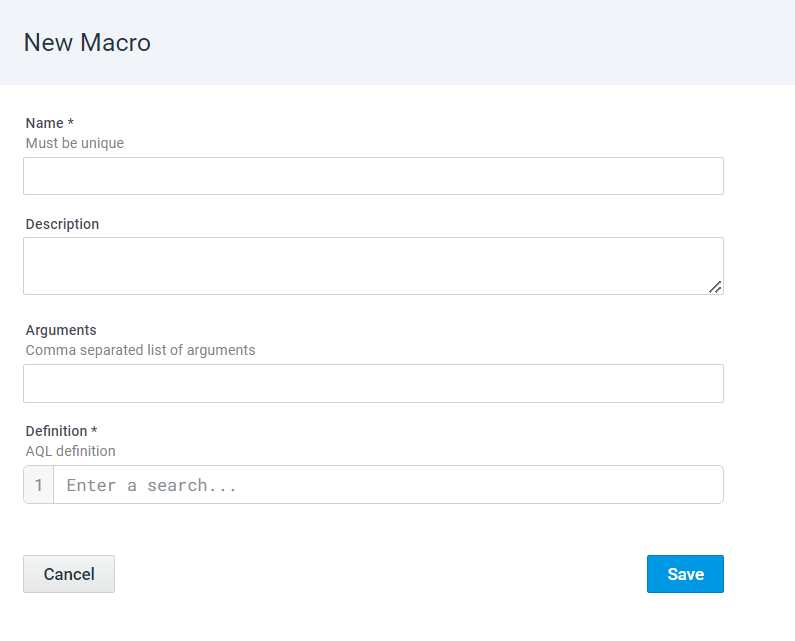
-
-
Click Save.
The newly created macro is added to the list of custom macros.
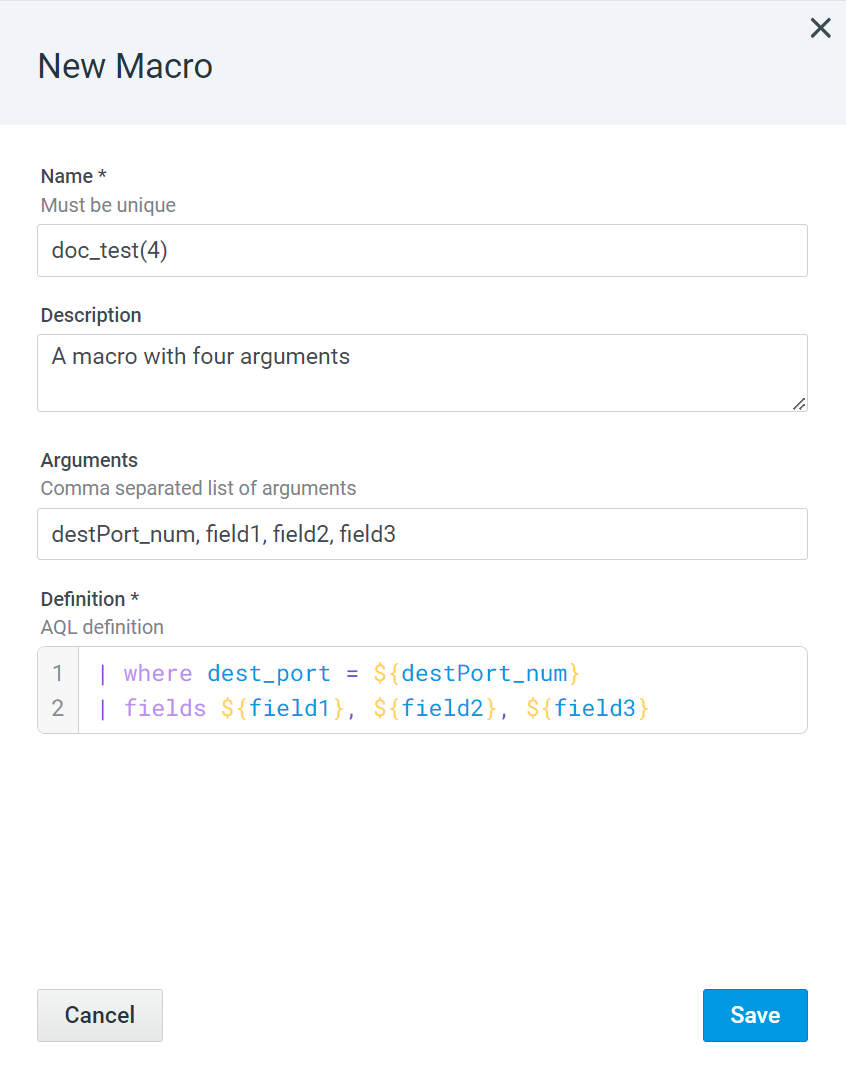
Below is an example of creating the doc_test(4) macro with four arguments where destPort_num is an argument for the destination port, and field1, field2, and field3 are arguments that act as a placeholders for the fields.
To learn how to use macros with arguments in Search, refer to Using Custom Macros in Search (Classic UI).