Viewing Report Details
On the Security Reporting page, click a report to view its details. Each report includes attributes such as the report name, visibility, status, creation date, last modified date, and sources. The report content depends on how the report was created, including the threat type and the report template or PIR used to generate it.
To learn how reports are generated from PIRs, see Configuring PIR Outputs.
The following example shows a report generated by a PIR.
(Click the image to enlarge it)
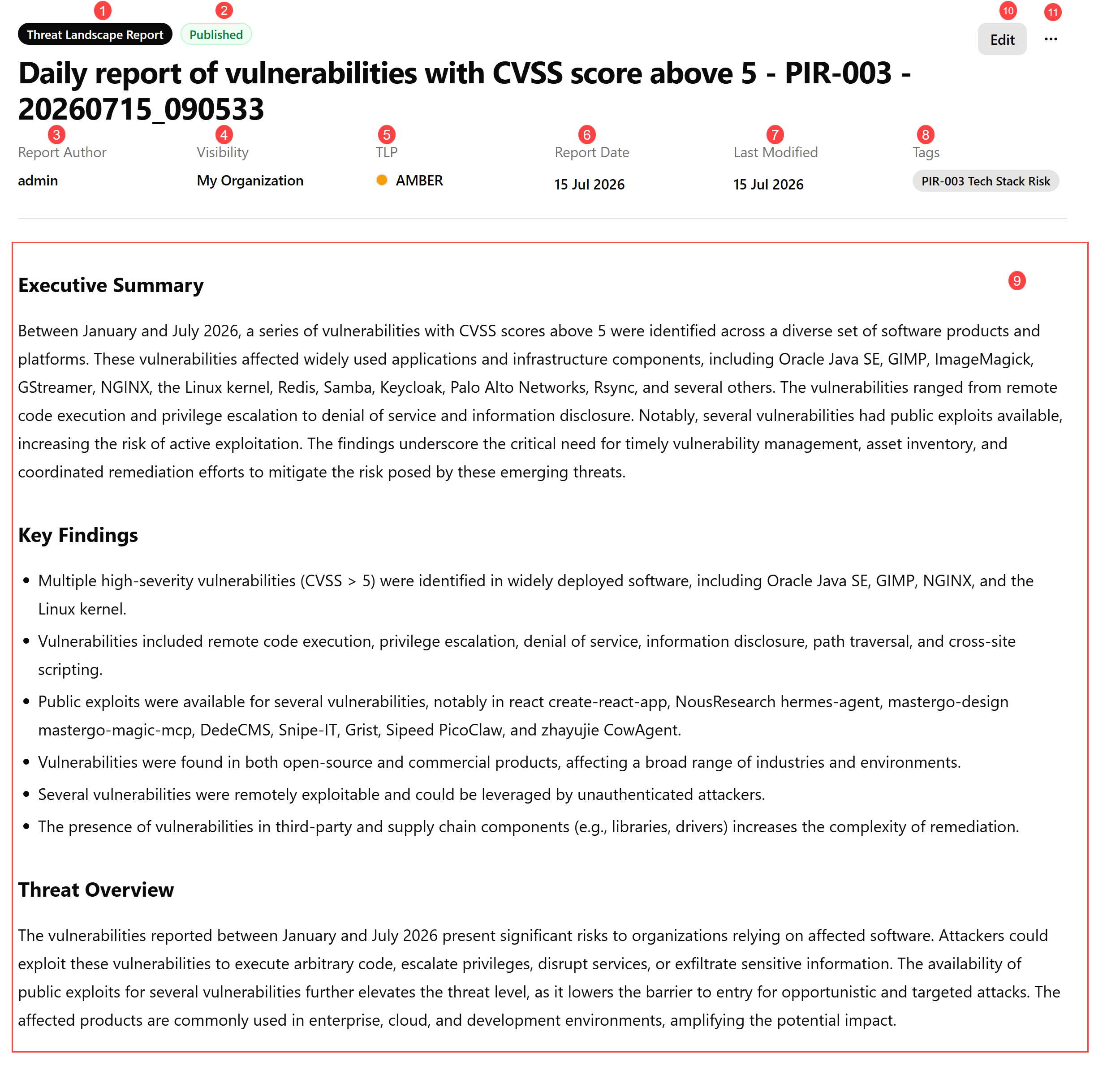
 Report name.
 Report Status.
Possible values include:
-
Draft—report is still being created or edited, and its content may be incomplete or unverified.
-
In Review—report has been completed by the author and is undergoing validation.
-
Published—report is finalized and approved.
 Report Author: User who created the report.
 Visibility: Report visibility indicating who can access this report.
Possible values include:
-
Private—report is visible only to the author.
-
My Organization—report is visible to all organization users.
-
Anomali Community—report is visible to all ThreatStream Next Gen users, inside and outside of your organization.
 TLP: Traffic Light Protocol (TLP) associated with the report. The TLP color provides a mechanism to communicate to report readers whether further dissemination of information in the report is allowed; if yes, how freely can this information be distributed.
To learn more about TLP, search for "Traffic Light Protocol" in your favorite search engine.
 Report Date: Timestamp of when the report was created.
 Last Modified: Timestamp of when the report was last modified.
 Tags: Tags associated with this security report.
 Report Text: The content of reports can vary depending on how they are created.
Manually created reports typically contain the sections defined by the template used when the report was created. The sections may differ if the author has modified or removed sections or headings.
PIR-generated reports follow a structured format. They include an executive summary that highlights key findings, such as identified threats, affected assets, and the significance of the activity. Technical details provide supporting information, such as identified vulnerabilities, associated infrastructure, ISP information, and scan results.
The risk assessment and recommendations identify the specific threat actors, CVEs, and observables that support the findings. This provides more actionable context than describing findings only in terms of their volume.
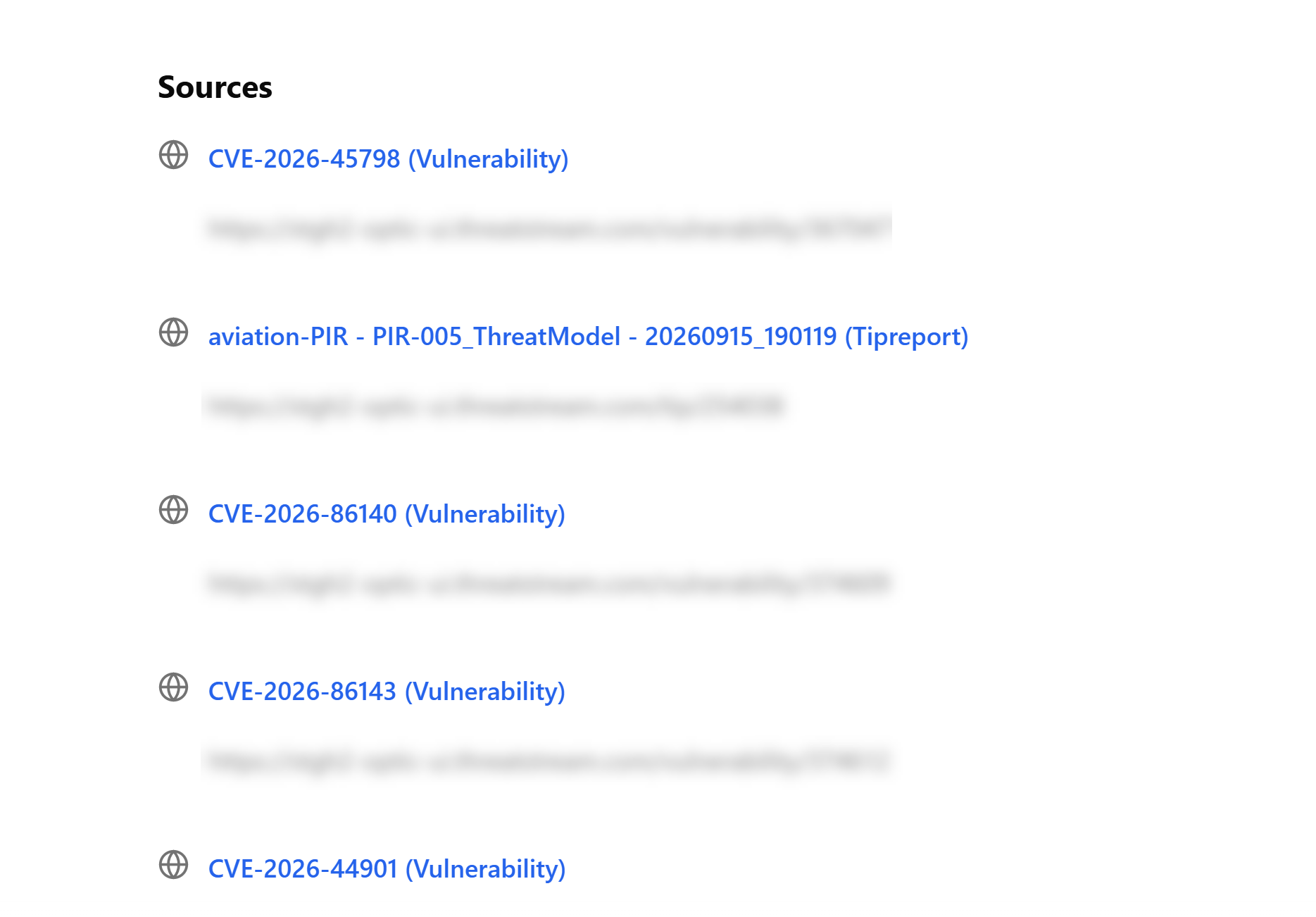
PIR-generated reports also include PIR-specific metadata, such as the PIR name, category, description, priority, and tags. The Sources section lists clickable links to the intelligence items analyzed during the PIR run. Up to 30 unique sources are displayed. If more than 30 sources are available, the most frequently referenced sources are prioritized.
For scheduled PIRs, reports prioritize new or changed intelligence rather than repeating findings already reported in previous runs. When new intelligence is identified, the report provides the full context needed to understand the findings, including relevant threat actors, CVEs, and IOCs. As the PIR runs over time, this approach helps reduce repetitive reporting while keeping the analysis informative.
 Edit: Edit the report. See Editing a Report From the Report Details Page for details.
 Horizontal more options menu (...):
-
Publish/Unpublish: Publish or unpublish the report. See Publishing a Report From the Report Details Page for details.
-
Threat Bulletin (coming soon)
-
Export As PDF: Export the report to PDF. See Exporting Reports to PDF for details.
-
Schedule (coming soon)
-
Share (coming soon)