On this page:
Related topics:
Creating Custom Peer Groups
Custom peer groups let you define and manage logical collections of entities directly within Anomali Agentic SOC Operations, without requiring an external identity or asset management system. You can assign a Risk Score Multiplier to a custom group and add identities or assets as members.
Creating a Custom Group
To create a custom peer group:
-
Navigate to ThreatStream Next Gen > Entity Management > Peer Groups.
-
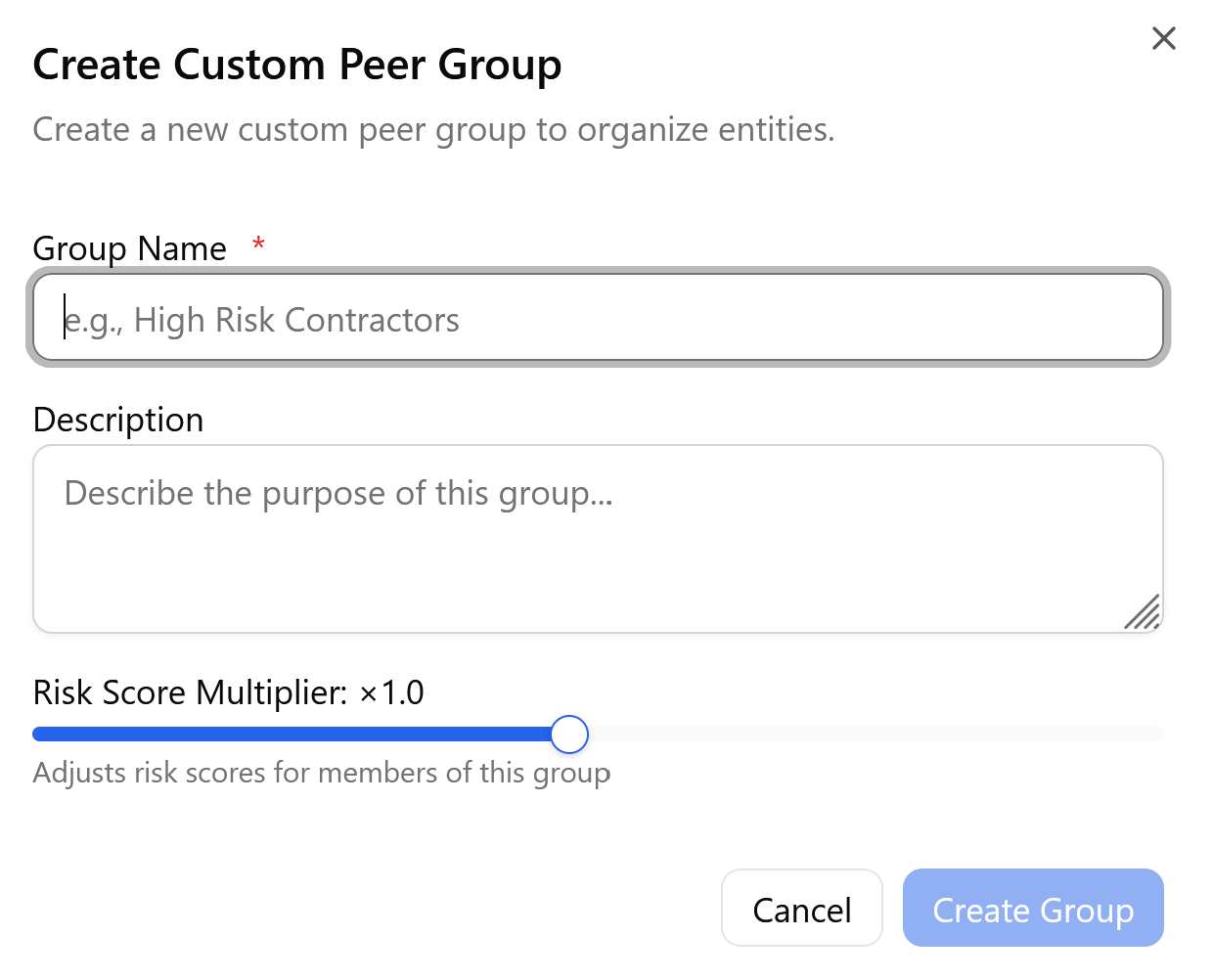
On the Understanding Peer Groups page, click Create in the left panel. The Create Custom Peer Group dialog box opens.
Note: Creating and configuring custom peer groups requires the Manage Entities permission. See Managing Roles for more details.
-
Enter a Group Name. This field is required.
-
(Optional) Enter a Description to explain the purpose of the group.
-
Set the Risk Score Multiplier using the slider. The default value is 1.0 (neutral). Use values above 1.0 to increase the risk weight for group members and values below 1.0 to reduce it. The range is 0.1 to 2.0.
-
Click Create Group to save, or Cancel to discard.
The group is created with an empty member list. Custom groups appear in the group list with a Custom badge and are immediately available for member assignment and multiplier configuration.
Adding Members to a Custom Group
After creating a custom group, you can add identity or asset members to it.
To add identity members:
-
Navigate to ThreatStream Next Gen > Entity Management > Peer Groups.
-
Select the intended parent group in the group list panel.
-
Switch to the Custom tab on the left pane.
-
Click Add Members.
-
Click the Users tab, then Search for and select the identities to add.
-
Click Add Members to confirm the selection.

To add asset members:
-
Navigate to ThreatStream Next Gen > Entity Management > Peer Groups.
-
Select the intended parent group in the group list panel.
-
Switch to the Custom tab on the left pane.
-
Click the Assets tab, then search for and select the assets to add.
-
Click Add Members to confirm the selection.

You can also add individual entities to a custom group from the Identities or Assets list. Click the row actions menu (…) for the entity, then select Add to Group and select the custom group. See Managing Identities and Managing Assets for more information.
Adding a Subgroup
Custom groups can be organized as subgroups of other groups, both custom and IDP-sourced, to reflect your organizational hierarchy. When a group is configured as a child of another group, the effective Risk Score Multiplier for the child group is the product of the parent multiplier and the child multiplier.
To add a subgroup:
-
Navigate to ThreatStream Next Gen > Entity Management > Peer Groups.
-
Select the intended parent group in the group list panel.
-
In the group detail panel, click + Add Subgroup at the top right.
-
Enter a Name for the subgroup. This field is required.
-
(Optional) Enter a Description.
-
Click Create Subgroup to save, or Cancel to discard.

The new subgroup appears indented beneath the parent group in the group list panel and is immediately available for member assignment and multiplier configuration.