On this page:
Related topics:
Viewing Identity Details
The Identity Details panel provides a complete profile of a single identity entity, including its current risk score, active detections, field-level details, aliases, group memberships, and activity history. To open it, click any identity name in the Identities list.
All the identity data is organized across the following tabs:
Overview Tab
The Overview tab summarizes the risk posture of an identity and displays its profile fields.
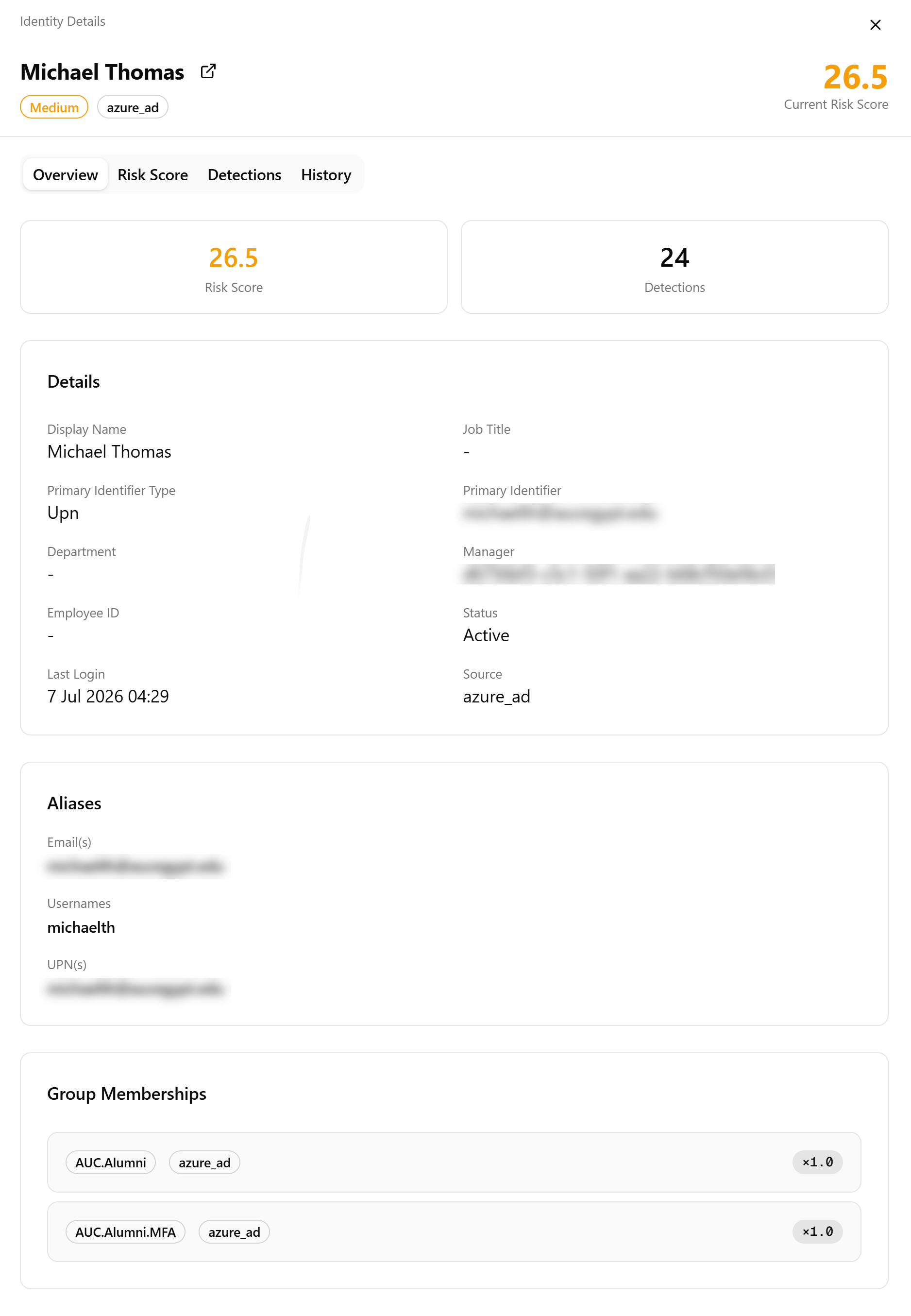
The top of the tab displays two summary cards:
-
Risk Score: Current score of the identity on a 0–100 scale
-
Detections: Number of active detections within the rolling 24-hour window
The Details section lists the identity profile fields as synced from the source identity provider:
-
Display Name and Job Title
-
Primary Identifier Type (for example, Email) and Primary Identifier
-
Department and Manager
-
Employee ID and Status
-
Last Login and Source
The Aliases section lists all known alternate identifiers for this identity, including email addresses, usernames, and User Principal Names (UPNs) across connected sources.
The Group Memberships section lists the peer groups this identity belongs to. Each entry displays the group name, the source system the group was synchronized from (for example, google_workspace), and the current risk score multiplier of the group (for example, ×1.0). Group memberships determine which peer group risk multipliers apply to the score for this identity. See Peer Groups for more information.
Risk Score Tab
The Risk Score tab shows the score history of the identity and provides controls to configure its entity risk override.
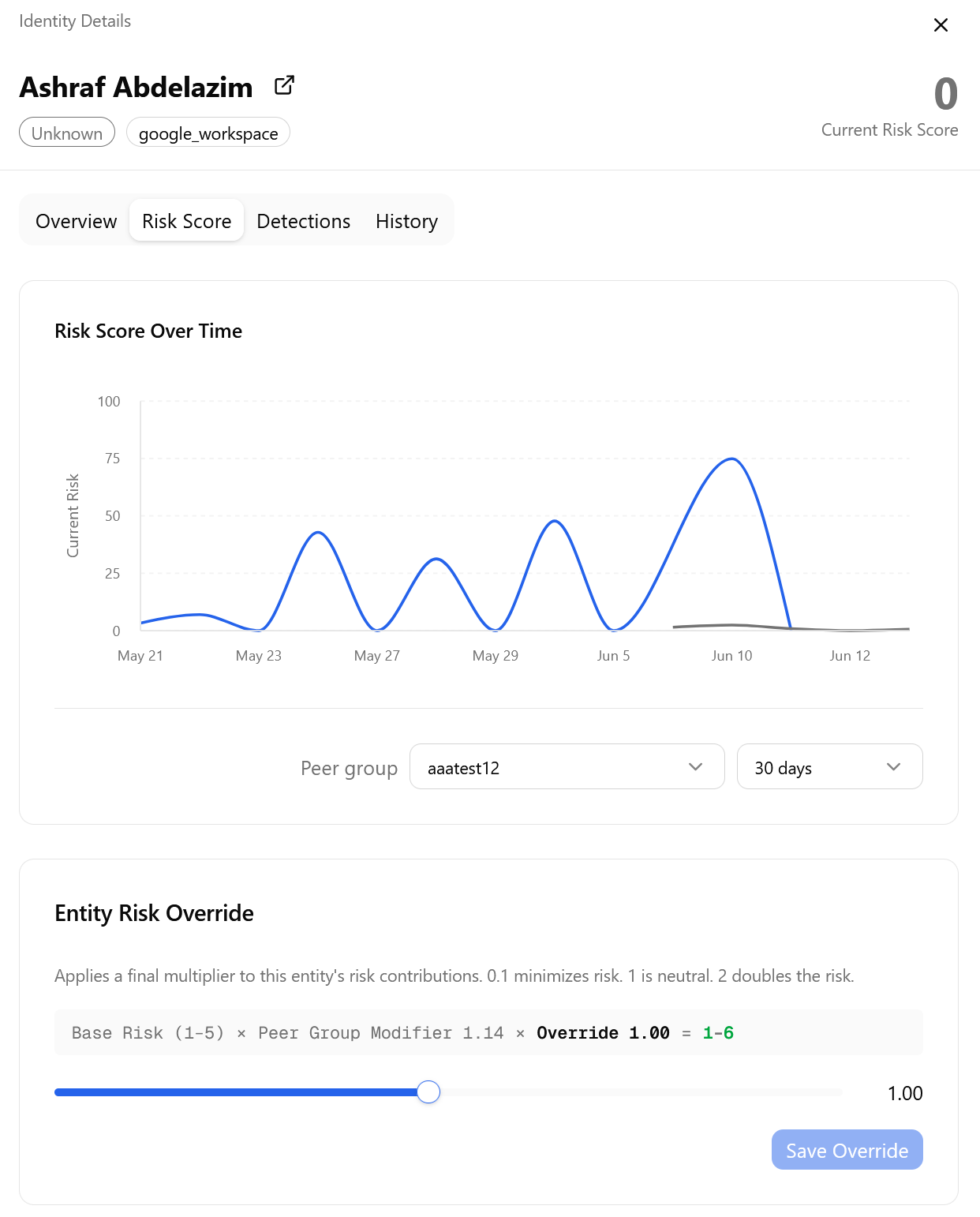
Risk Score Over Time
The Risk Score Over Time chart plots the current risk score of the identity across a selected time period. Use the Peer group drop-down to view how scoring varies by group context, and the time period drop-down to adjust the chart window, ranging anywhere between 7–180 days.
Entity Risk Override
The Entity Risk Override section applies a final multiplier to the risk contributions of the identity. The override range is 0.1 to 2.0, where 0.1 minimizes risk, 1.0 is the default and represents neutral risk, and 2.0 doubles the risk.
Note: Changing the override requires the Manage Entities permission (can_entities_manage). Viewing the identity detail page, including its risk score and override value, requires View Entities (can_entities_view) or higher.
The following formula shows how the override compounds with the base risk and peer group modifier:
Base Risk (1–5) × Peer Group Modifier × Override = Result.
Adjust the slider to the desired value and click Save Override to apply.
See Entity Risk Score Override for more information.
Detections Tab
The Detections tab lists all active detections associated with this identity within the current 24-hour window.
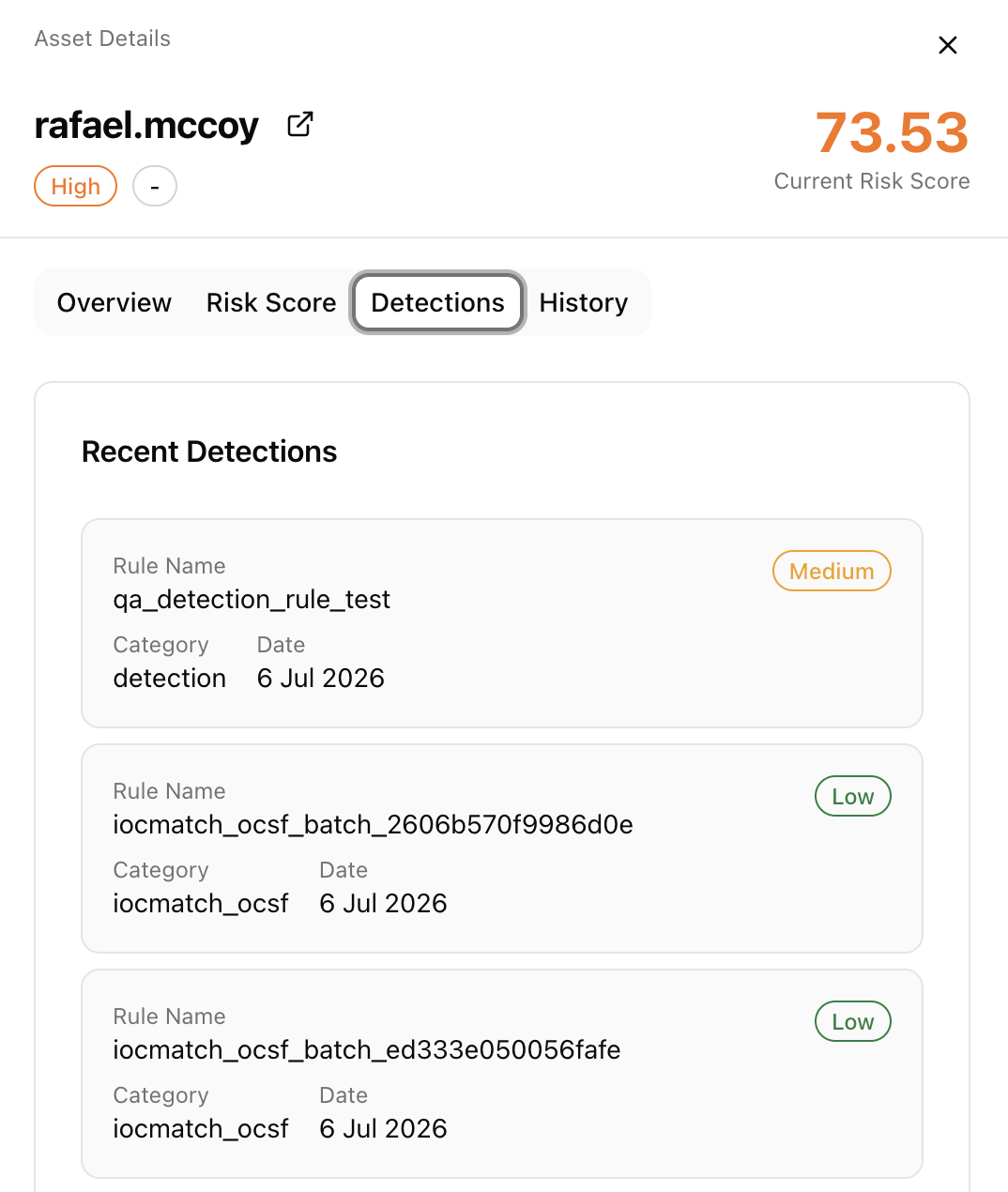
Each detection card in the Recent Detections list displays the Rule Name that produced the detection, the detection severity (for example, Low, Medium, High), its Category (for example, iocmatch), and the Date the detection was recorded. Detections expire from this list 24 hours after they are produced. See Entity Risk Scores.
History Tab
The History tab provides a chronological record of all events and changes associated with this identity.
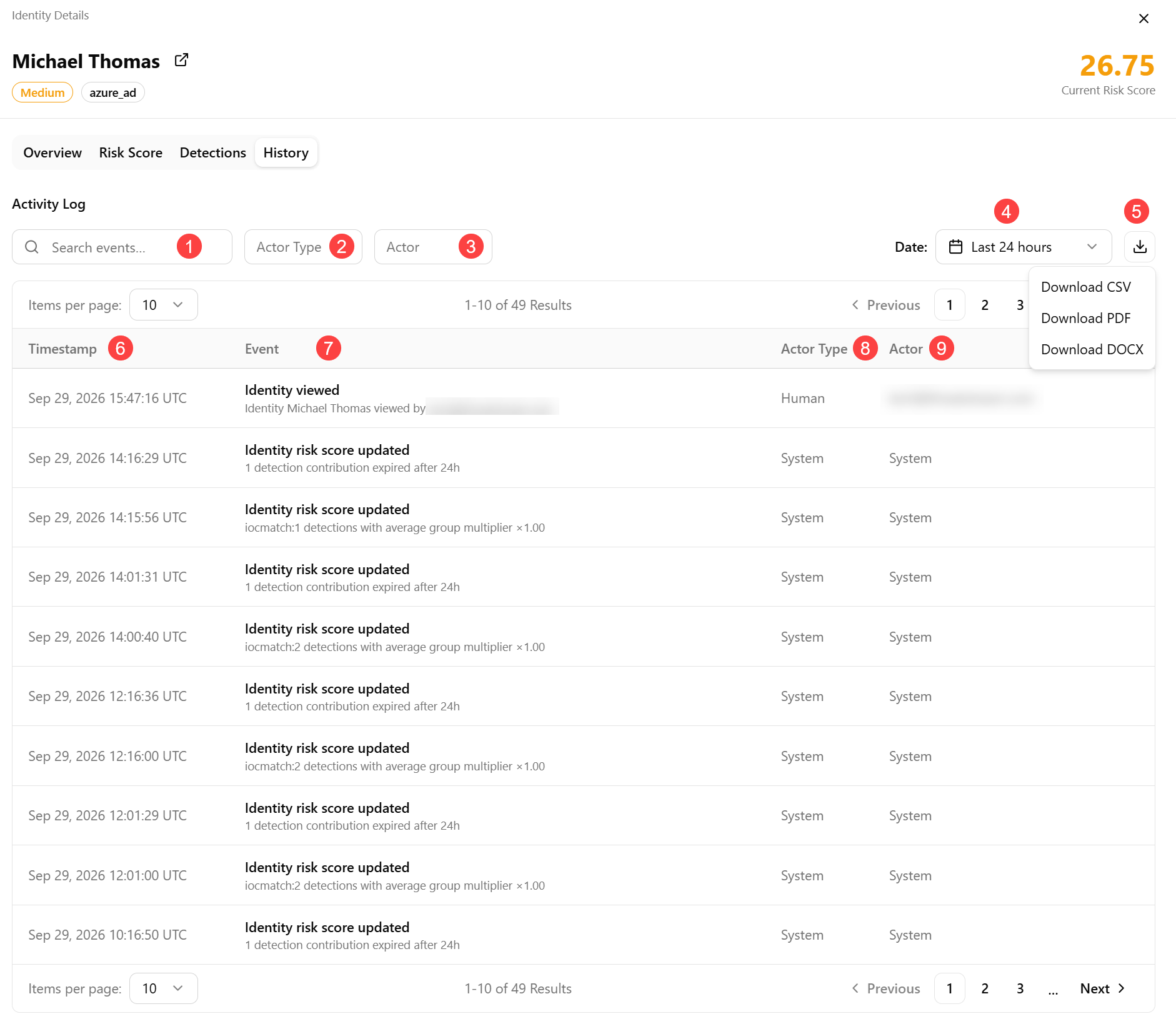
 Search events: Search for events across descriptions, actors, and event details.
 Actor Type: Filter events by who/what triggered the event. Possible valued include: Human, Agent, System, or All.
 Actor: Filter events by a user, service account, or system entity.
 Date: Set a date range for scoping events to a specific time range.
 Export: Download the current filtered view as CSV, PDF, or DOCX, with header metadata included.
 Timestamp: Time when the event occurred, formatted in UTC and explicitly labeled. The log is sorted newest-first by default.
 Event: Event type. For example, identity viewed, risk score updated.
 Actor Type: Indicates who performed the event: Human, Agent, or System.
 Actor: User, service account, or agent responsible for the event.