Adding STIX 2.1 Custom Objects to the Anomali Threat Model
ThreatStream enables you to import STIX 2.1 compatible Custom Objects through the STIX tab of the import assistant. Custom Objects must be specified in valid STIX 2.1 JSON format.
Note: Custom objects cannot be added to investigations or the Explore pivoting tool. Additionally, rules cannot be configured to associate matched intelligence with Custom Objects.
Importing Custom Objects
Adhere to the following requirements when importing Custom Objects:
-
Custom objects must be specified in valid STIX 2.1 JSON format. For more information, see https://docs.oasis-open.org/cti/stix/v2.1/csd05/stix-v2.1-csd05.html#_7f3c4jgkyhl3
-
Your JSON file must include
id,name, andtypeobjects for each Custom Object specified -
Values specified for
typemust begin with 'x-'For example:
x-example -
Values specified for
typemust be between 3 and 250 characters. Only ASCII characters are supported. -
Values specified for
namecannot match names of existing Custom Objects in ThreatStream
After creating your JSON file, use the instructions in Importing STIX Data Through the Import Assistant to import your Custom Objects.
Viewing Custom Objects
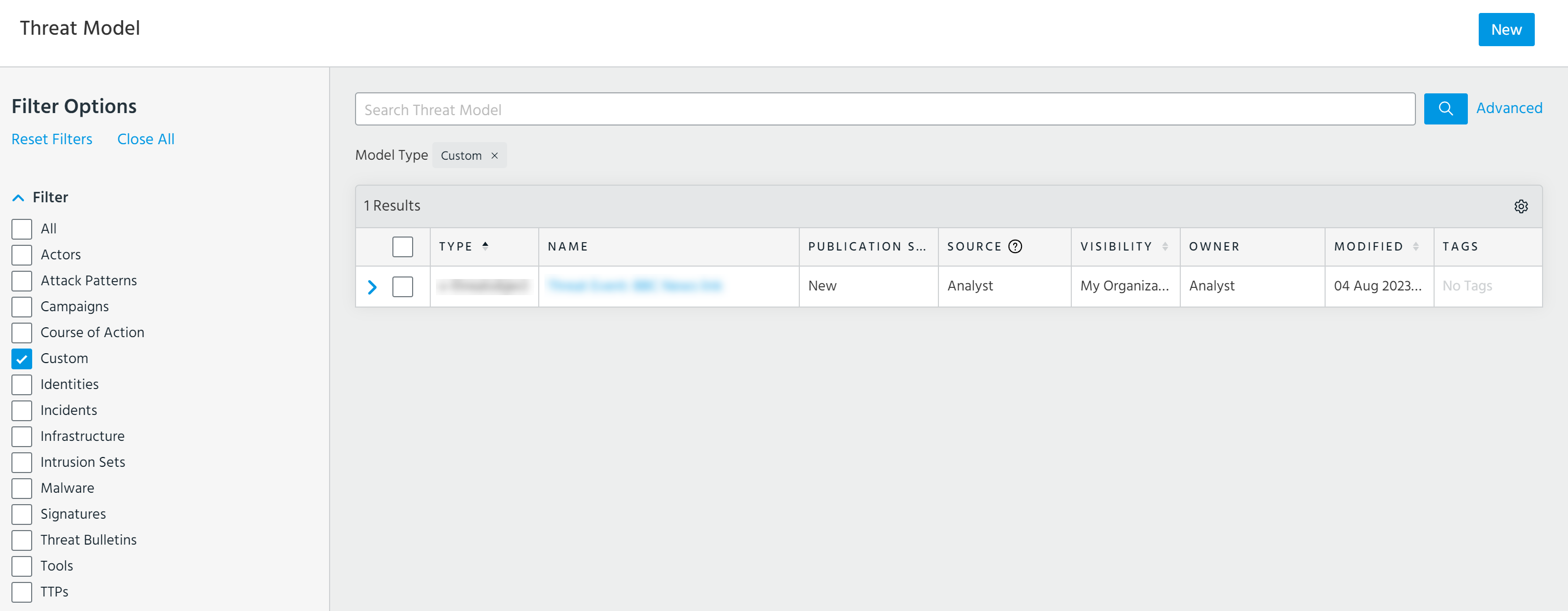
After the import is complete, Custom Objects are available from the ThreatStream user interface as part of the Anomali Threat Model. A Custom filter enables you to quickly locate Custom Objects using the Threat Model list view screen.
Searching for Custom Objects with Advanced Search
Use the model_type field to form advanced search queries for Custom Objects. You can use model_type to filter for all Custom Objects (of any type) and Custom Objects of a specific type.
-
To return all Custom Objects, set
model_typetocustomtm.For example,
(model_type = "customtm") -
To return Custom Objects of a specific type, set
model_typeto the Custom Object type of interest.For example,
(model_type = "x-example")
For more information on using the advanced threat model search, see Performing Advanced Threat Model Searches.