Ingesting Phishing Emails
ThreatStream enables you to ingest phishing emails for further analysis. This involves sending the email as an .eml attachment to a designated email address on ThreatStream.
Once received, ThreatStream parses the metadata of the attached phishing email and creates an investigation for the discovered observables. You can use the investigation to analyze the results of the ingestion and review the parsed observables before importing them into ThreatStream.
When you submit a phishing email to one of your phishing mailboxes, actions configured for the phishing mailbox are taken. For example, phishing mailboxes can be configured to create investigations for discovered observables, submit email attachments to the sandbox, or create Threat Bulletins with the contents of the phishing email. For more information on creating and configuring phishing mailboxes, see Mailboxes for Receiving Observables.
Guidelines for Ingesting Phishing Emails
- Emails must be sent from email addresses registered on ThreatStream or those added to the Email Import Addresses list on the Mailboxes tab within settings. Emails received from email addresses not adhering to these guidelines are ignored. See Adding Additional Email Import Addresses for more information.
-
Phishing emails must be sent to ThreatStream as .eml attachments to a Phishing Mailbox email address. These addresses are listed on the Email/Phishing tab of Import Assistant and on the Mailboxes tab within settings. To manage your mailboxes, see Mailboxes for Receiving Observables.
- By default, observables imported via Phishing Email mailboxes are assigned the phishing threat type.
-
When an email contains both HTML and plain text versions of the body, ThreatStream uses only the HTML version for extracting observables and populating the investigation or Threat Bulletin body. The plain text version is not processed.
- Email messages with extremely deep HTML nesting (more than 2,048 levels) are truncated and only partially processed. As a result, some content may be missing from the stored email body and from any indicators extracted from the message. This behavior is typically limited to emails generated by certain mobile webmail clients that produce unusually deep HTML structures. Standard email clients such as Outlook and Gmail are not affected. If you encounter this behavior, resend or forward the email from a different email client that does not produce deeply nested HTML.
-
When you forward a suspicious email as an attachment (.eml file) to the phishing inbox, ThreatStream analyzes only the attached email content. Any text entered in the forwarding message body is not included in the investigation or Threat Bulletin and is not used for observable extraction. If you have additional observables or context to include, add them directly to the investigation or Threat Bulletin after it is created, or submit them through a separate import.
To learn how to add observables to an investigation, refer to Starting an Investigation for Observables.
To learn how to add observables to Threat Bulletins, refer to Editing Threat Bulletins.
To import observables from phishing emails:
-
Open the import assistant
 and click Email/Phishing. Your mailboxes configured for ingesting phishing emails are displayed under Phishing Mailbox.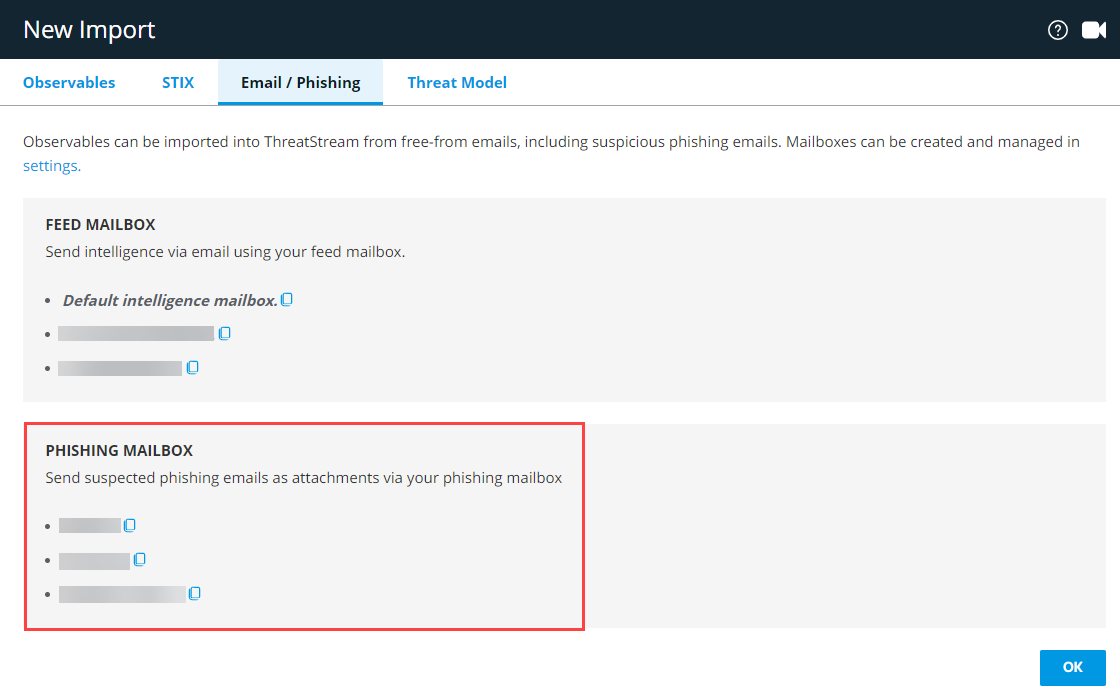
- Click the copy icon next to the mailbox you want to use for ingesting the phishing email.
-
Use your email client to forward the phishing email to the copied email address as an attachment.
OR
Save the phishing email to your local machine and manually send it to this address as an .eml attachment.
To check the status of your submission, navigate to Settings > Mailboxes and click the icon in the Activity column next to the mailbox to which you submitted the email.
Phishing Email Threat Bulletins
Phishing mailboxes can be configured to create Threat Bulletins when they receive submissions. Upon creation, Threat Bulletins are assigned the New status and only visible to your organization. See Reviewing Threat Model Entities for Publication for more information on the Threat Model publication workflow.
Threat Bulletins created from imported phishing emails always contain the following information:
-
Complete header and body of the phishing email.
-
References if available.
-
List of files attached to the phishing email and corresponding hash values. Hash values are added to observable import sessions.
-
Import session for the phishing email. Observables must be approved before becoming part of your threat intelligence on ThreatStream.
-
Files attached to the phishing email available for download.