Importing Feeds Using Basic Submission
The Basic submission form is compatible with unformatted, plain text feeds with one entry per line. This makes up a majority of intelligence feeds that ThreatStream users submit.
Basic submissions extract data based on the indicator types you specify in the Entry Mappings section. For more on the indicator types used in ThreatStream, see Indicator Types in ThreatStream.
Feed submissions are always private to your organization.
Note:
- Feeds with formatting of any kind are not compatible with the basic submission form. See Importing Feeds Using Advanced Submission for more information on subscribing to formatted intelligence feeds.
- You can also use the ThreatStream import assistant to perform a one-time scrape of plain text intelligence feeds. See Importing Observables from Plain Text Intelligence Feeds.
To import a feed using basic submission:
- Navigate to ThreatStream > Manage > Feeds.
- Click New.
-
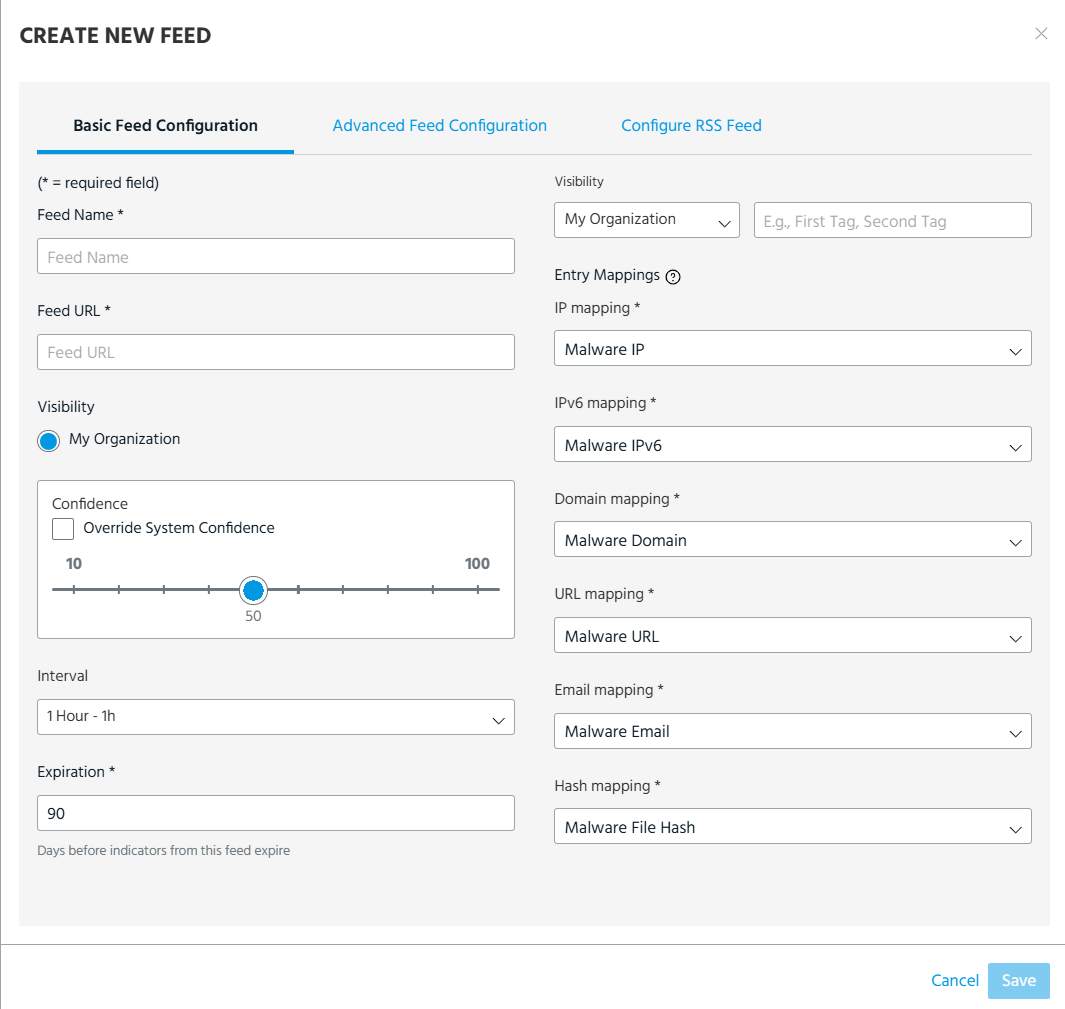
Configure the following feed settings on the Basic Feed Configuration tab:
Setting Description Feed Name Name for the feed. Feed URL URL where the feed is hosted. Visibility Visibility of the observables provided by the feed in ThreatStream. The visibility of feed submissions is always set to My Organization (visible to your organization only). Confidence Default source reported Confidence scores for the intelligence provided by the feed.
You can select Override System Confidence to use the selected default Confidence score over assigned ThreatStream Confidence scores.
For more on observable confidence, see Observable Confidence in ThreatStream.
Interval Interval at which intelligence should be pulled from the feed. Expiration The number of days you want intelligence from this feed to stay active. Tags Tags you want to associate with intelligence from this feed.
As you type the first few characters of the tag, the 20 most used tags in your organization from the previous seven days are displayed. Enable the Preferred Tags Only toggle to display and search though only the list of preferred tags. Alternatively, enter * to display preferred tags.
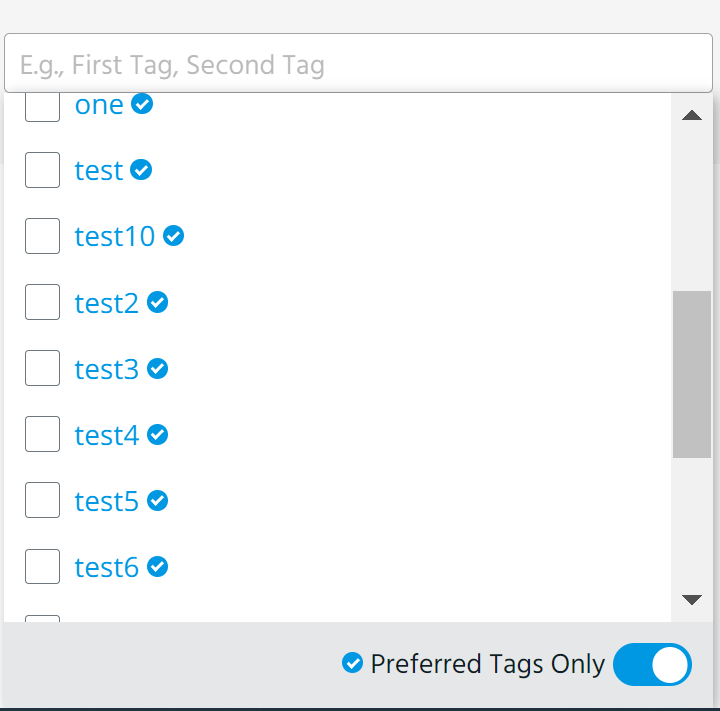
Tags assigned the My Organization visibility setting are only visible to your organization. Tags assigned the Anomali Community visibility setting are visible to users of all organizations that have access to the observable. See Adding Private Tags to Observables for more information.
Note: Observables can contain up to 200 tags per organization. Tags added by other organizations do not count toward this limit.
-
Populate the following Entry Mappings fields:
Field Description Domain Mapping Indicator type that domains from the feed will be given.
Email Mapping Indicator type that email addresses from the feed will be given. Hash Mapping Indicator type that hashes from the feed will be given. IP Mapping Indicator type that IP addresses from the feed will be given. IPv6 Mapping Indicator type that IPv6 addresses from the feed will be given. URL Mapping Indicator type that URLs from the feed will be given. - Click Save.