fit RandomForest
Use the RandomForest algorithm to classify security events by combining multiple decision trees into a single ensemble model using the Scikit-learn RandomForest method.
By aggregating predictions across many trees, Random Forest reduces overfitting and handles noisy, high-dimensional security data more robustly than a single decision tree. These capabilities make it suitable for applications like threat type prediction or malware detection.
Syntax
fit RandomForest [option_name]=[value]... <field_to_predict> from <explanatory_fields> [kfold_cv=<enter_max_cross-val_fields>] [into '<model_name>']
[option_name]=[value]
|
Specify model parameters:
For information on the model parameters, refer to the official Scikit-learn documentation. |
|
|
Specify the maximum depth of the decision tree. Providing the depth preempts the model from growing too large and helps avoid overfitting, ensuring reliable results when visualizing the tree. Default value: Note: |
<field_to_predict>
|
Specify the target field name. |
<explanatory_fields>
|
Specify input fields used to train the model. Note: When applying the model, the name of the explanatory fields need to be exactly the same as the one used to create the models. Any deviation from the name may lead to errors. For example: Copy
|
<enter_max_cross-val_fields>
|
Specify this option to support k-fold validation. When specified, the validation result will be returned. Substitute a number of folds for n. The number of folds must be at least two. Note: This option cannot be used together with |
into
|
Specify the into keyword to store the learned model in an artifact that can later be applied to new search results with the apply operator. |
'<model_name>'
|
Specify the name of the model to save as an artifact, so that it can be used with the |
Usage
Use RandomForestClassifier to classify security events by training an ensemble of decision trees on labeled data. By aggregating votes across many trees, it reduces overfitting and handles noisy, high-dimensional security telemetry more robustly than a single decision tree.
This approach makes RandomForestClassifier:
-
Well suited for binary and multi-class security classification tasks such as allowed-blocked, malicious-benign, or threat type classification.
-
More resilient to irrelevant or noisy features than a single decision tree.
-
Effective on high-volume eventlog and OCSF data.
See About the Decision Tree Visualization Type for more information on how to visualize decision trees.
Examples
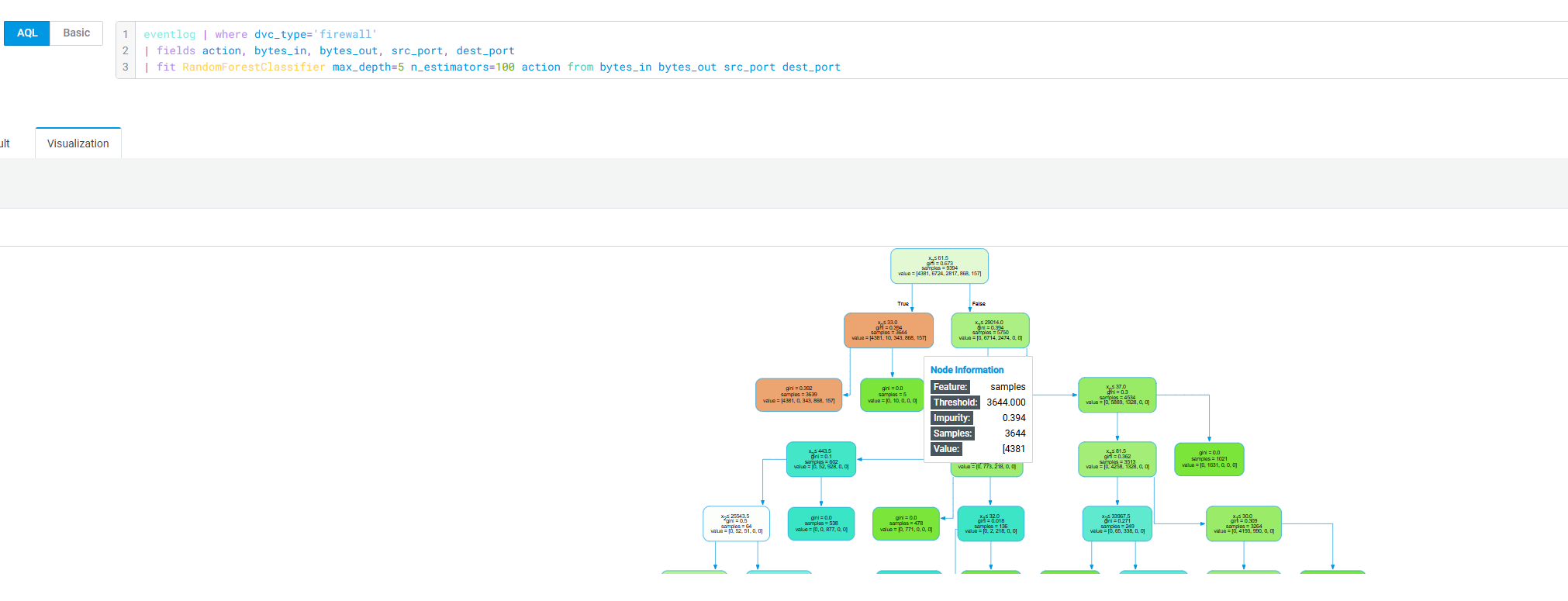
The following example trains a Random Forest classifier on firewall traffic to predict whether a connection is allowed or blocked, using byte volumes and port pairs as features.
eventlog | where dvc_type='firewall'
| fields action, bytes_in, bytes_out, src_port, dest_port
| fit RandomForestClassifier max_depth=5 n_estimators=100 action from bytes_in bytes_out src_port dest_port
After the search is complete, use the Decision Tree visualization to visualize your results. The query above produces a decision tree visualization to identify ambiguous traffic patterns. To view the tree, switch to the Visualization tab on the Search page, as follows: