Enriching Data with Intezer Analyze
The Intezer Analyze enrichment enables you to perform additional analyses on hash observables, from the Intezer tab in the Enrichments section of the observable details page. The enrichment displays various information about the given hash, including a verdict on whether it is malicious, as well as IOCs and TTPs related to the hash.
View documentation on the Intezer Analyze enrichment for Anomali
Before activating the Intezer Analyze enrichment, obtain your Intezer API Key from your Intezer account.
To activate the Intezer Analyze enrichment:
-
Navigate to ThreatStream > APP STORE > APP Store.
- Click Get Access on the Intezer Analyze tile.
- Click I have credentials on the wizard page that opens.
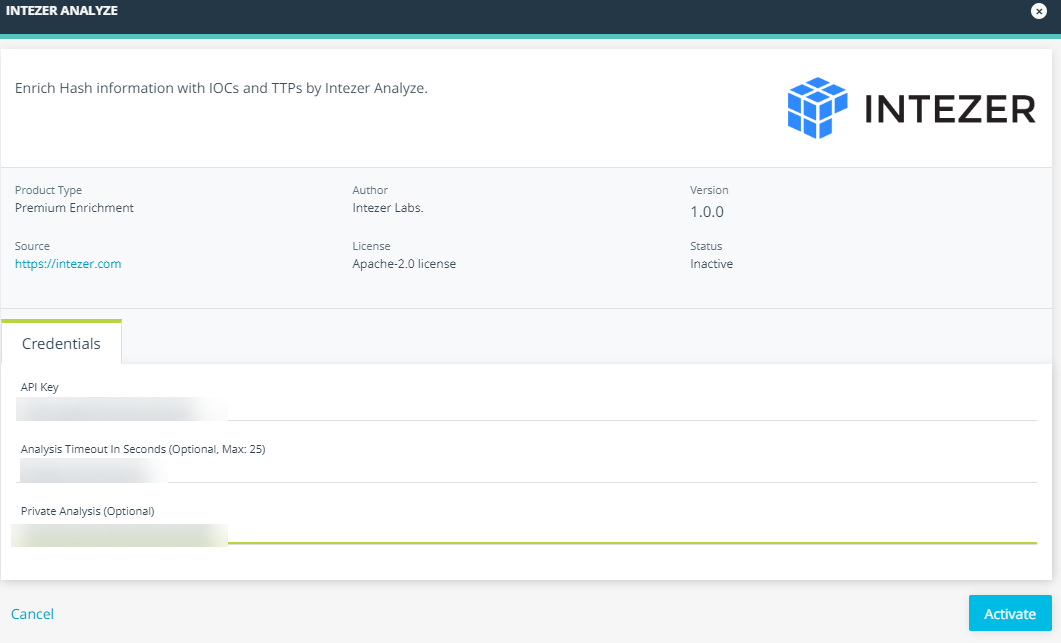
- On the next wizard page, click Credentials and enter your Intezer API Key.
- Configure optional parameters:
- Analysis Timeout In Seconds: number of seconds to wait for an analysis to complete. If a value is not specified, the enrichment waits up to 25 seconds for the analysis to finish.
- Private Analysis: whether the query should only return the latest private analysis. If
trueoryesis specified, the query is restricted to the latest analysis from your private Intezer code database. Iffalseornois specified, or if no value is given, the query returns the latest analysis from either the Intezer global code database or your private database.
- Click Activate.
The Intezer Analyze enrichment is now active.
Note: To learn more about the Intezer Analyze API, visit https://analyze.intezer.com/.