Modifying My Profile
You can use the My Profile page to change settings related to your user account. Changes you make to your profile do not affect other users.
Change the Default Date Range Filter
Anomali Security Analytics Dashboard panels and Activity searches display results for a specified time period. You can configure a global default associated with your user account. On each page, there are time range controls you can use to examine results from different time periods.
-
The default date range filter specified in My Profile settings determines only what the behavior is if you do not specify a time range on the Dashboard and Activity pages.
-
If you specify a different time period on those pages, that time period persists across the Dashboard and Activity search pages for the duration of your browser session or until you specify a different time period.
-
When you open a new browser session and authenticate again, the default specified in My Profile settings is applied and persists until you specify a different time period on a Dashboard or Activity search page.
To change the default:
-
Click the profile icon in the left navigation panel and select My Profile.
-
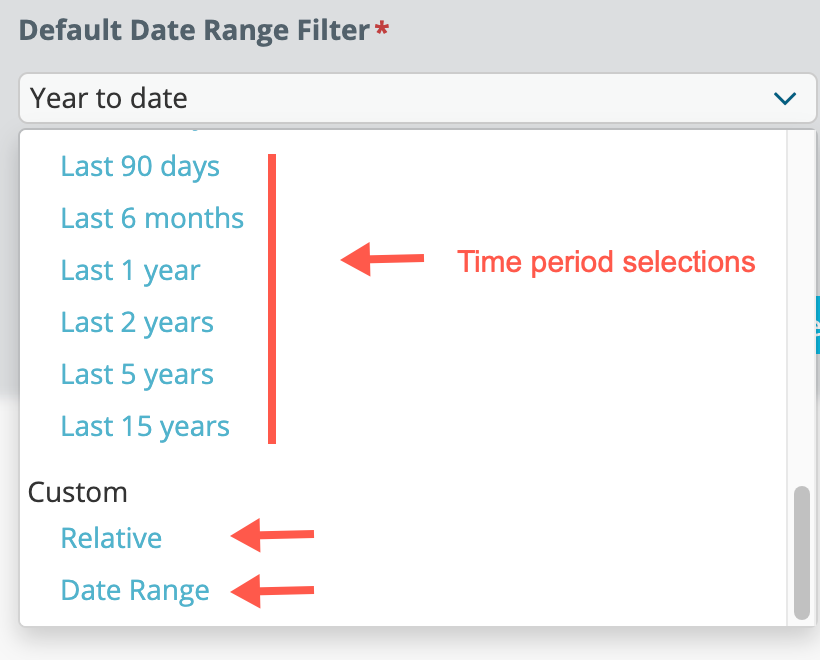
Use the Default Date Range Filter controls to select a time period, a relative expression, or a date range.
-
Click Save.