Search with Anomali Copilot
On the Search page, you can use Anomali Copilot to run AQL queries generated from either natural language prompts or pre-defined exploratory suggestions.
When Schema RBAC is active for your organization, the schema filters in your assigned roles determine which data this feature returns. An eventlog filter limits your results to only the eventlog data your role permits, and an OCSF filter limits your results to only the OCSF data your role permits. If a query runs against a schema for which your role has no filter assigned, the query returns a forbidden error. For details, see Role-Based Access Control for Schemas.
Searching with AQL Generator
You can use the AQL Generator to run a search query constructed from a natural language prompt, as follows:
-
Click AQL Generator.

-
Enter your own question in the Search bar in natural language.
-
Click Generate AQL. This generates the search query for the prompt you entered.

-
Once the query is generated, click Search to launch a search.
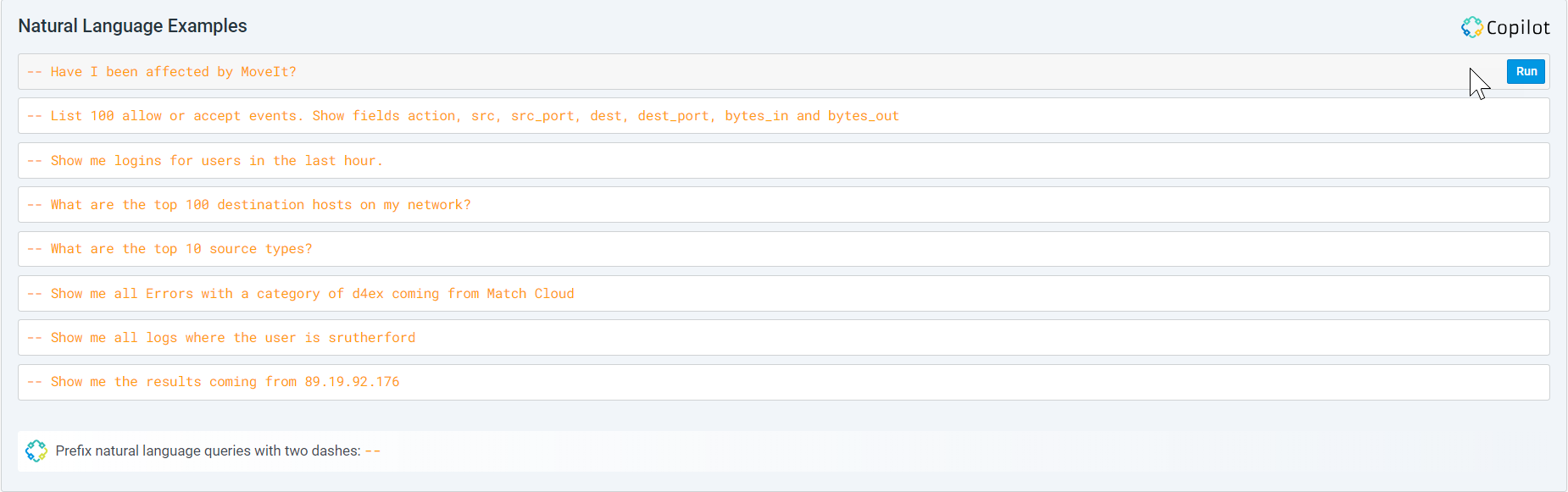
Alternatively, hover over one of the Natural Language Examples and click Run to add the question to the Search box. Clicking Run automatically executes Steps 1–4 mentioned above.
Searching Without Using AQL Generator
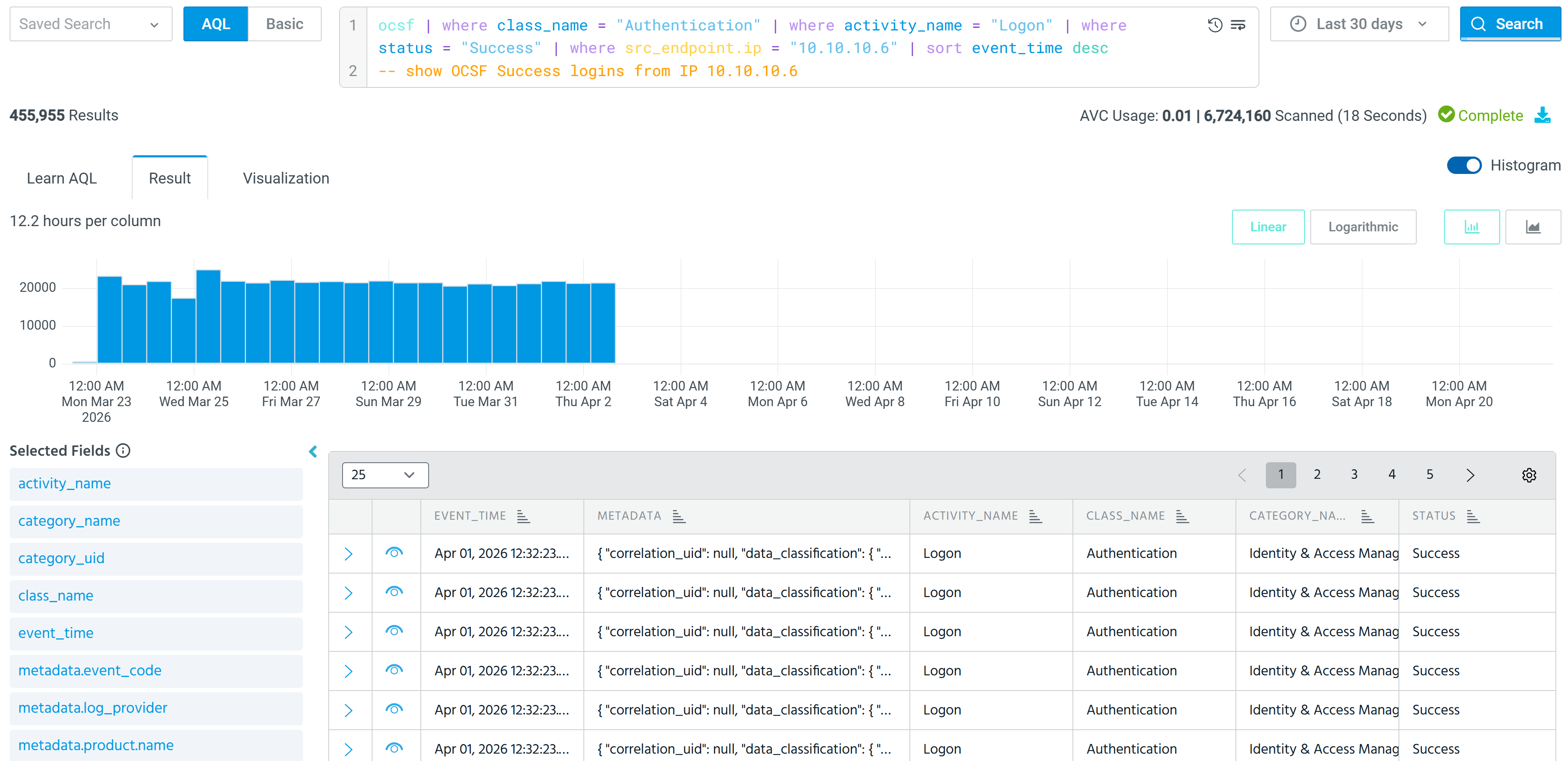
You can also launch an AQL search using double dashes (--) followed by your natural language search prompt.
To search directly use natural language prompts:
-
In the Search bar, enter double dashes (
--) and then enter your natural language prompt.
-
Click Search. This initiates the process of converting your natural language prompt into an AQL query.

-
Once the conversion is complete, the Search bar now displays the corresponding AQL query.

-
Click Search to complete the search and obtain the search results.
Supported OCSF Classes for Anomali Copilot
Anomali Copilot supports the following OCSF classes:
| OCSF Category | Description |
|---|---|
| API Activity | API call events capturing request and response details, including REST endpoints, methods, status codes, and resource identifiers for cloud and application service interactions. |
| Account Change | User account lifecycle events including account creation, deletion, enabling, disabling, password changes, and attribute modifications. |
| Authentication | Authentication and session events including login attempts, logon successes and failures, multi-factor authentication, and single sign-on activities. |
| Email Activity | Email handling events covering message sending, receiving, delivery, forwarding, and filtering activities, including attachment and email metadata. |
| Entity Management | Lifecycle events for managed entities such as configurations, policies, certificates, and organizational objects, including creation, modification, and deletion. |
| Filesystem Activity | File system operation events including file creation, deletion, modification, access, and attribute changes across local and network storage. |
| Group Management | Group lifecycle events covering group creation, deletion, and modification, including membership additions and removals. |
| HTTP Activity | Web traffic events capturing HTTP and HTTPS request and response details, including URLs, methods, status codes, user agents, and payload metadata. |
| Network Activity | Network connection and traffic events including TCP/UDP sessions, flows, firewall logs, and network protocol activities between endpoints. |
| Process Activity | Process lifecycle events including process launch, termination, injection, and other activities that describe process execution and behavior on a host. |
Natural Language Queries with OCSF
The AQL Generator supports generating queries for both eventlog and OCSF schemas. By default, natural language prompts generate eventlog queries. To generate OCSF queries, include the case-insensitive keyword "ocsf" in your natural language prompt.
Examples:
| Natural Language Prompt | Generated Query Type | Reason |
|---|---|---|
|
|
|
No table mentioned. Prompt resolves to using default schema, which is |
|
|
OCSF query with
|
OCSF keyword included. Prompt resolves to query with |
|
|
OCSF query that filters the Authentication OCSF class |
OCSF keyword included. Prompt resolves to query with |
|
|
OCSF query that uses the |
OCSF keyword included. Prompt resolves to query with |
Note: When generating OCSF queries, the AQL Generator uses OCSF field naming conventions such as src_endpoint.ip, dst_endpoint.port, or actor.user.name. See OCSF Schema Overview for more information about OCSF field naming conventions.
See the Anomali Copilot documentation to learn more about the Anomali Copilot suite of generative AI solutions that supports AI-enabled detections, investigations, and incident response management.