Using Report Templates
Report templates in security reporting are your guide for creating clear and consistent reports. They give you a predefined structure—so instead of figuring out what to include every time, you already have sections laid out for things like a threat summary, overview, attribution, motivations and objectives, targeting profile, tools, infrastructure, and recommendations.
When you use a template, it helps you stay organized and makes sure you don’t miss any important details. You can focus more on analyzing the problem and less on formatting the report. It also keeps your reports consistent with others across your team, which makes them easier for anyone to read and understand.
Templates also save you time. You can quickly create reports by filling in the required sections, and with the help of Anomali AI reports can even be generated automatically using predefined templates.
Overall, they make your reporting process faster, more structured, and more effective—both for you and for anyone reviewing your reports.
ThreatStream Next Gen offers you out-of-the-box templates that can be used right away for creating reports. However, you can also create custom templates to suit the needs of your organization.
To access available report templates, navigate to ThreatStream Next Gen > Investigations & Analysis > Reporting. Click Template Management.
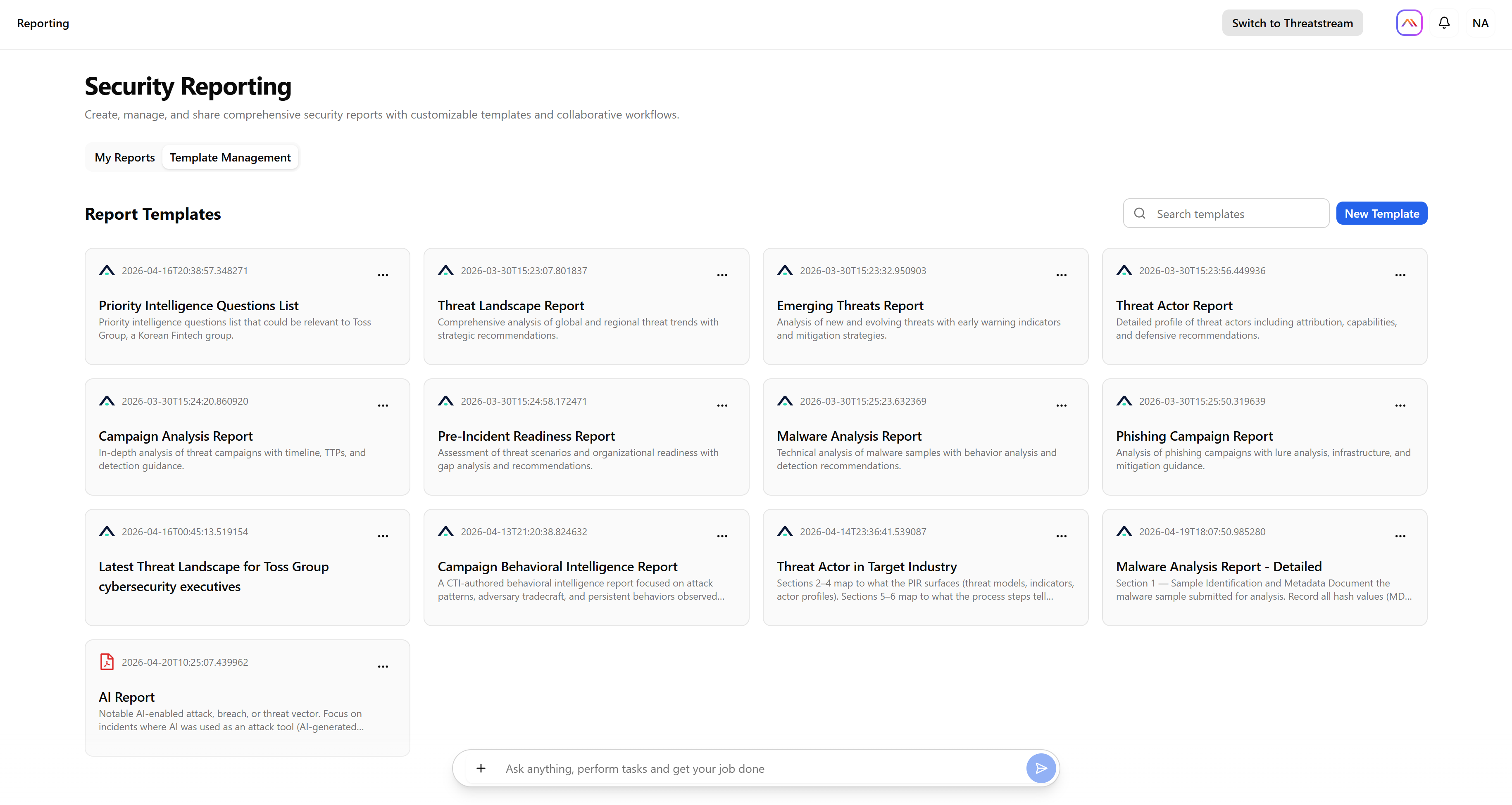
The following report templates are available to all users out of the box:
| Report Template | Description |
|---|---|
| Threat Landscape Report | Comprehensive analysis of global and regional threat trends with strategic recommendations. |
| Emerging Threats Report | Analysis of new and evolving threats with early warning indicators and mitigation strategies. |
| Threat Actor Report | Detailed profile of threat actors including attribution, capabilities, and defensive recommendations. |
| Campaign Analysis Report | In-depth analysis of threat campaigns with timeline, TTPs, and detection guidance. |
| Pre-Incident Readiness Report | Assessment of threat scenarios and organizational readiness with gap analysis and recommendations. |
| Malware Analysis Report | Technical analysis of malware samples with behavior analysis and detection recommendations. |
| Phishing Campaign Report | Analysis of phishing campaigns with lure analysis, infrastructure, and mitigation guidance. |
To learn how to create a custom report template, see Creating a Report Template.