Qualys VMDR
To import Qualys VMDR asset and vulnerability data to the Anomali Agentic SOC Operations to correlate machine risk scores with known vulnerabilities, you must first configure the Qualys VMDR integration on the Integrations Marketplace page. For details on asset management within the Anomali Agentic SOC Operations, see Assets.
Before You Begin
To configure the Qualys VMDR integration, you must collect the following information from your Qualys account:
-
Qualys account password and username.
Verify that your Qualys user account has the following permissions:-
API Access
-
Access Asset Management module and Read Asset
-
-
IDs of Qualys asset groups that you want to monitor
-
Qualys API Server
Note that your Qualys API server URL depends on your subscription. Possible URLs include:
Platform URL US Platform 1 qualysapi.qualys.com US Platform 2 qualysapi.qg2.apps.qualys.com US Platform 3 qualysapi.qg3.apps.qualys.com EU Platform 1 qualysapi.qualys.eu EU Platform 2 qualysapi.qg2.apps.qualys.eu India qualysapi.qg1.apps.qualys.in -
IP addresses or IP ranges that you want to monitor
Configuring the Qualys VMDR Integration
To configure the Qualys VMDR integration:
-
Navigate to ThreatStream Next Gen > Integrations Marketplace > Entity Sources.
-
Click the three-dot vertical menu on the Qualys VMDR tile and then click Configure.
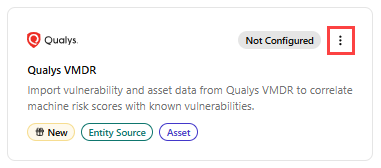
Alternatively, click the Qualys VMDR tile and then click Connect. -
On the Configure Qualys VMDR page that opens, enter the following details:
Field Name Description Name Name of the integration. Description (Optional) Description for the integration. Credentials Password Qualys VMDR API password. Username Qualys VMDR API username. Sync Configuration Asset Group IDs Comma-separated asset group IDs that you want to monitor. Used when the Search Type field is set to ag_ids.API Server Your Qualys API Server. For example, qualysapi.qg3.apps.qualys.com.IP Addresses Comma-separated IPs or IP ranges. Used when the Search Type field is set to ips.Search Type Import scope: ag_ids(asset groups) orips(IPs/IP ranges)Sync Settings Sync Frequency Interval for incremental syncs. Default: Hourly. Run full sync on connect When enabled, all existing Qualys records are imported on first connection. The setting is enabled by default. -
Click Create.
The Qualys VMDR integration is activated. Confirm that the integration status shows Active and health shows Healthy.
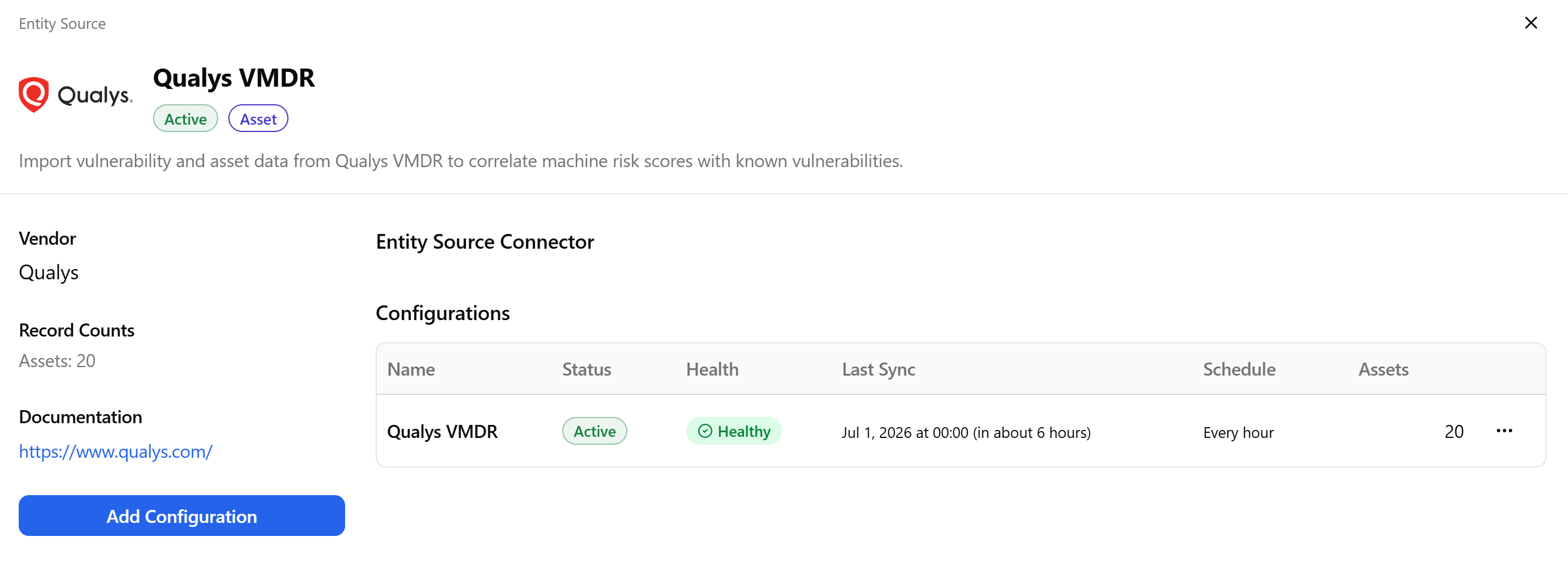
On the integration details page, you can view the integration status, health, the date and time of the last synchronization with the source, the synchronization schedule, and the number of assets discovered in the configuration. From this page, you can also force a synchronization, edit, deactivate, or delete the integration configuration. For details, see Managing Integrations.