Creating Description Templates From Threat Models
Although you can enter a description for a threat model entity in rich text, free-form, or markdown-formatted text, using a template not only saves time but also enforces consistency to descriptions entered by multiple users of your organization. You must have Org admin privileges to create and manage templates.
All templates belonging to an organization are listed in a single list and are available to use for any threat model entity type. If you have multiple templates, you can set one of them as the default.
Tip: Although you can create one template and use it for all threat model entity types, Anomali recommends creating a unique template for each.
Creating a Template
You can save an existing description as a template or create a new one from scratch.
To save an existing description as a template:
- Navigate to the threat model entity whose description you want to save as a template.
-
On the entity details page, click Edit in the Actions menu.
Note: You must have the privileges to edit the entity. If Edit is an available option in the Actions menu on the entity details page, you are authorized to edit the entity.
-
On the Description tab, click Templates > Save as a Template.
.png)
-
In the dialog box that opens, enter a name for the template and select what threat model types you want to apply this template to. Modify the description, if necessary.
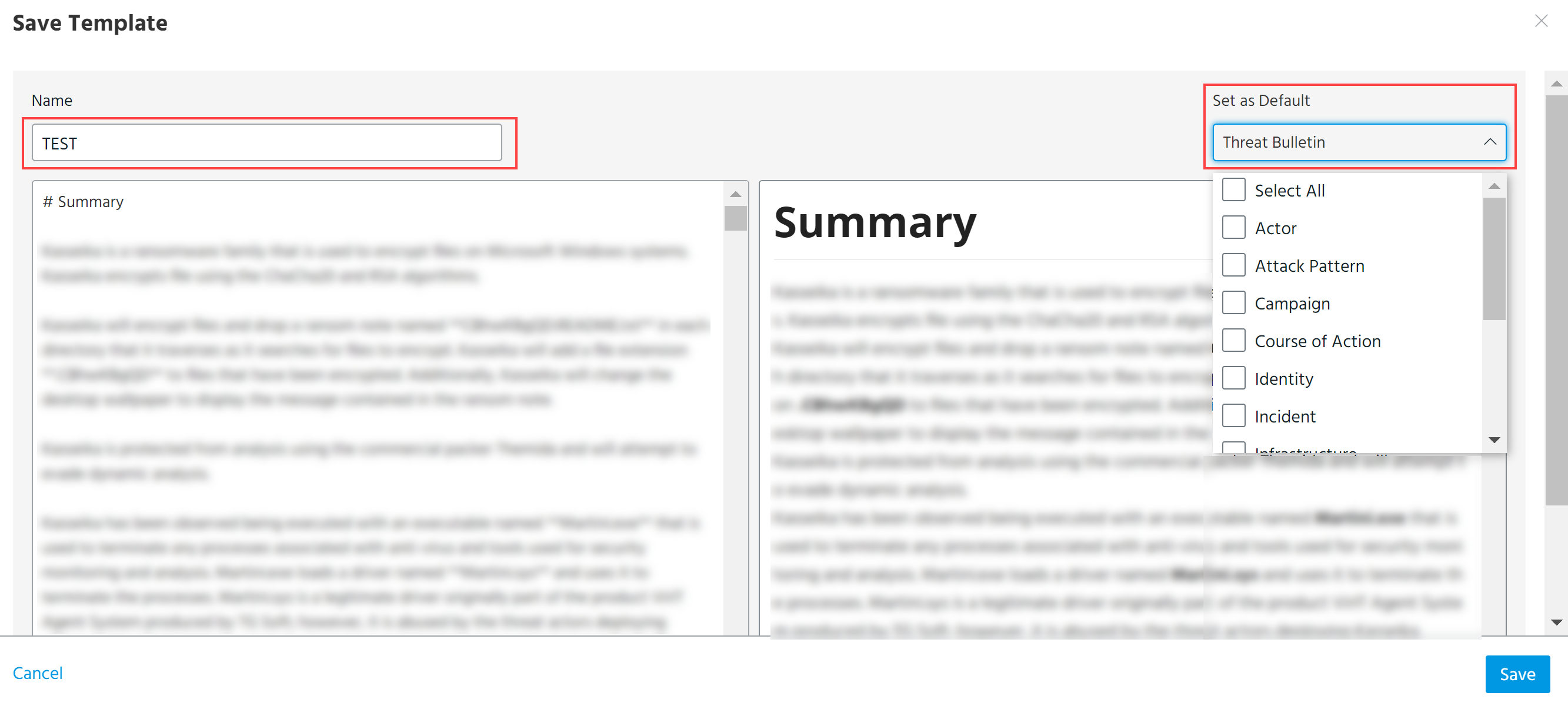 Note: If an existing threat model has no description, a default description template is applied to it. In the Edit mode of threat models, this default description is not highlighted and may not be visible.
 -
Click Save.
To create a description template from scratch:
-
Create a new threat model entity. See Adding New Threat Model Entities for further instructions.
- On the details page of the new threat model entity, click Edit in the Actions menu.
- On the Description tab, click Templates > Save as a Template.
- In the dialog box that opens, enter a name for the template, add a description, and select to which threat model types you want to apply this template.
The newly created template can be found in ThreatStream Settings under the Manage Templates tab and on the list of templates in threat model entities. To learn how to edit or remove templates, see Managing Description Templates.