Activating Polyswarm
ThreatStream enables users with Polyswarm subscriptions to leverage PolySwarm for malware detonation. If you have an active PolySwarm integration on ThreatStream, you can use it for malware detonation from the Sandbox page on ThreatStream.
Once activated, PolySwarm becomes one of the available Sandbox vendors in the ThreatStream Sandbox user interface. Depending on the sandbox services to which your organization subscribes, you can choose between PolySwarm and other available sandbox services.
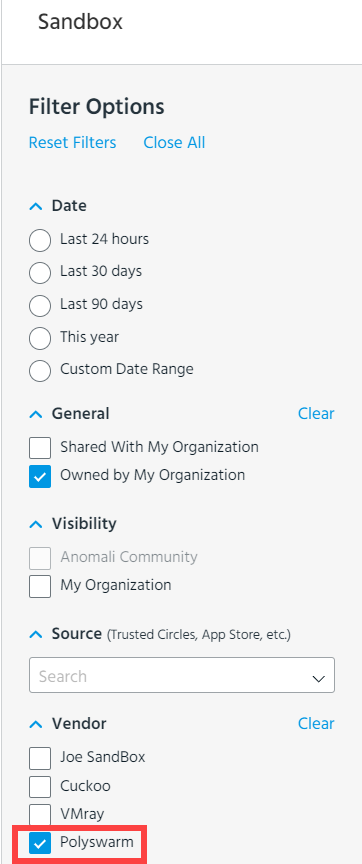
The submission quota allotted to you as a PolySwarm user depends on the terms of your subscription.
To activate the integration, you must have an active subscription with PolySwarm and enter your PolySwarm API key on the Integrations tab within ThreatStream Settings.
To activate the PolySwarm integration:
-
Obtain your PolySwarm API Key from the PolySwarm platform.
-
On the PolySwarm platform, click
 > Settings in the user menu.
 - Click the API Keys tab.
-
Copy your API Key. You will use this API Key to activate the integration on the ThreatStream user interface.
-
-
In the bottom-left corner of the side navigation panel, click
 > ThreatStream and then click Integrations.
 -
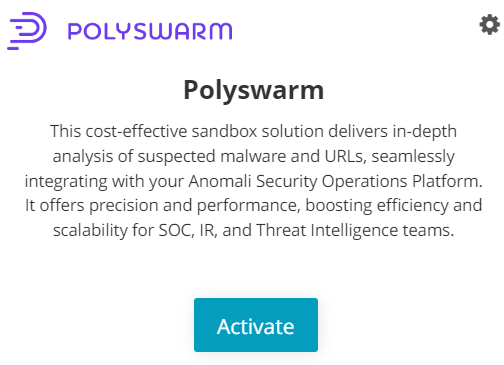
Locate the PolySwarm tile and click Activate.
-
Enter your PolySwarm API Key.
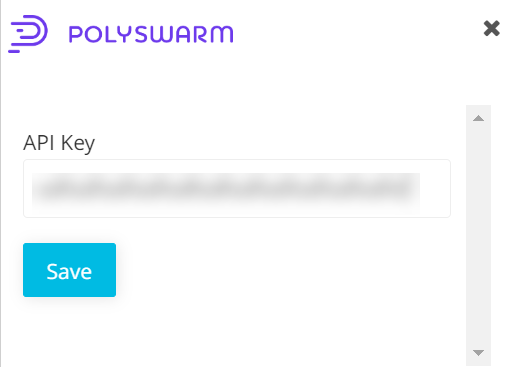
- Click Save.
Your PolySwarm integration is active and ready for use. You can leverage Polyswarm for malware detonation from the Sandbox page on ThreatStream. See Submitting Malware for Detonationfor more information.
Note: After activation, you can configure mailboxes to use Polyswarm for detonation. See Managing Mailboxes for more information.