Exporting a Sandbox Report
Sandbox reports can be exported in the following formats:
- PCAP (raw packet capture)
- CSV
Exporting Sandbox Reports in PDF and PCAP Formats
PDF and PCAP exports can be initiated from the Detonation Report page.
To export a sandbox report in PDF or PCAP format:
- Follow the process to view the detonation report as described in Viewing Sandbox Reports.
-
Depending on the format you want the sandbox report in, click the appropriate button, as shown below.
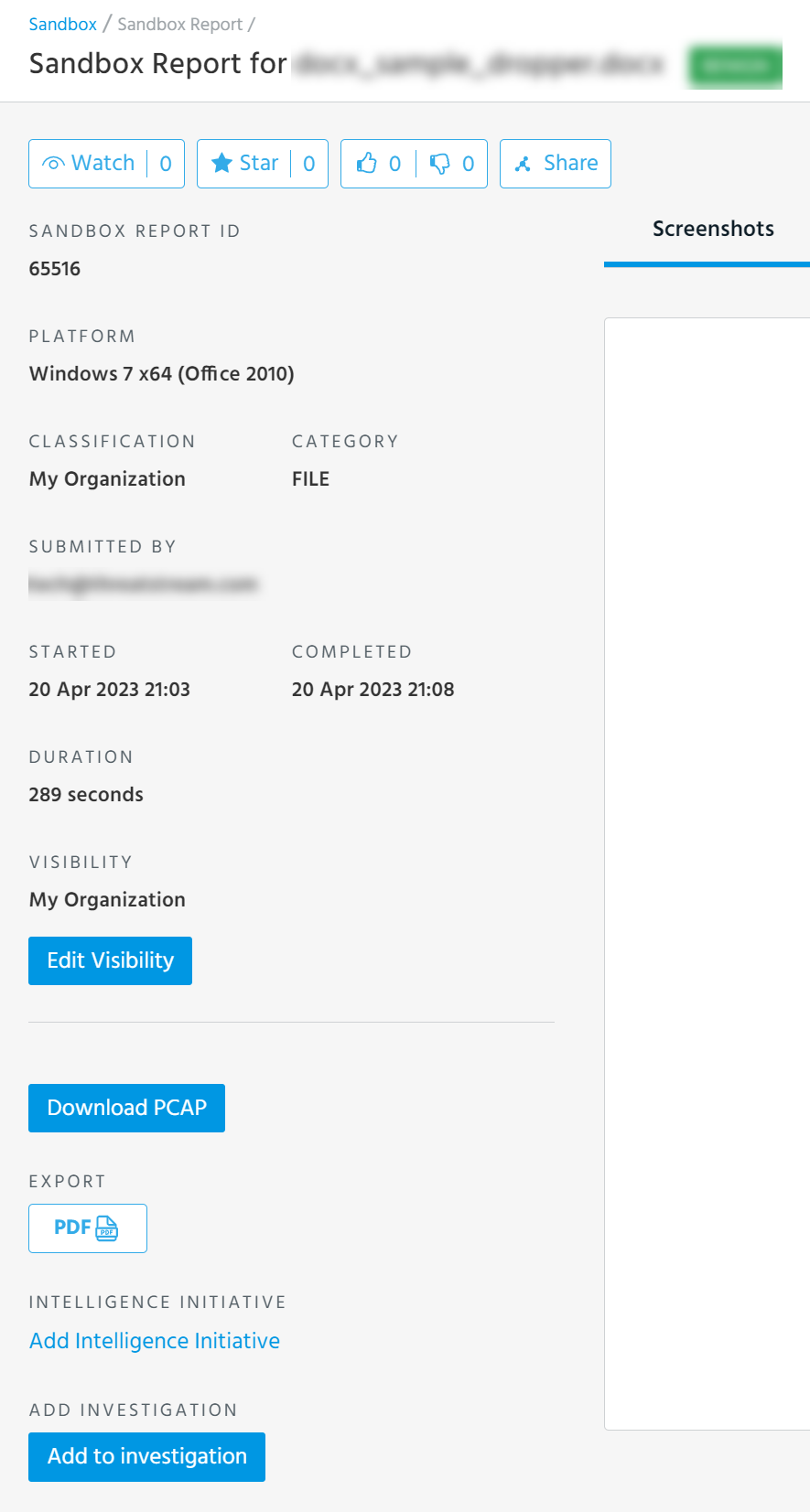
The report is downloaded to your local system. All timestamps are displayed in UTC when exported.
Exporting Sandbox Reports in CSV Format
CSV exports can be initiated from the Sandbox List View screen. CSV exports contain the following fields for each report: Date added, Platform, Result, Status, Submission, User, Vendor, and Visibility.
To export sandbox reports in CSV format:
-
Navigate to ThreatStream > Research > Sandbox.
-
Select the Sandbox Reports you want to include in the export.
-
Click the Download icon
 in the Actions menu and select Export to CSV.
Your download starts immediately.
Note: If you do not select any Sandbox Reports and then click Export to CSV, the top 10,000 reports are included in the export.