Exporting Investigations as Threat Model Entities
Investigations can be exported as new threat models or added to existing threat models for wider distribution with the ThreatStream community.
When you export an investigation, all attachments and associated entities are included in the resulting threat model entity. Files attached to analysis are not included. After export, the resulting threat model is added to the investigation as an association.
Additionally, an import session is initiated for any observables listed in the investigation as Not Imported Observables. The TLP color assigned to the investigation is automatically applied to the import session.
Exporting Investigations as New Threat Model Entities
Investigations can be exported as new Actors, Attack Patterns, Campaigns, Courses of Action, Identities, Incidents, Infrastructure, Intrusion Sets, Malware, Threat Bulletins, Tools, TTPs, or Vulnerabilities.
To export an investigation as a threat model:
- Navigate to the investigation which you want to export.
- Select Export to Threat Model from the Export menu.
-
Under Choose Threat Model Type, select a threat model type.
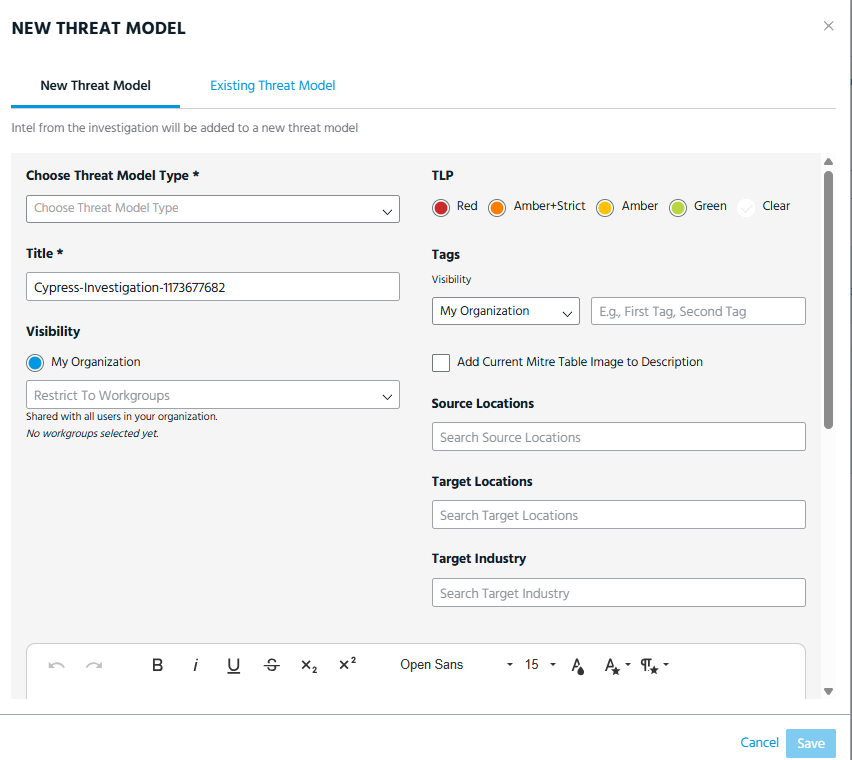
- Confirm the Title, TLP, Tags, Visibility, and Description.
-
If you want to include the MITRE ATT&CK Framework matrix from the investigation to the exported threat model, select Add Current MITRE Table Image to Description. A static image of the matrix in its current state will be added to the description of the resulting threat model. The image is a non-interactive, point in time snapshot.
For more on the MITRE ATT&CK Framework, see Using the MITRE ATT&CK Framework in Investigations.
-
Click Save.
Note: Any unsaved work in the investigation is automatically saved upon export.
Exporting Investigations to Existing Threat Models
You can add investigation entities to already existing threat models which you are allowed to edit.
To export an investigation to an existing threat model:
- Navigate to the investigation which you want to export.
- Select Export to Threat Model from the Export menu.
- Click Existing Threat Model.
-
In the Search Existing Threat Models field, enter a threat model name to which you want to export investigation entities.
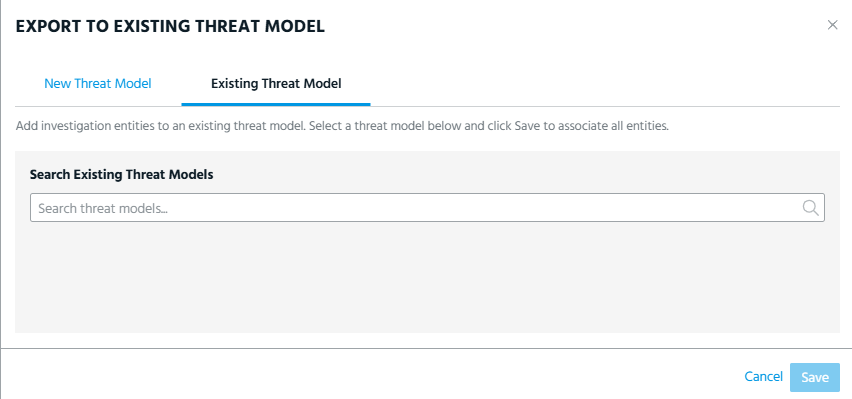
- Select the threat model of your interest from the search results. The selected threat model appears under the Search threat models bar.
- Click Save.
The investigation entities are added to the threat model.