Scanning Pages with Anomali Copilot
When you land on the ThreatStream page that you want to scan, simply launch Anomali Copilot  .
.
If Anomali Copilot detects entities on the page, you will see results similar to the example below:
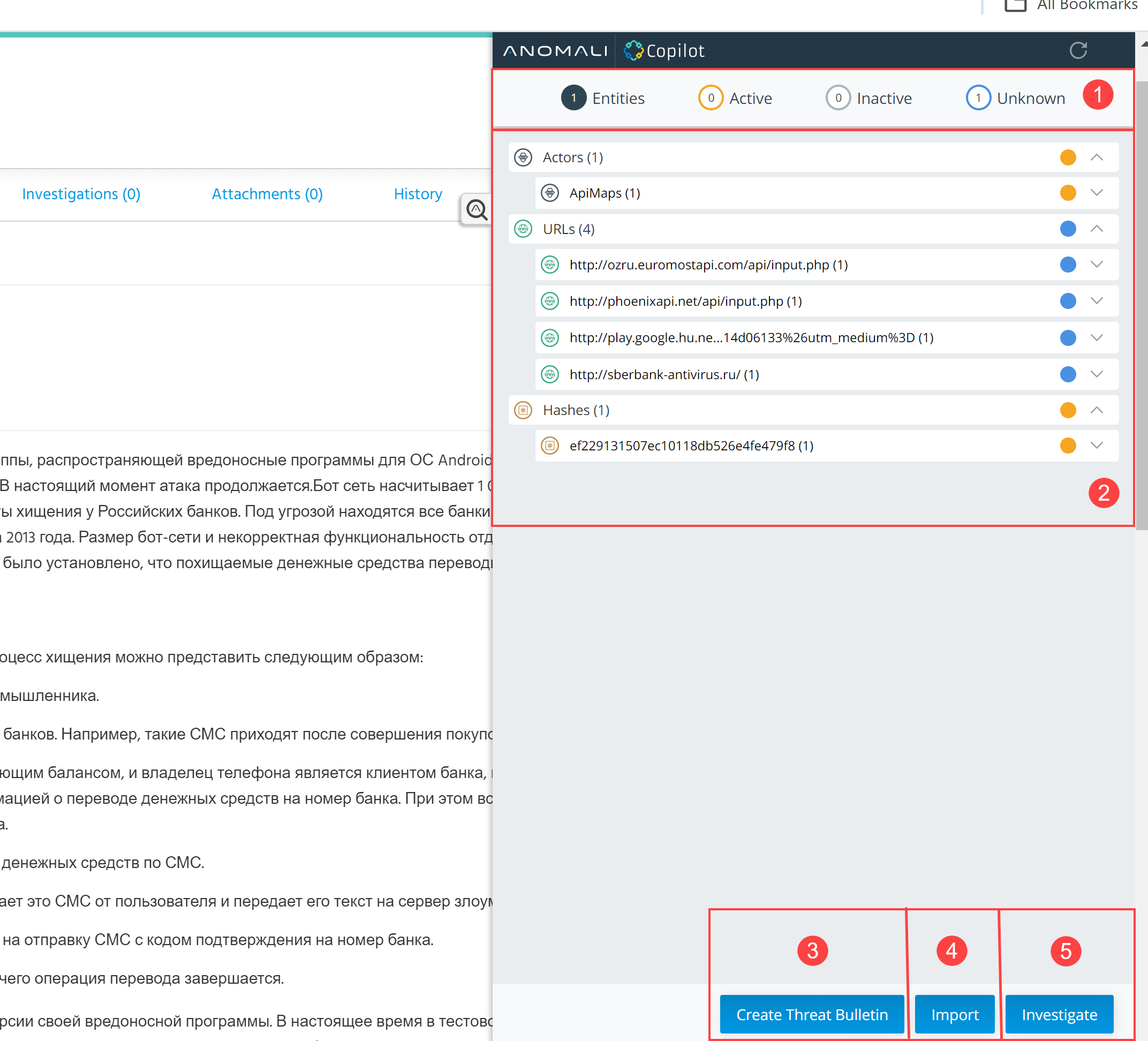
 Filters: Filter highlighted entities by highlight type.
- Entities—All entities highlighted by Anomali Copilot.
- Active—Observables that are currently active in ThreatStream and threat model entities verified by the Anomali Threat Research Team.
- Inactive—Observables that are currently inactive in ThreatStream.
- Unknown—Observables unknown to ThreatStream. Unknown threat model entities are either unknown to ThreatStream or unverified by the Anomali Threat Research Team.
 Highlighted Entities: Entities highlighted by Anomali Copilot. Entities are grouped into categories by entity type. You can gain context on the entity from the Copilot window by clicking the expand icon.
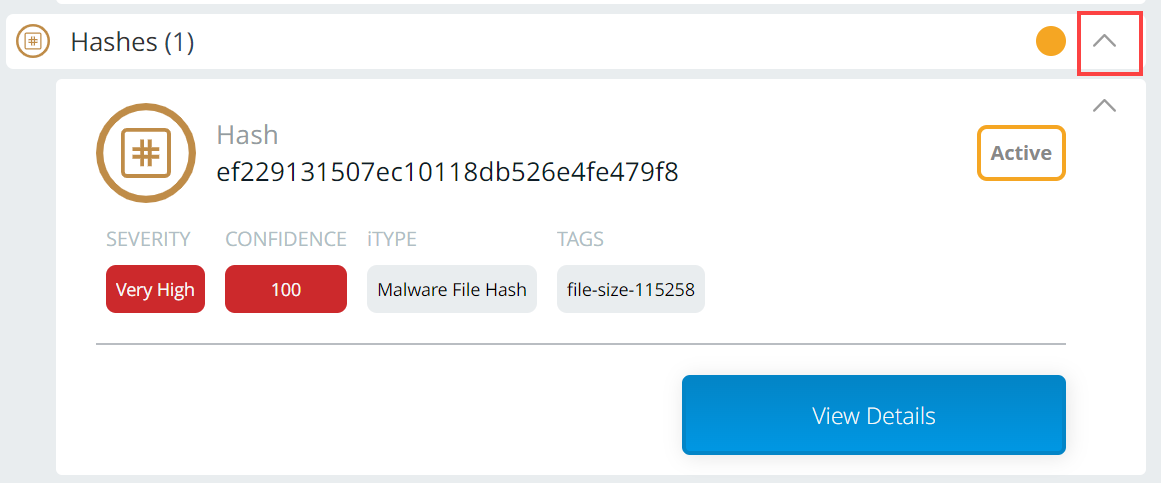
Additionally, you can click the entity name on the Anomali Copilot window to jump to the entity on the page. If Copilot discovered multiple instances of the entity, you can cycle through each instance of the entity on the page.
 Create Threat Bulletin: Create a Threat Bulletin in ThreatStream. See Creating Threat Bulletins from Anomali Lens.
 Import: Create an import session for highlighted observables in ThreatStream. See Creating Import Sessions from Anomali Copilot.
 Investigate: Create an investigation based on highlighted entities in ThreatStream. See Creating Investigations from Anomali Copilot.
Entities Highlighted by Anomali Copilot in ThreatStream
Anomali Copilot highlights both observables and threat model entities. The tables below illustrate the differences between how Anomali Copilot highlights observables and threat model entities.
Observables
| Observable Status | Highlight Color |
|---|---|
| Not in ThreatStream | Blue |
| In ThreatStream, currently inactive | Gray |
| In ThreatStream, currently active | Orange |
Threat Model Entities
| Entity Status | Highlight Color |
|---|---|
| Not in Anomali Threat Model Database | Blue. Descriptions read identified by Anomali ThreatStream machine learning. |
| In Anomali Threat Model Database, unverified by Anomali Threat Research Team | Blue. Descriptions are displayed, but start with Possibly:. |
| In Anomali Threat Model Database, unverified by Anomali Threat Research Team | Orange. Includes verified description and links to more details in ThreatStream. |
Note: Anomali Copilot detects Actor and Malware entities created by your organization in addition to those verified by the Anomali Threat Research Team. If you are interested in leveraging your organization specific intelligence, contact sales@anomali.com for more information.