Enriching Data with InsightVM Vulnerability Management
InsightVM is a data-rich resource that can amplify the solutions in your tech stack— from SIEMs and firewalls to ticketing systems. InsightVM brings together the Rapid7’s library of vulnerability research knowledge from Nexpose, exploit knowledge from Metasploit, global attacker behavior, internet-wide scanning data, exposure analytics, and real-time reporting.
Activating the InsightVM Vulnerability Management Enrichment
The enrichment activation process involves specifying your InsightVM data storage region and organization API Key. Your data storage region determines the endpoint that will be used, and the API Key is required for authentication.
To find your InsightVM data storage region:
-
Log in to your InsightVM account on the Rapid7 platform.
-
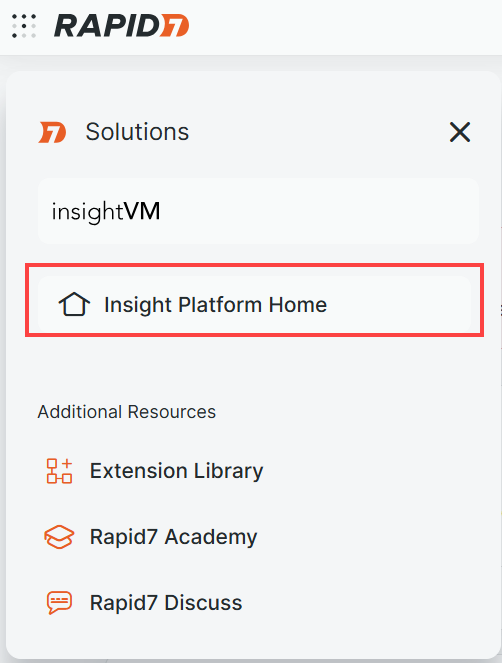
In the upper-left corner, click the Navigator menu and select Insight Platform Home.
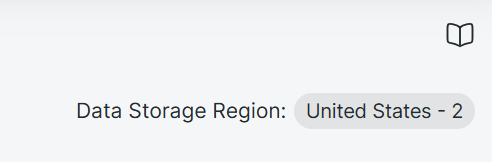
Your Data Storage Region is displayed in the upper-right corner.
To activate the InsightVM Vulnerability Management enrichment:
-
Navigate to ThreatStream > APP STORE > APP Store.
-
Click Get Access on the InsightVM Vulnerability Management tile.
- On the wizard page that opens, click I have credentials.
-
On the next wizard page, select a region. The following regions are available for selection:
-
United States - 1
-
United States - 2
-
United States - 3
-
Europe
-
Canada
-
Japan
-
Australia
-
-
Enter your InsightVM API Key.
-
Click Activate.
The InsightVM Vulnerability Management enrichment is now active. Allow ThreatStream up to 15 minutes to sync up with your InsightVM account.
Using the InsightVM Vulnerability Management Enrichment in ThreatStream
After activating the InsightVM Vulnerability Management enrichment, assets and vulnerabilities data for the last 30 days will be imported from your InsightVM account to ThreatStream. After the initial import, ThreatStream will sync up with your InsightVM account every hour. Cached data older than 30 days will be removed.
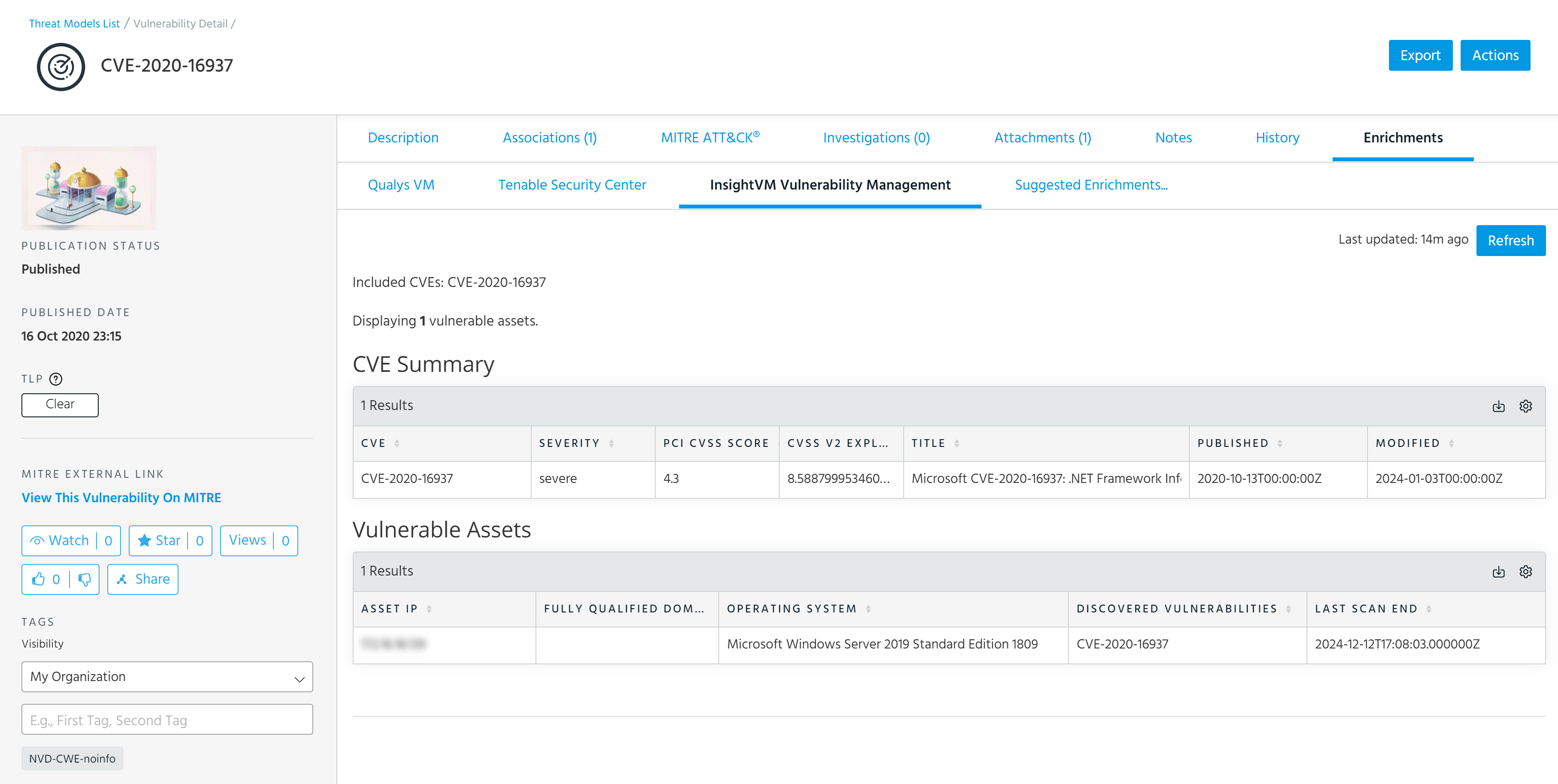
Imported assets and vulnerability data appears under the InsightVM Vulnerability Management tab of Vulnerability details pages. It includes two tables:
-
CVE Summary: Displays CVEs, severity of vulnerabilities (medium, high, or critical), PCI CVSS score, CVSS V2 exploit score, title, published date, and the last modified date of CVEs discovered in you IT environment.
-
Vulnerable Assets: Displays IP , FQD name, operating system, discovered vulnerabilities, and the last scan end time of vulnerable assets in your IT environment.
Below is an example of the InsightVM Vulnerability Management tab on the Vulnerability details page.
Exporting InsightVM Data in CSV Format
Imported data displayed in the CVE Summary and Vulnerable Assets tables can be exported in CSV format.
To export InsightVM information in CSV format:
-
Navigate to the details page of the vulnerability of interest.
To search for a vulnerability:
- Navigate to ThreatStream > Analyze > Threat Model.
- Select Vulnerabilities in the filter on the right side of the screen. Vulnerabilities are not included in search results unless this filter is selected.
- Enter your search query.
- Click the name of the vulnerability of interest in the search results to visit its details page.
See Accessing Threat Models for more information on searching for Threat Model entities.
- On the vulnerability details page, open the Enrichments tab and click InsightVM Vulnerability Management. If available, details on vulnerable assets in your network are displayed.
-
To export these results in CSV format, click
 > Export to CSV.
Your download starts automatically.