Enriching Data with VirusTotal v3
VirusTotal analyzes files and URLs for viruses, worms, trojans, and other malicious content. When activated, the VirusTotal enrichment enables you to pivot on domains, IP addresses (v4 only), and hashes. Enrichment data is also displayed in the Enrichments section on observable details pages.
You can leverage VirusTotal data on Explore after activation.
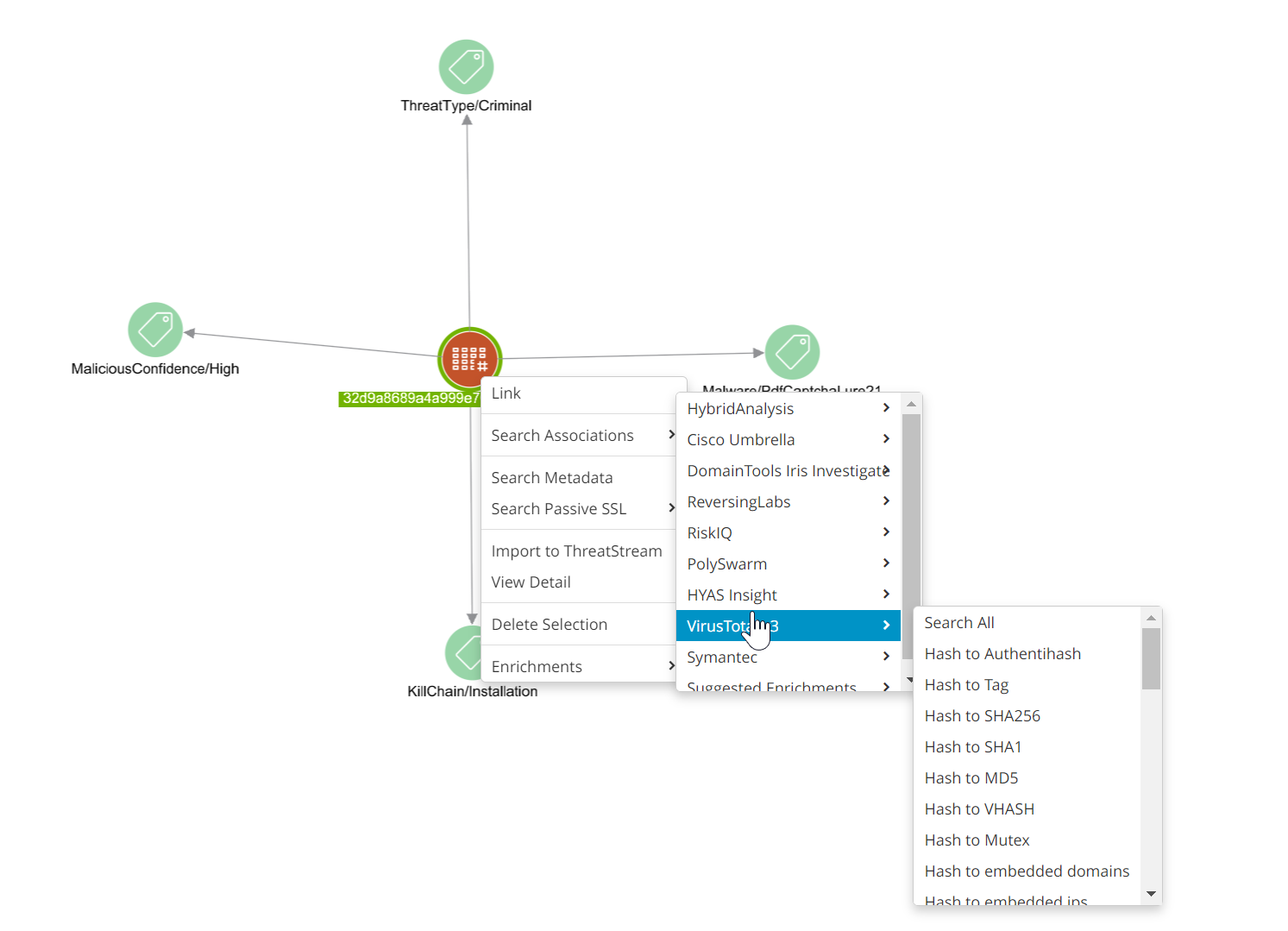
 Read more...
VirusTotal enables the following data transformations:
- C2Host to Hash
- C2IP to Hash
- Domain to Detected URL*
- Domain to IP
- Domain to Subdomain
- Enrich Domain
- Enrich Hash
- Enrich IP
- Enrich URL
- Hash to AV Detection
- Hash to Behavior
- Hash to C2Host
- Hash to C2IP
- Hash to C2URL
- Hash to Carbonblack Parent*
- Hash to Compressed Parent
- Hash to Emailparent*
- Hash to Embedded URLs, Domains, and IPs
- Hash to Execution Parent
- Hash to Filename
- Hash to Filesize
- Hash to Filetype
- Hash to First Seen
- Hash to Import
- Hash to ITW*
- Hash to MD5
- Hash to Mutex
- Hash to PE Debug
- Hash to Peresource
- Hash to Rescan
- Hash to Section
- Hash to SHA1
- Hash to SHA256
- Hash to Submission*
- Hash to Submitter ID*
- Hash to Tag
- Hash to Timestamp
- Hash to Total Votes
- Hash to Useragent
- Hash to VHash
- Host to Downloaded Hash
- Imphash to Hash
- IP to Detected URL*
- IP to Domain
- IP to Downloaded Hash*
- URL to Analysis
- URL to Communicating Files
- URL to Contacted Domains
- URL to Contacted IPs
- URL to Downloaded Files
- URL to Embedded JS Files
- URL to Last Serving IP
- URL to Redirecting URLs
- URL to Redirects to URLs
- URL to Referrer Files
- URL to Referrer URLs
- URL to Submitter ID*
- URL to Total Votes
* denotes pivots that are only available to users with premium VirusTotal API keys.
Enrichment data can also be accessed from observable details pages under Enrichments.
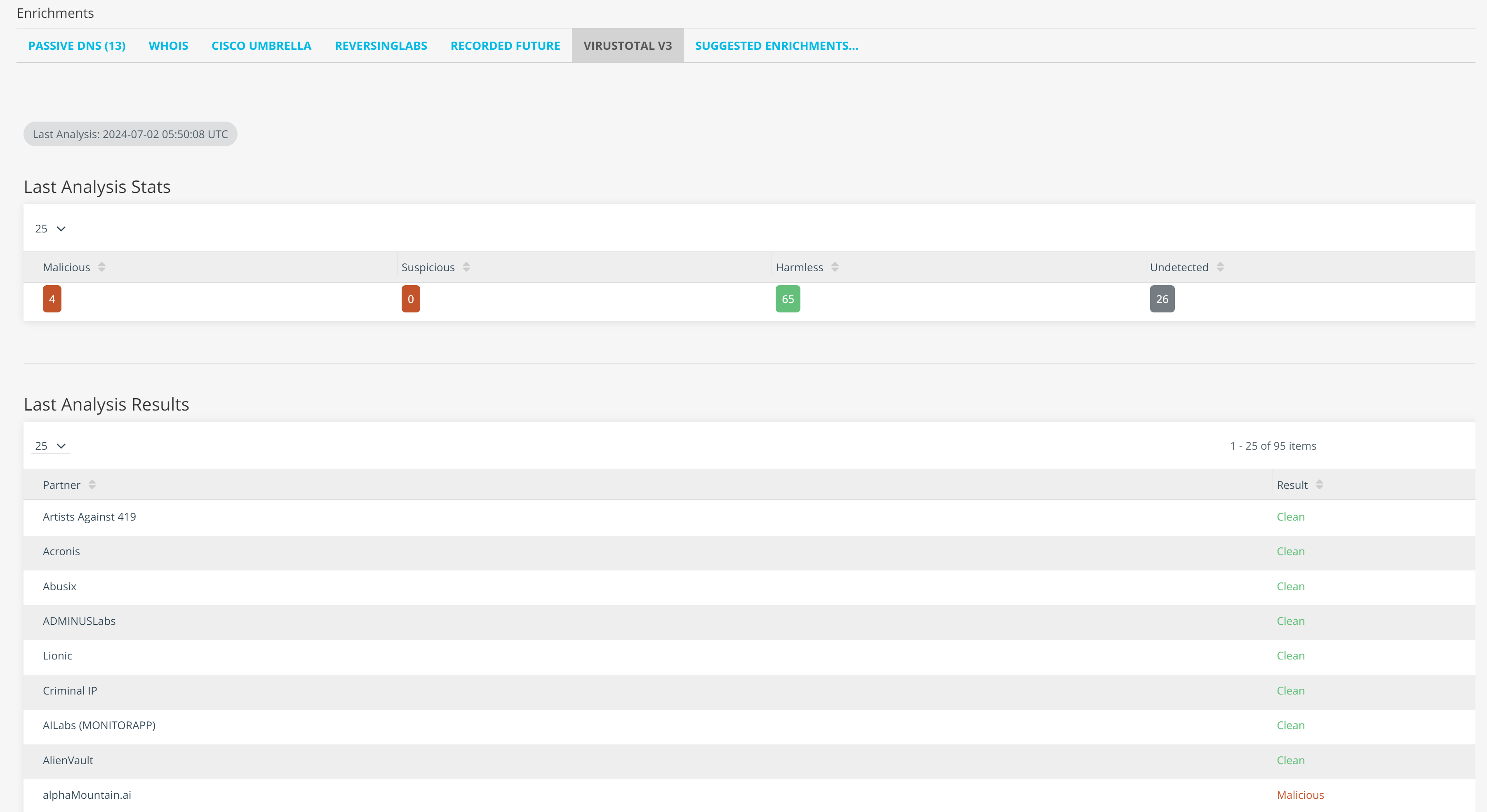
Where data is available, the VirusTotal enrichment returns the following information for each observable type:
| Observable Type | Enrichment Data |
|---|---|
| Domain |
Categories, Communicating Files, Downloaded Files, Observed Subdomains, Passive DNS Replication, URLs Downloaded Files information is available only to users with premium VirusTotal API keys.
|
| Hash | Basic Properties, Community Score (displayed as Safe/Unsafe), Detections, Detection Ratio, History, Last Analysis, Other Hashes |
| IP |
Autonomous System, Communicating Files, Country, Domain Replication, Downloaded Files, Passive DNS Replication, URLs Downloaded Files information is available only to users with premium VirusTotal API keys.
|
| URL | Last Analysis Time, Last Analysis Stats, Last Analysis Results |
Activating the VirusTotal v3 Enrichment
The VirusTotal v3 enrichment can be activated using a free public API key or a subscription based premium API key.
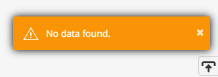
If you activate the VirusTotal v3 enrichment using a public API key, you can execute a subset of the transforms listed above. If you attempt to execute a transform which is not available through the public API, you will see the following error message:
If you activate the VirusTotal enrichment using a premium API key, you can execute all of the transforms listed above.
To obtain a public VirusTotal API key:
- Visit the VirusTotal registration page, enter the required information, and click Join Us. After completing this step, VirusTotal sends you an activation email.
- Locate the VirusTotal activation email in your inbox and complete the enclosed steps required to activate your account.
- Login to your VirusTotal account.
-
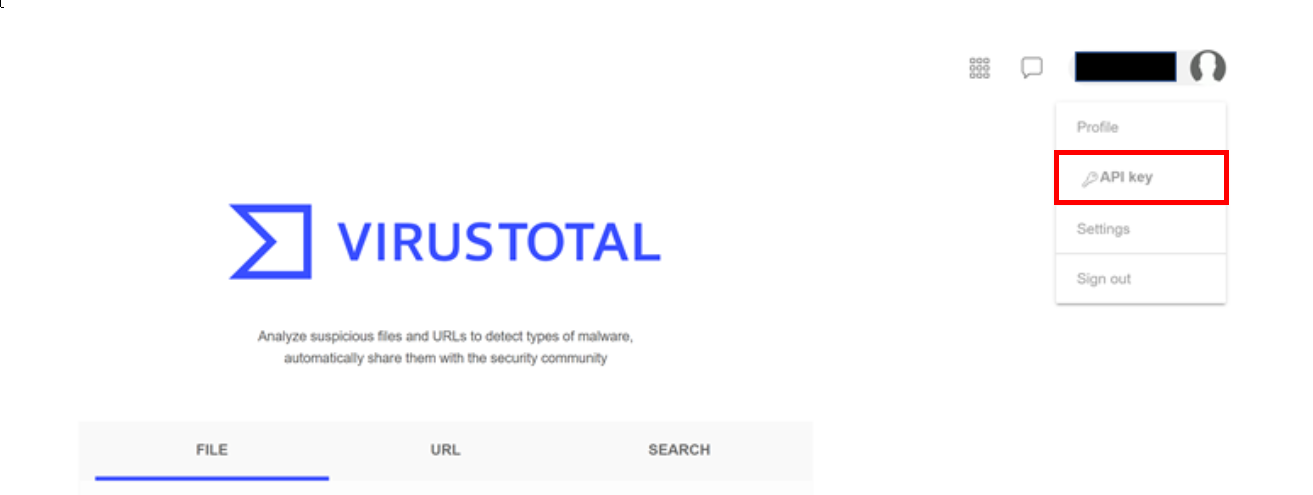
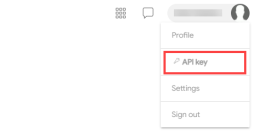
Click API key in the VirusTotal menu at the top right of the screen.
-
Copy your API key, available under the API Key heading.
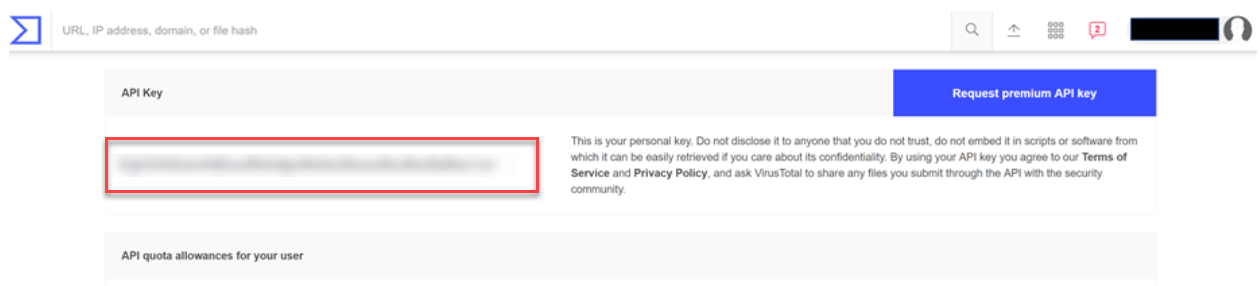
You will use your API key to activate the enrichment on the ThreatStream user interface.
-
To learn more about the VirusTotal public API, visit https://developers.virustotal.com/v3.0/reference#public-vs-premium-api
-
The VirusTotal public API limits requests from individual users. To view the latest API request quota, visit the API Key screen on the VirusTotal user interface.
To request a premium VirusTotal API key:
-
On the VirusTotal user interface, click API key in the menu at the top right of the screen.
- Click Request premium API Key.
- Fill out the request form and click Send. VirusTotal will contact you with further information on obtaining a premium API key.
To activate the VirusTotal v3 enrichment:
- Navigate to ThreatStream > APP STORE > APP Store.
- Click Get Access on the VirusTotal v3 tile.
- Click I have credentials.
- In the Limit field, enter a maximum number of entities that you want to be returned per a transform request.
- Enter your VirusTotal API Key. You can enter a public or premium API key.
- Click Activate.
The VirusTotal v3 enrichment is now active.