Enriching Data with Cisco Umbrella Investigate
When activated, Cisco Umbrella Investigate (formerly OpenDNS Investigate) enables you to pivot on domains, IP addresses (v4 only), email addresses, and hashes. Enrichment data is also displayed on details pages for domains, email addresses, IP addresses (v4 only), hashes, and URLs.
You can leverage Cisco Umbrella Investigate data in the Cisco Umbrella menu item on Explore after activation.
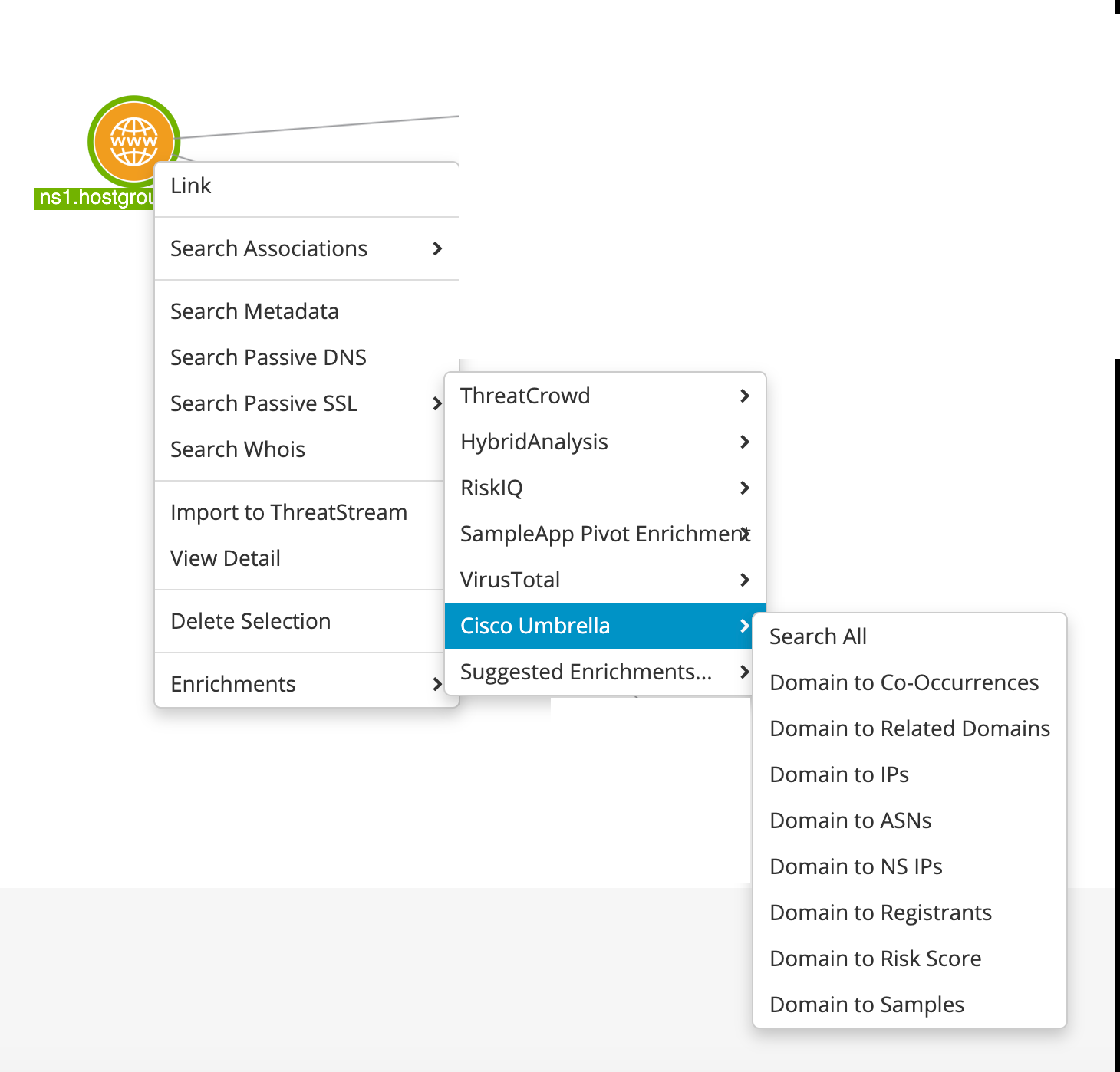
Cisco Umbrella Investigate enables the following data transformations:
-
Domain to Risk Score: provides the likelihood that a domain is related to malicious activity.
-
Hash to Connections: returns IP addresses and domains related to the hash.
-
Domain to Related Domains: returns domains looked up within 60 seconds of accessing the selected domain.
-
IP to Domains: returns domains that resolve to the IP address.
-
Domain to Registrants: returns email addresses parsed from Whois data for the domain.
-
Domain to IPs: returns IP addresses that resolve to the domain.
-
Domain to Co-Occurrences: returns domains that are queried along with the domain.
-
Registrant to Domains: returns domains registered with the email address.
-
Domain to NS IPs: returns name server IP addresses for the domain.
- Domain to Samples: returns samples that have beaconed to the domain.
-
Domain to ASNs: returns ASNs to which the domain has resolved.
Enrichment data is also available on observable details pages. The following is an example of enrichment data returned on a domain.
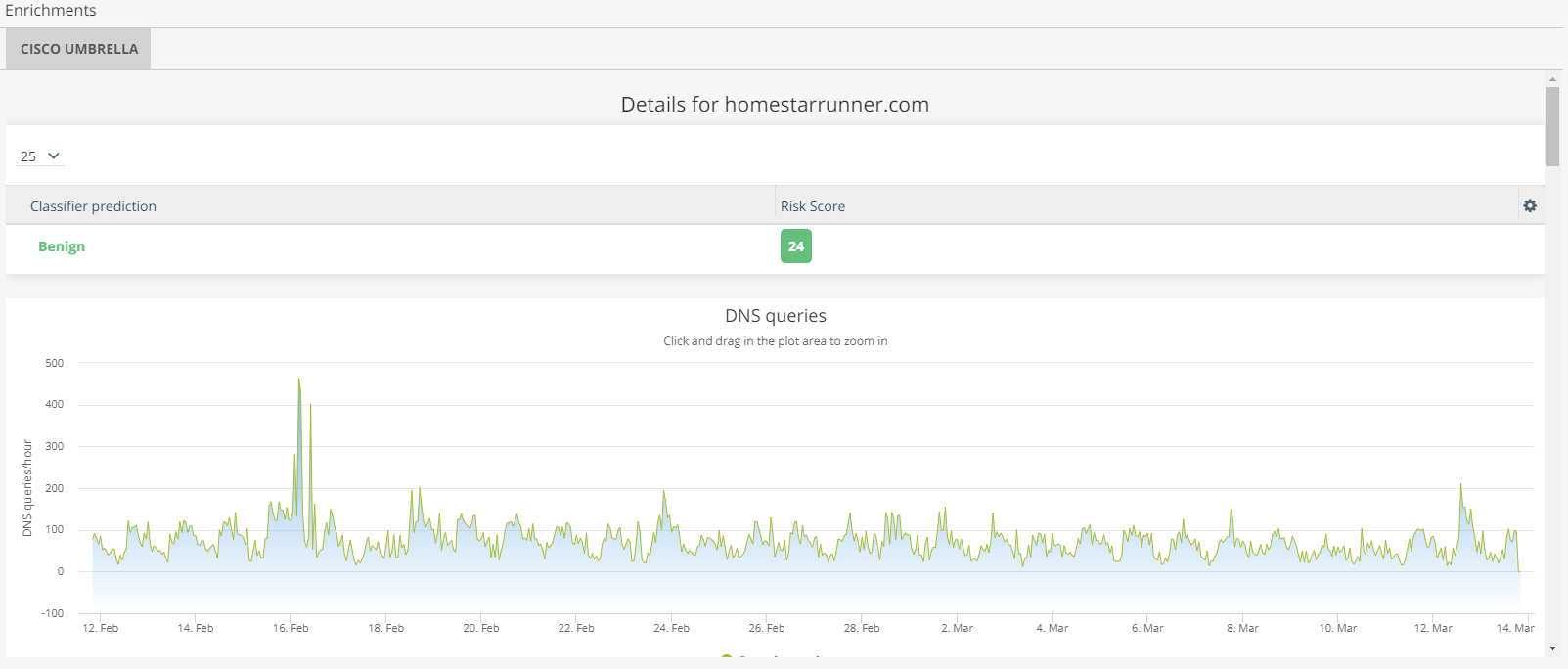
The above DNS queries chart is fully interactive. Click and drag to zoom in on selected data.
The Cisco Umbrella Investigate enrichment returns the following information for each observable type:
| Observable Type | Enrichment Data |
|---|---|
| Domain | DNS Queries, Requester Distribution (by country), Associated Samples, IP Addresses, Security Features, DGA Detection, Subdomains, Name Servers, Co-occurrences, Related Indicators |
| URL | Subdomains, Associated Samples |
| IP |
AS, Malicious Domains, Associated Samples, Known Domains Note: If you use Cisco Umbrella API v2, malicious domains data is not available.
|
| Associated Domains | |
| Hash | Behavioral Indicators, Network Connections, Associated Samples |
Before activating the Cisco Umbrella Investigate enrichment, you need to obtain your Cisco Umbrella token. For details, refer to Add Umbrella API Keys.
To activate the Cisco Umbrella Investigate enrichment:
-
Navigate to ThreatStream > APP STORE > APP Store.
-
Locate the Cisco Umbrella Investigate enrichment.
- Click Get Access on the Cisco Umbrella Investigate tile.
- Click I have credentials.
- On the next wizard page that opens, click Credentials and select API Type:
- Umbrella Legacy API: Use this option only if you must integrate with the older Umbrella v1 API endpoints.
- Umbrella API: Use this option for the newer Umbrella API (v2 / Cloud Security API) endpoints, which Cisco recommends for all new integrations.
- Enter your Cisco Umbrella API Key.
- Enter Secret. Note that for the legacy API, this field is optional.
- Click Activate.
The Cisco Umbrella Investigate enrichment is now active.