Data Onboarding and Log Source Management
Anomali Security Analytics supports log ingestion from various telemetry log sources. This event telemetry data can be ingested in one of the following ways:
-
Log forwarders: Anomali recommends using log forwarders such as NXLog or Cribl to ship event data to an AWS S3 bucket that you share with Anomali.
-
API calls: Cloud-to-Cloud services allow Anomali to make API calls and directly fetch your data for ingestion.
-
Universal Link: Some log sources depend on Universal Link for data ingestion.
See Supported Log Sources for the complete list of log sources Anomali currently supports.
Onboarding your data
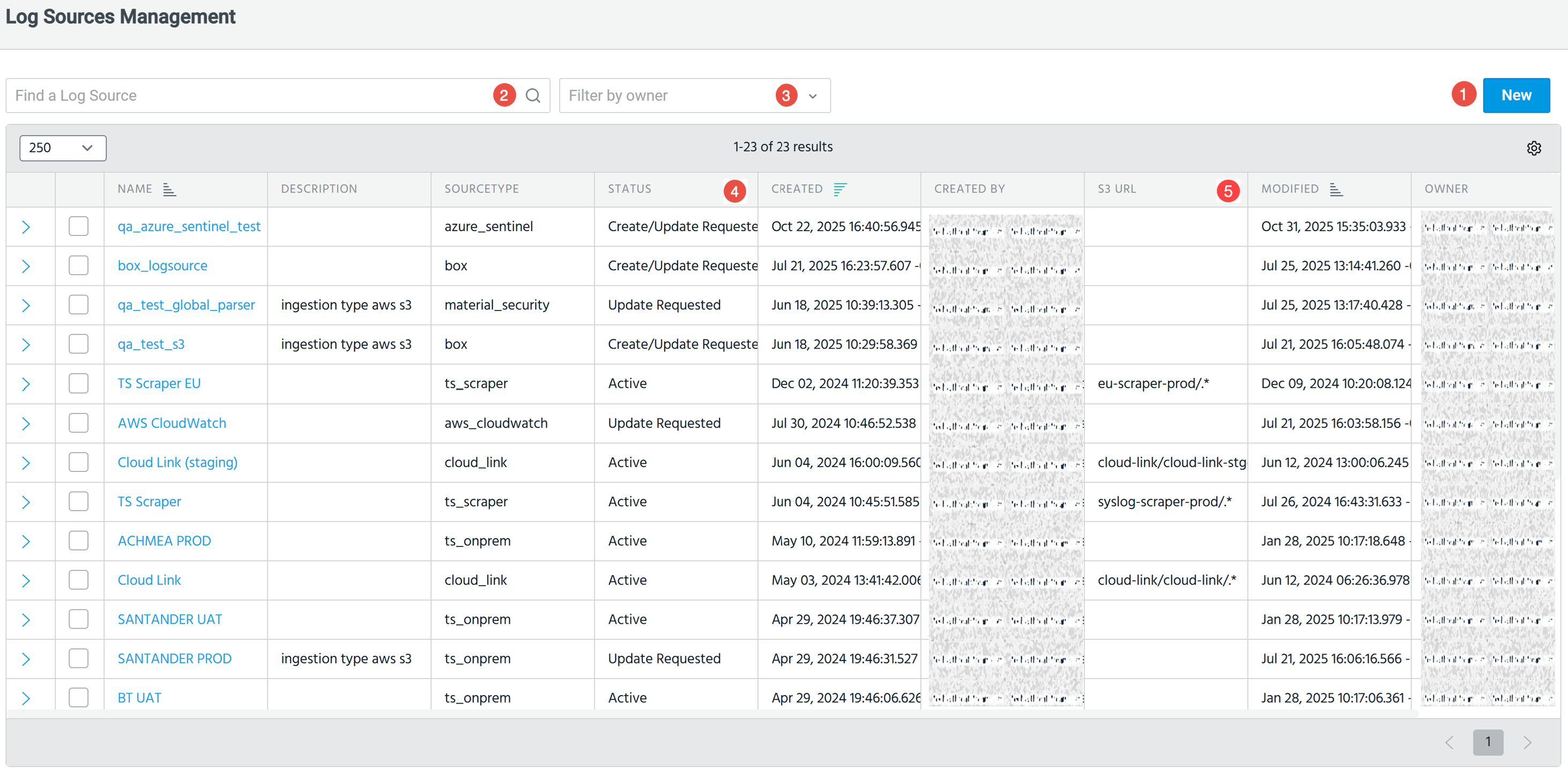
As an org admin, you can onboard your data by adding a log source in Anomali Search by navigating to Search > Manage > Log Sources.

|
Add new log source: Click New to add a new log source. See Supported Log Sources for the complete list of log sources Anomali currently supports. For each log source, as an org admin, you can select:
|

|
Find a log source: Search and select a log source from the table of log sources. |

|
Filter by owner: You can filter log sources by owner. Possible values include:
|

|
Status of log source: The Status column denotes the current status of a log source, from creating a log source to confirming its deletion. Possible statuses include:
Here are 3 common scenarios for status changes: Scenario 1: Scenario 2: Scenario 3: |

|
S3 URL: URL to the S3 path from which the data is to be ingested. |