Using Custom Macros in Search
Macros are entered in the Search field with a back tick character (`) before and after the macro name. For example, `my_macro(2)`. Any macro can be referenced within other macros using the same syntax.
To invoke a macro with arguments, replace arguments with actual values in the order in which they are defined within the macro. For example, in the doc_test(4) macro, destPort_num, field1, field2, and field3 are defined as arguments.
Note: Macros support both the eventlog and OCSF Version 1.2 schema fields with dotted notation. For OCSF schema fields, array indexes are 1-indexed, that is, they start at array[1] and not array[0]. See OCSF Schema Overview for more information on the OCSF fields and naming conventions.
To run the doc_test(4) macro in Search, replace the destPort_num, field1, field2, and field3 arguments with the actual values. The values must be entered in the same order as the text in the arguments. Therefore, the first value is the destination port followed by the fields. For example, `doc_test(22,1.2.3.4,"cloud-link-1-worker-0","optic")`.
Below is an example of the doc_test(4) macro used in Search.
(Click the image to enlarge it.)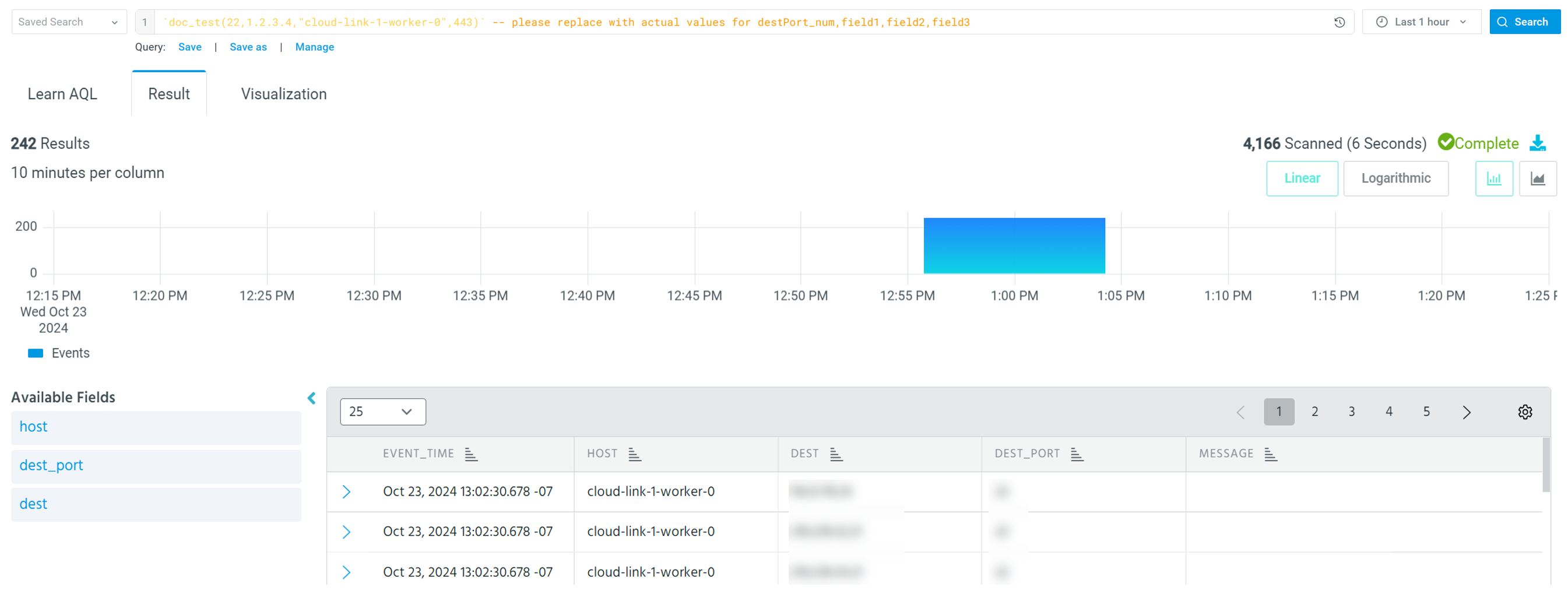
If your argument value is of the string datatype, enclose it in double quotes ("").
(Click the image to enlarge it.)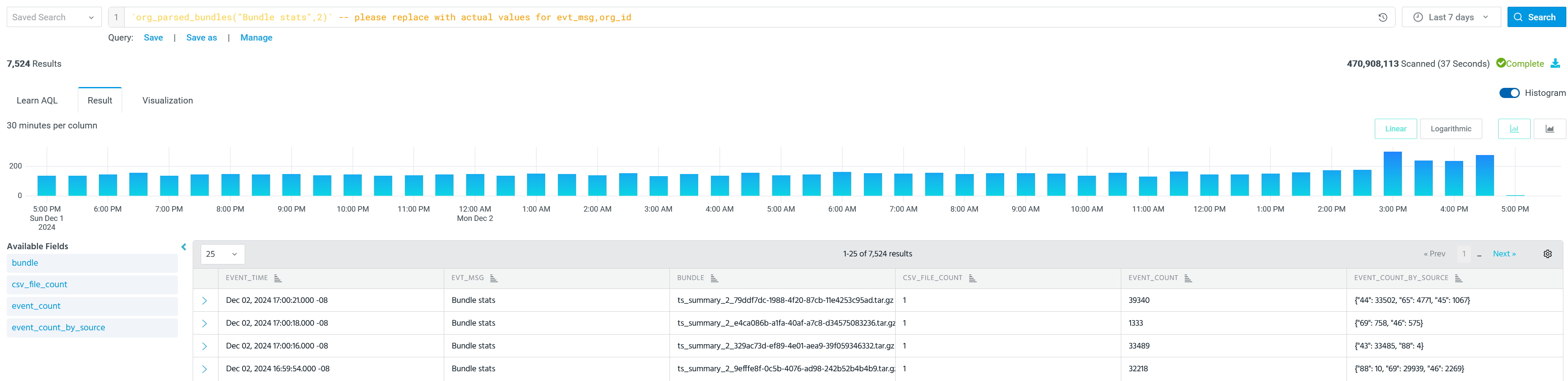
In the example above, the argument evt_msg takes the string value Bundle stats enclosed in double quotes.