Managing Dashboards
The Manage Dashboards page allows you to view all your dashboards and choose which dashboards appear on your home screen.
Managing Standard Dashboards
You can manage standard dashboards—those created by Anomali that are common to all users on ThreatStream—from the Standard tab of the Manage Dashboards screen. Standard dashboards include Overview, My Events, Weekly Summary, Community Threats, User Activity, Intelligence Initiatives, and Workgroups.
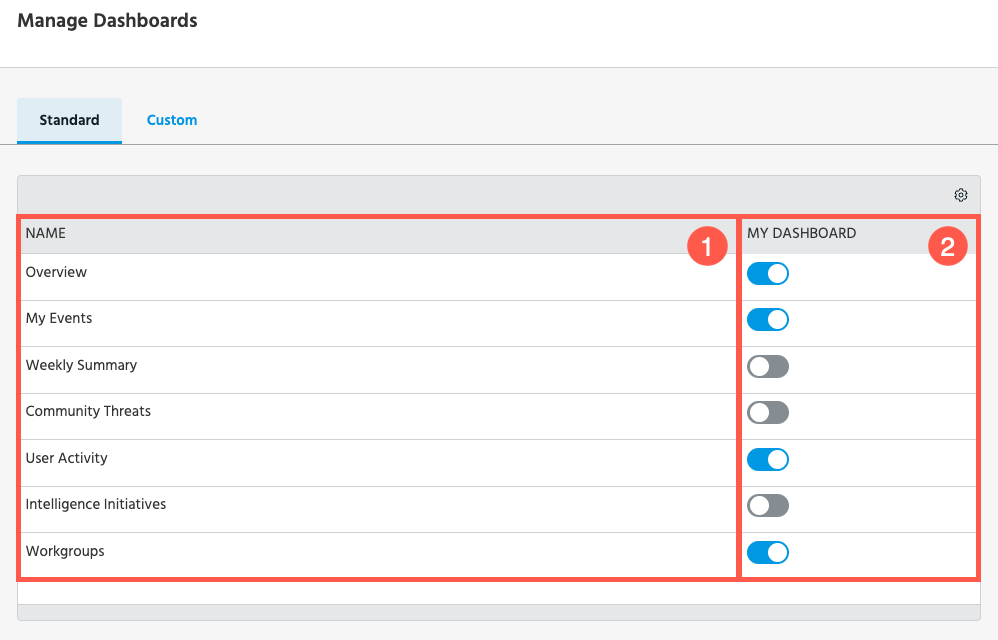
 Name: Name of the dashboard.
 My Dashboard: Toggle whether the dashboard appears on your home screen.
To manage the standard dashboards displayed on your home screen:
-
Navigate to Manage > Manage Dashboards.
-
Select Standard.
-
Locate the dashboard of interest. In the My Dashboard column, set the slider to the right to add the dashboard to your home screen. Set the slider to the left to remove the dashboard from your home screen.
Managing Custom Dashboards
You can manage custom dashboards from the Custom tab of the Manage Dashboards screen. You can also search for, and filter custom dashboards based on various criteria.
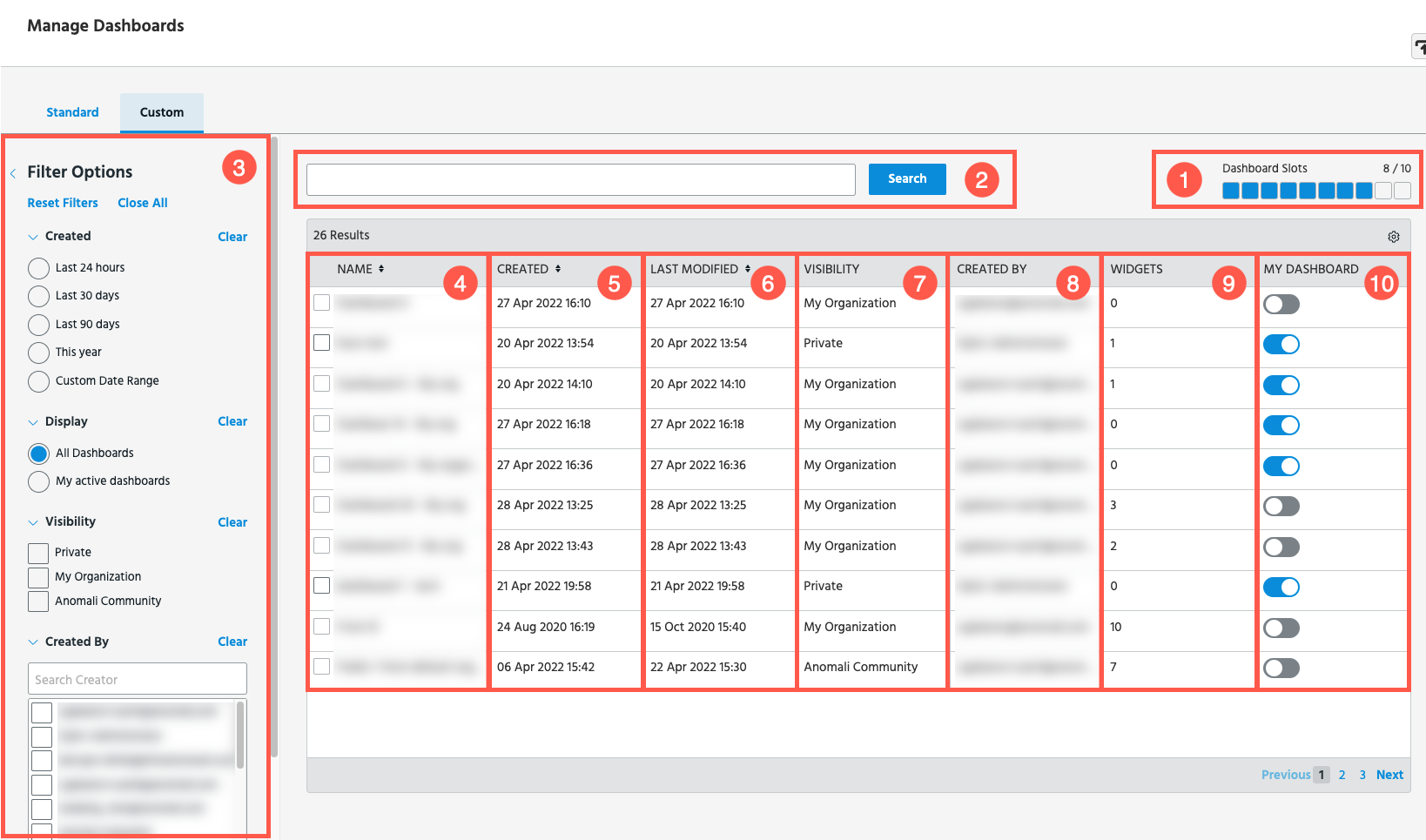
Dashboard Slots: How many custom dashboards are currently displayed on your home screen. A maximum of 10 custom dashboards can be shown at any time.
Search: Search for dashboards by name.
 Filter: Filter the dashboards listed on the page by creation date, display status, visibility, and creator.
 Name: Name of the dashboard.
 Created: Date and time when the dashboard was created.
 Last Modified: Date and time when the dashboard was last changed.
 Visibility: Visibility of the dashboard.
 Created By: User or organization that created the dashboard.
 Widgets: Number of widgets in the dashboard. Custom dashboards can have a maximum of 10 widgets.
 My Dashboard: Toggle whether the dashboard appears on your home screen.
To manage the custom dashboards displayed on your home screen:
-
Navigate to Manage > Manage Dashboards.
-
Select Custom.
-
Locate the dashboard of interest. In the My Dashboard column, set the slider to the right to add the dashboard to your home screen. Set the slider to the left to remove the dashboard from your home screen.