Watching, Starring, Viewing, Liking, and Sharing Intelligence
ThreatStream enables you to Watch, Star, View, Like, and Share threat model entities and Sandbox reports for the purposes of tracking, rating, and sharing intelligence with the wider Anomali community.
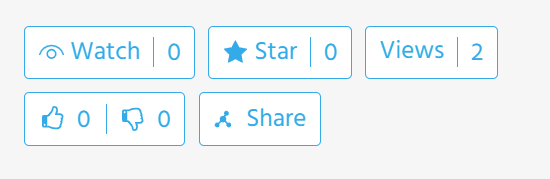
These actions are accessible from threat model entity detail and Sandbox report pages, as displayed below.
Note: The Views option is not available for Sandbox reports.
Watching Intelligence
Watching threat model entities and Sandbox Reports enables you to receive notifications when the intelligence is updated. Notifications are displayed in the notification center.
Starring Intelligence
Starring threat model entities and Sandbox Reports bookmarks the intelligence for later reference.
Liking Intelligence
Liking threat model entities and Sandbox Reports enables you to quickly share your opinion of the intelligence and contribute to an overall rating. You can either Like (upvote) or Dislike (downvote) intelligence. Community likes and dislikes are aggregated into an overall score.
Viewing Intelligence
The Views option in threat model entities displays the total view count of the intelligence by organization users. Additionally, views of threat model entities for your organization can be tracked with the help of the standard Most Viewed Threat Models by my Org widget that can be added to a custom dashboard.
Sharing Intelligence
You can also Share threat model entities and Sandbox reports with users in your organization. Users receive in-app notifications when you share intelligence with them.
To share intelligence:
- Navigate to the threat model entity detail page or Sandbox Report that you want to share.
- Click Share.
-
Enter the Nickname of the user you want to share the intelligence with and select it from the menu.
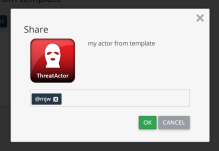
- Click OK.