Summarizing Threat Model Entities with Anomali Copilot
The summarization feature is part of the Anomali Copilot suite of AI-powered solutions, which allows users to generate threat model summaries from the Threat Model page. A generated summary can then be copied or converted into a Threat Bulletin.
The Anomali Copilot transient slide-out summary panel is located in the top right corner of the ThreatStream user interface. Click the Copilot icon to open and close the summary panel.
To generate a summary with Anomali Copilot
-
Navigate to ThreatStream > Analyze > Threat Model.
-
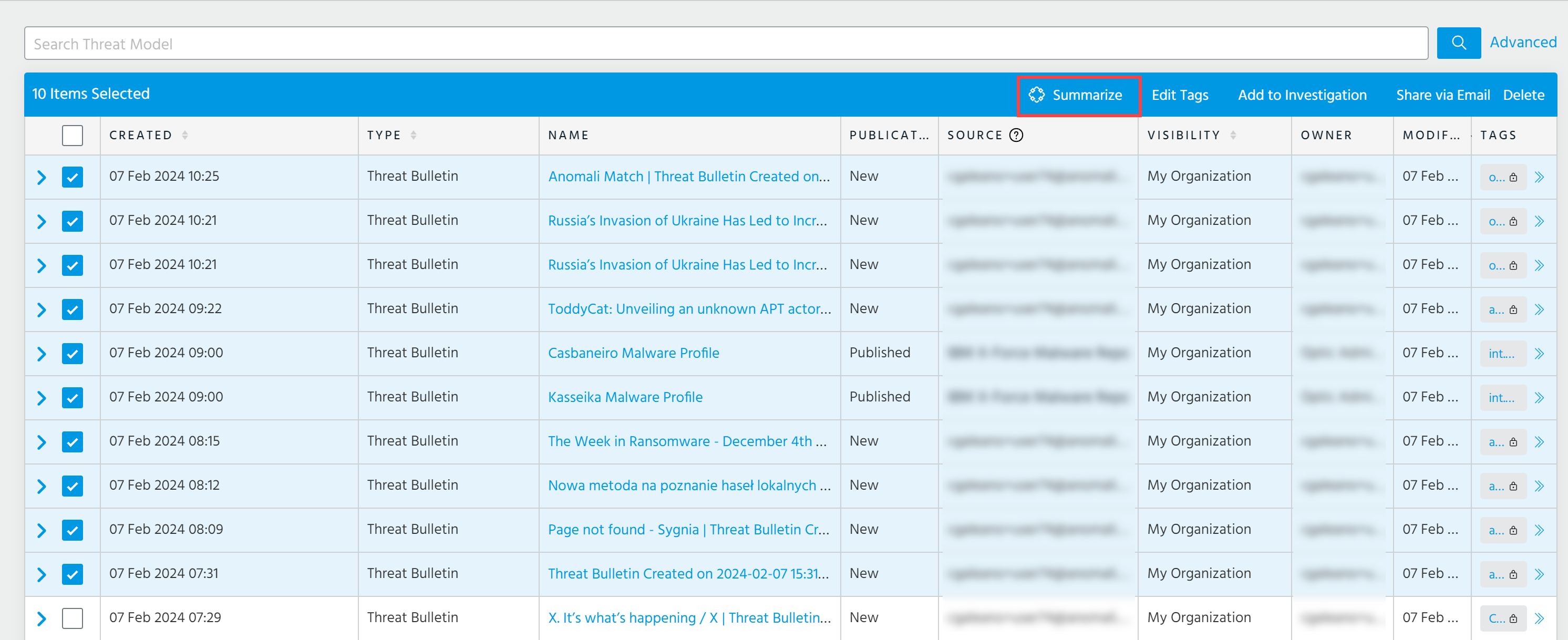
Select up to 10 threat models that you want to summarize.
-
Click Summarize.
The summary panel opens on the left side of your screen. Allow the Copilot a few seconds to generate a summary based on selected threat models.
The summary includes the following information:
-
Overview of selected threat model entities
-
Attack Source Country
-
Targeted Countries and Regions
-
Targeted Entities
-
Takeaways
Anomali Copilot can summarize content of up to 20 000 characters.
-
-
(Optionally) Click Copy to copy the generated summary or click Threat Bulletin to create a Threat Bulletin.
Below is the example of the executive-level summary.
(Click the image to enlarge it)
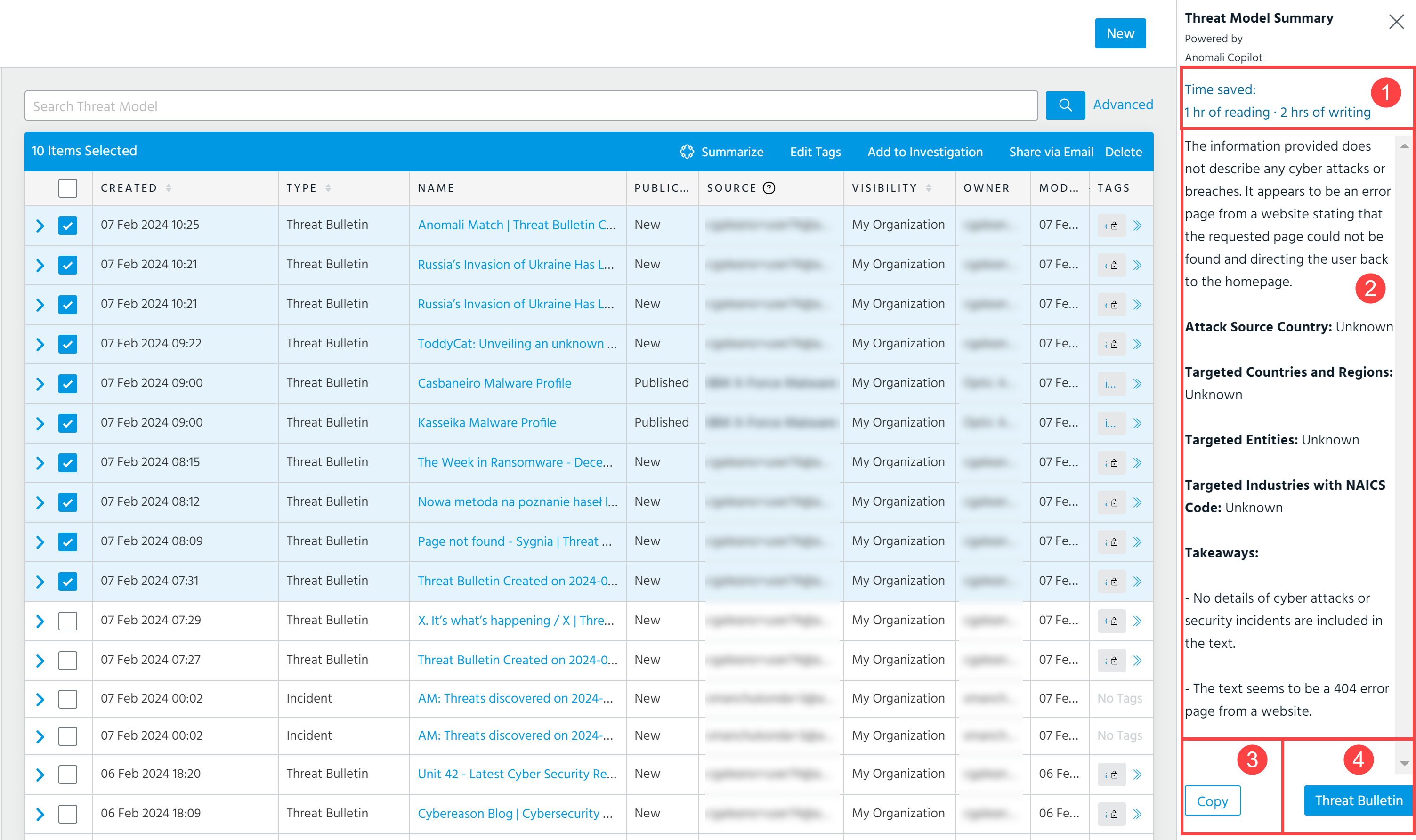
 Time saved: Displays the writing and reading time that the summary has saved for a user. The reading and writing time saved is calculated based on the following formulas:
Reading speed of the original text (word count) - reading speed of a generated summary (word count) = Saved Reading Time.
Reading comprehension speed (original word count) + writing speed of the generated summary - Anomali Copilot writing time = Saved Writing Time
-
The average reading comprehension speed is 100 words per minute.
-
The average writing speed is 20 words per minute.
-
The Anomali Copilot writing time is 2 minutes.
 Generated summary.
 Copy: Click to copy the generated summary.
 Threat Bulletin: Click to create a Threat Bulletin based on the generated summary.