Exporting Threat Model Entities in STIX Format
You can export the Anomali Threat Model data in the following STIX formats:
-
STIX version 1.2 XML
- STIX version 2.0 JSON
- STIX version 2.1 JSON
Note:
-
You can only export information about one entity at a time.
-
Only valid STIX objects are included in STIX exports.
-
Binary data is not filtered out in STIX exports.
-
Attachments are not included in STIX exports.
-
A STIX export can include up to 50 direct associations of one type.
-
Associations are included in a STIX 2.x export only if their relationship is defined by a user or STIX 2.x specification.
-
Threat Bulletins must be in Published state in order to be exported in STIX 2.0 or 2.1 format.
-
STIX export is supported for all Domain, Email, Hash, IP Address, and URL observables. The following additional STIX 2 indicator types are also supported by STIX 2 and 2.1 exports: file (file-name), email-message, mutex, and windows-registry-key.
-
Currently, STIX does not support TLP 2.0. Therefore, TLP: Clear is displayed as TLP: White, and TLP: Amber+ Strict is displayed as TLP: Red in the generated XML or JSON file.
Exporting STIX Data from the Anomali Threat Model
Exporting Threat Model entities in STIX formats results in an XML file (for STIX 1.2) or JSON file (for STIX 2.0 and 2.1). The exported file contains attributes and associations for each Threat Model entity. The time stamp included in the exported data is in UTC.
See Supported Attributes for STIX Entities to reference the attributes included in STIX exports.
To export STIX data from Anomali Threat Model:
-
Navigate to ThreatStream > Threat Model.
-
Click the threat model entity you want to export.
-
Under Export, click Export to STIX 1.2, Export to STIX 2.0, or Export to STIX 2.1.
When selecting Export to STIX 2.0/2.1, disable/enable the Include Observables setting depending on whether you want to include or exclude observables from the export. By default, the setting is enabled.
Note: Export of observables to STIX 1.2 can be done from Observable details pages. See Observables for more information.
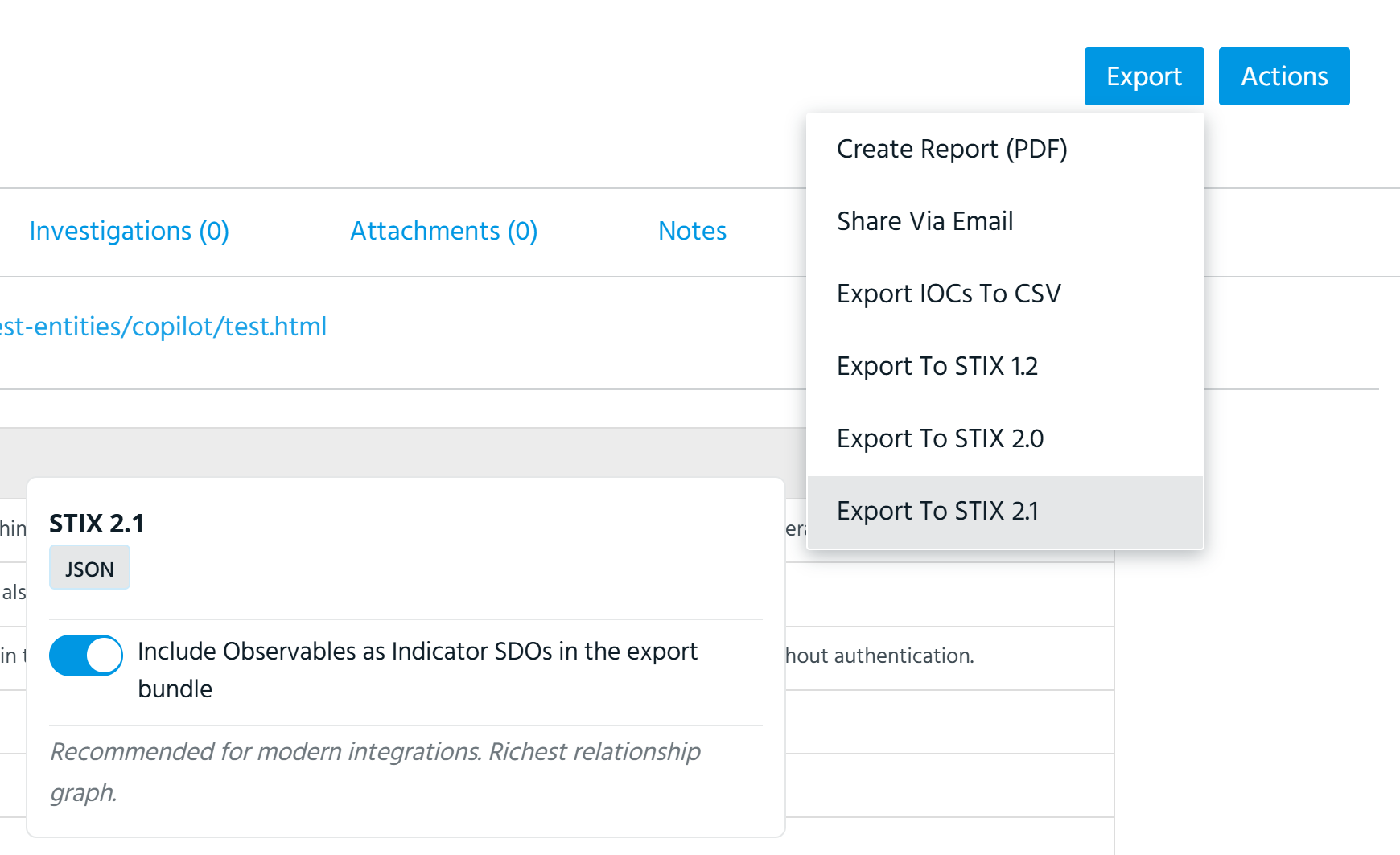
The export begins automatically.