Evaluating Sigma Rules
Sigma is an open source rule format used in the defensive security community to share attack detection signatures.
-
The Evaluate Rules action is available to users with the Can use Security Analytics permission. For information about user permissions, see Managing Organization Users .
-
Only Sigma rules v1.x are supported.
The following Sigma rule fields correspond with Security Analytics event search fields.
| Sigma Rule Fields | Event Search Fields |
|---|---|
| c-uri-query | url |
| c-useragent | user_agent |
| CommandLine | command_line |
| DestinationHostname | dest |
| DestinationIp | dest_ip |
| DestinationPort | dest_port |
| Details | reg_value_data |
| dst_ip | dest_ip |
| dst_port | dest_port |
| EventID | event_id |
| EventName | event_name |
| FileName | file_name |
| FilePath | file_path |
| Image | image |
| NewProcessName | image |
| OriginalFileName | original_file_name |
| ParentCommandLine | parent_command_line |
| ParentImage | parent_image |
| ParentProcessID | parent_process_id |
| Platform | platform |
| ProcessCommandLine | command_line |
| ProcessID | process_id |
| SourceImage | parent_image |
| SourcePort | src_port |
| TargetFilename | file_name |
| TargetObject | reg_key |
| UserAgent | user_agent |
For example, if the Sigma rule is written to evaluate TargetFilename or FileName, Security Analytics evaluates the event log file_name field. Contact Anomali to request support for additional fields.
To initiate rule evaluation:
-
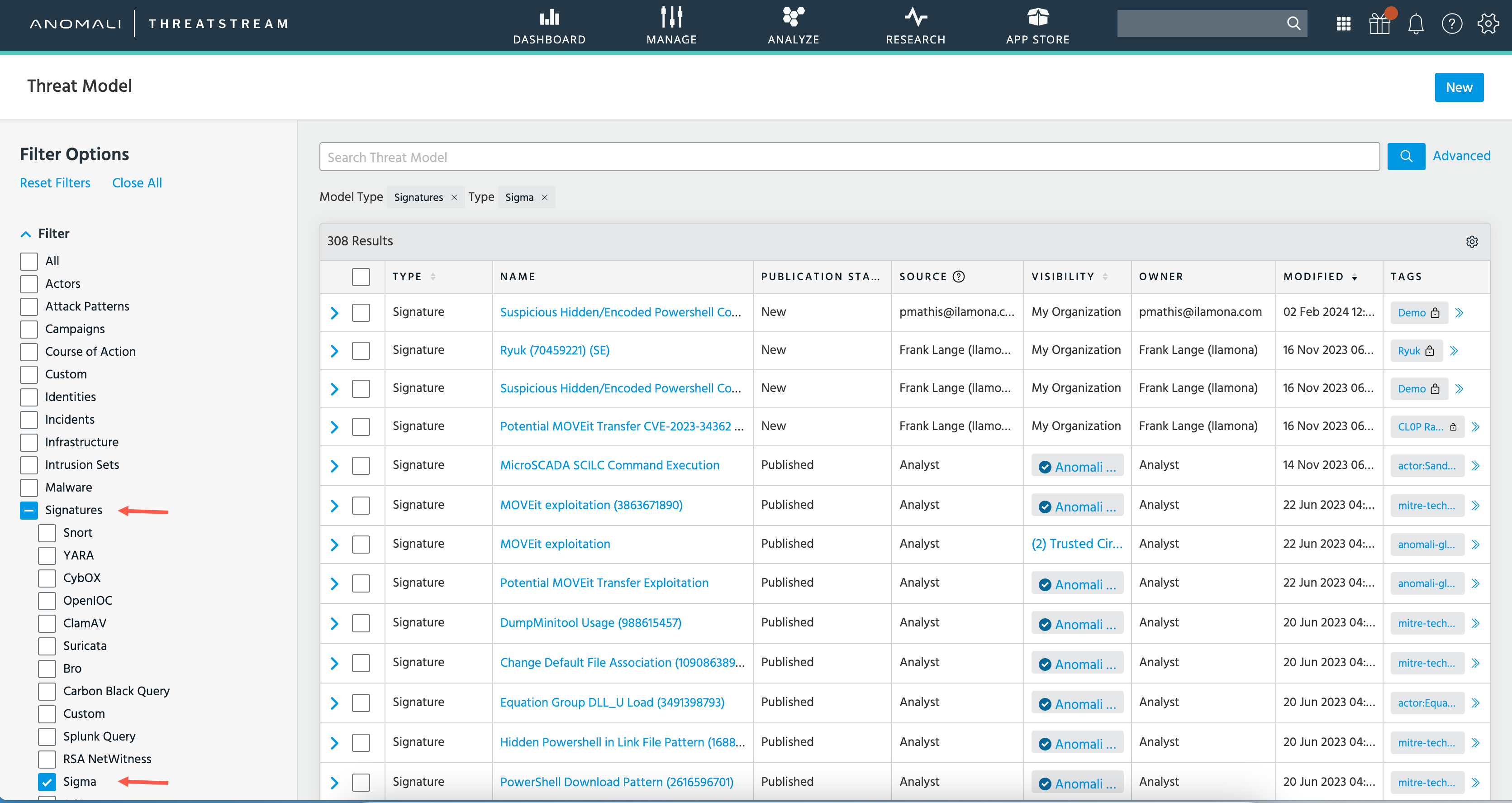
Navigate to Analyze > Threat Model.
-
Use the search filters to display Sigma signatures.
-
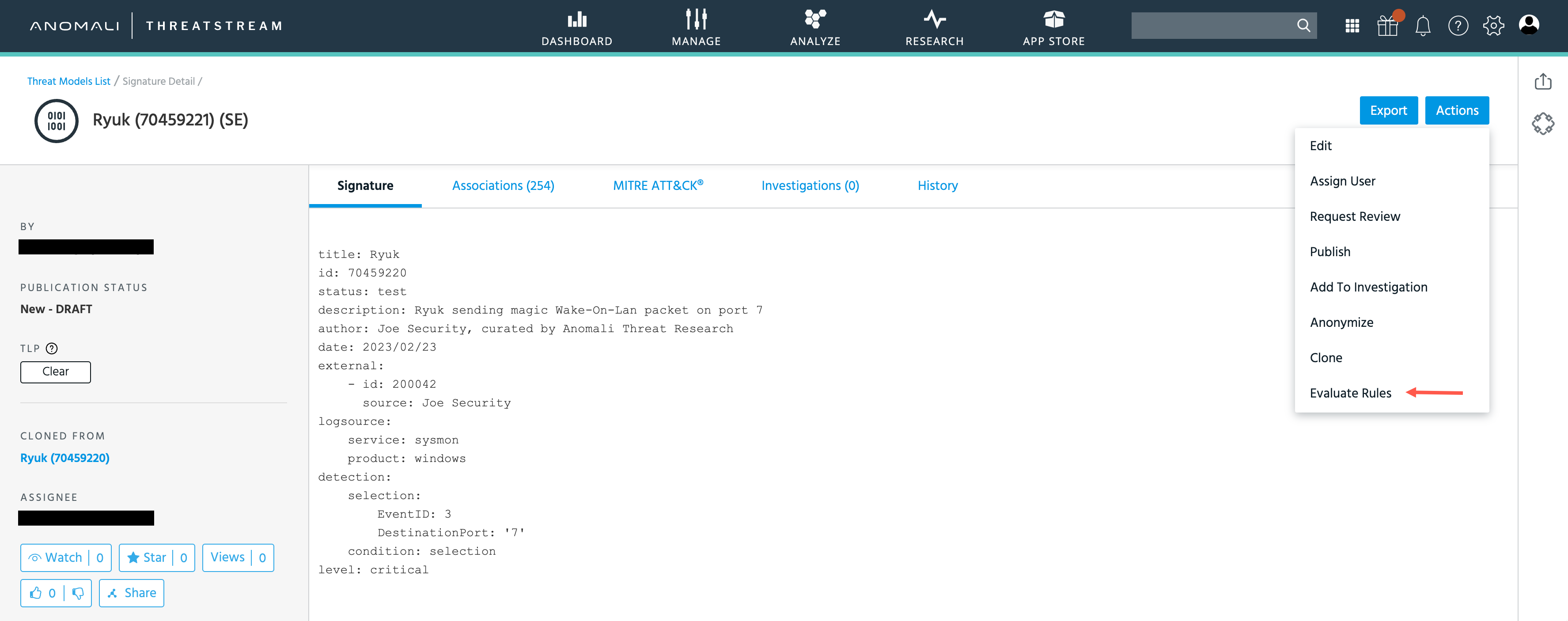
Click the name of the Signature you want to evaluate to display its details page.
-
Click Actions > Evaluate Rules to initiate the evaluation.
ThreatStream opens a new browser tab and issues an AQL search that initiates Sigma rule evaluation against your event log data for the default search time range.
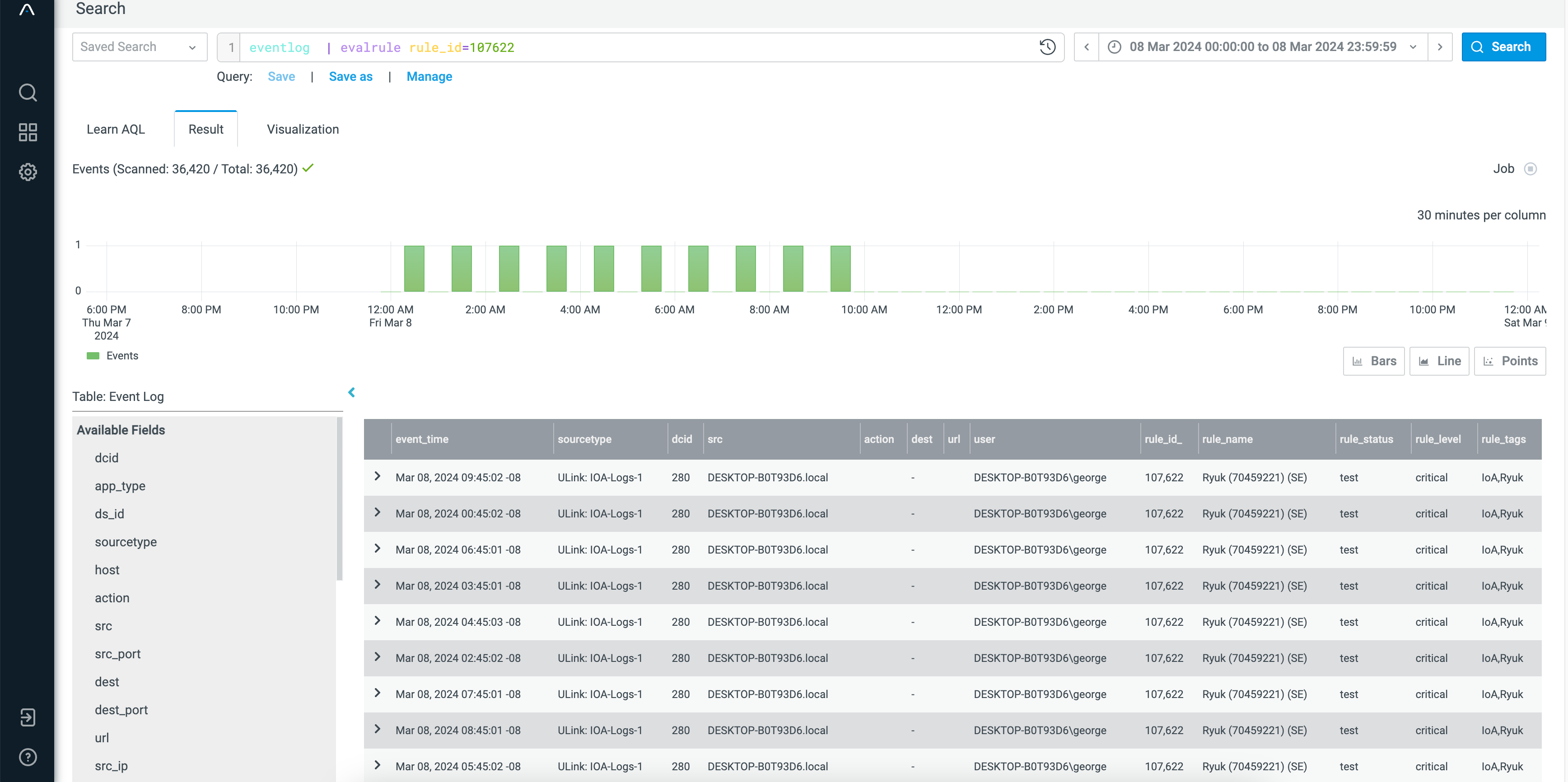
In Search, you can set up a saved search, create an alert to run the saved search on a schedule, and create a dashboard panel to track Sigma rule matches. For information about AQL search, go to the AQL Search Help Center.