Editing Observable Details
As observable information can change over the course of investigations, ThreatStream enables you to edit certain observable fields. The following fields can be edited: iType, Confidence, TLP, Severity, Status, Anonymous, and Expiration Date.
You can edit observables individually from an observable details page, or in bulk from the observables search page.
Reasons to Edit Observables
Editing observables can be helpful when:
- Observables that are private to your organization have expired and become Inactive
- Marking observables that are private to your organization false positive
- You want to update information in any of these fields: iType, Confidence, TLP, Severity, Status, Anonymous, and Expiration Date
Editing Restrictions
-
Only My Organization observables—those that are private to your organization—can be edited.
-
Though only My Organization observables can be edited, you can change the status of inactive Anomali Community and Trusted Circle observables to active by re-importing them. See Re-importing Observable Values for more information.
-
The indicator type of an observable can only be changed to an indicator type of the same type. For example, actor_ip is the indicator type of the IP type, and it can only be changed to another indicator type of the IP type. See Indicator Types in ThreatStream for a complete list of indicator types.
To edit observables in bulk:
- Navigate to ThreatStream > Analyze > Observables.
- Perform a search to locate the observables you want to edit.
- Select the observables you want to edit.
-
Click the three dots and then click Edit.

-
In the Edit Observables dialog box, make required changes.
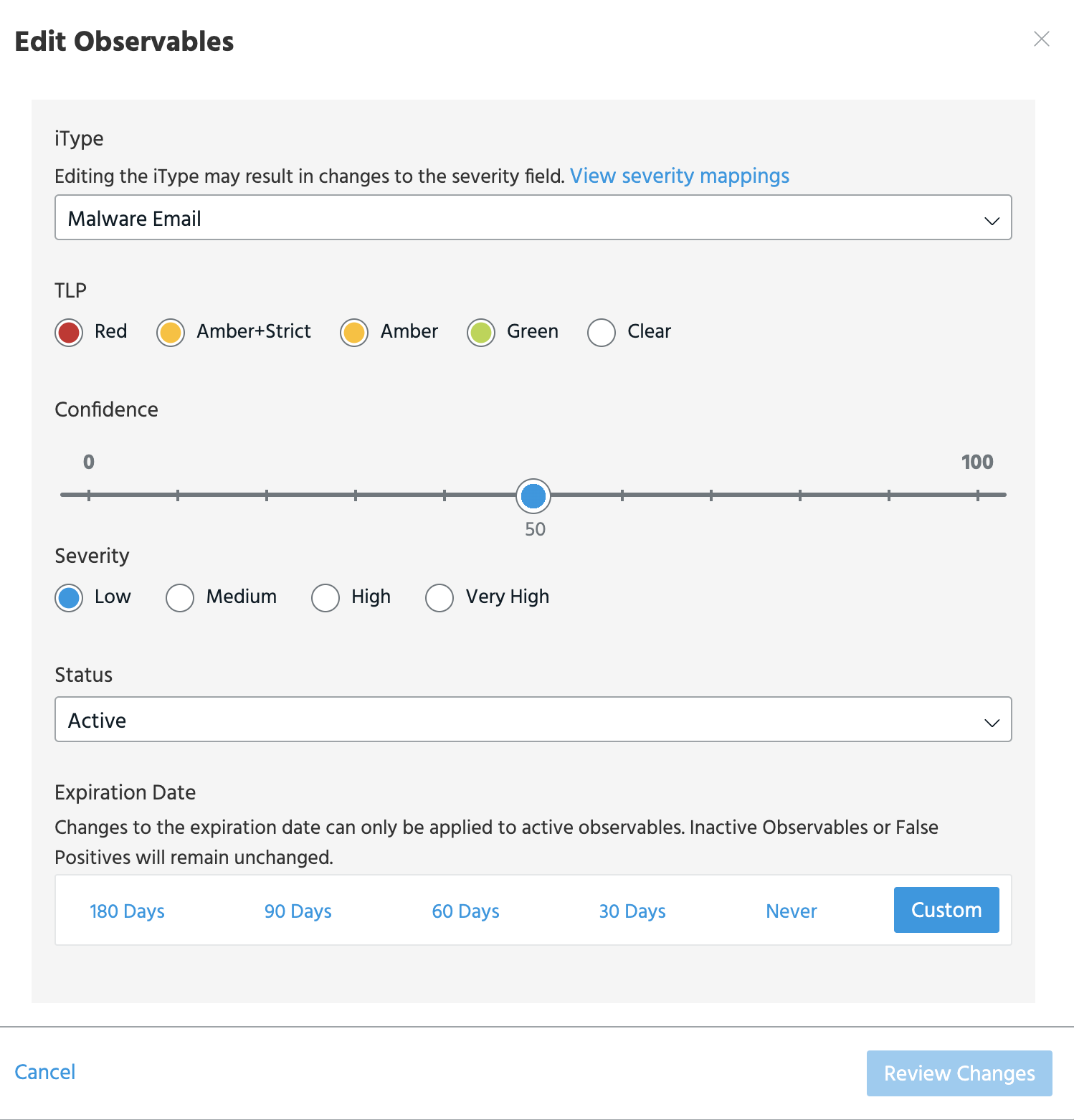
Once you have made the changes, you can click Review Changes to review them before saving them.
Before saving, you can also click Revert to restore the original value for the changed field.
Note:
-
If you selected observables of more than one type, such as domains and IP addresses, you cannot edit the indicator type field.
-
As indicator types are mapped to severity values, editing observable indicator types can result in changes to the severity field. See Indicator Types in ThreatStream for a complete list of indicator type to severity mappings.
-
Anonymous settings cannot be edited in bulk. You can anonymize observables individually from observable details pages.
-
- Click Apply Changes.
To edit an individual observable from the observable details page:
- Navigate to the observable details page of the observable you want to edit.
-
Under Intelligence, locate the instance of the observable that you want to edit and click Edit. If Edit is not displayed, the observable cannot be edited due to the reasons specified in Editing Restrictions .
-
Make the required edits.
- Click Update.