Restricting Observable Visibility to Workgroups
Users with the Approve Import privilege can restrict the visibility of observables that are private to your organization to specific workgroups within your organization or edit the workgroups observables are already restricted to. Workgroups can be selected from observable details pages or in bulk from the observables search page.
For more information on workgroups, see Restricting Access to Intelligence with Workgroups .
To restrict an observable to selected workgroups from observable details pages:
- Navigate to the details page of the My Organization observable whose visibility you want to restrict.
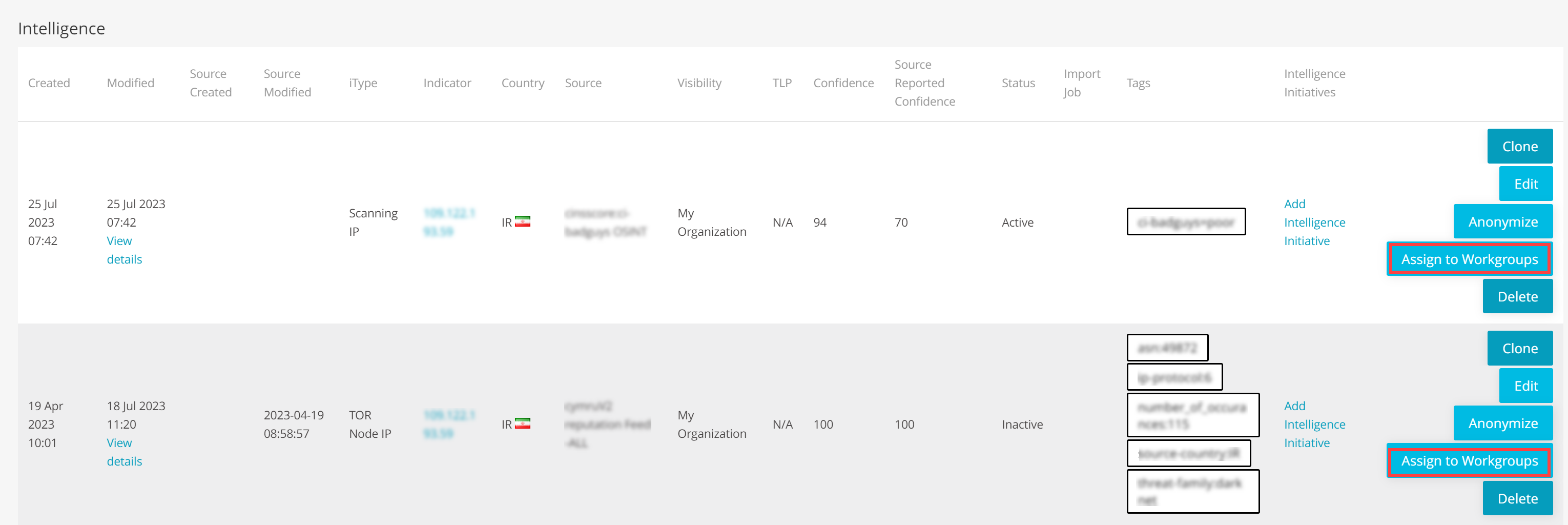
- In the Intelligence table, click Assign to Workgroups to assign the observable of your interest to a workgroup.
- Click Restrict to Workgroups and select the workgroups to which you want to give exclusive access to the observable. You must select at least one workgroup to which you belong.
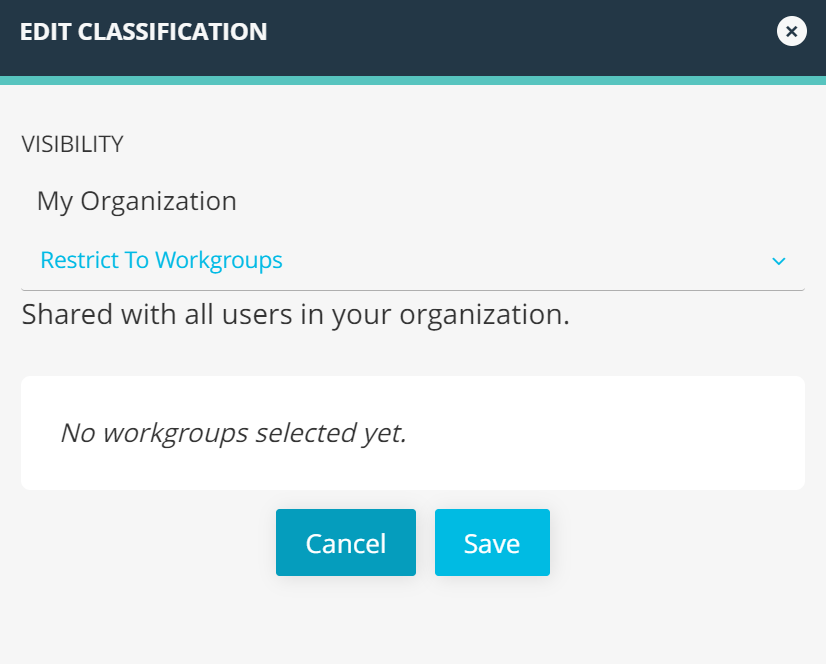
- Click Save.
To restrict an observable to selected workgroups from the Observables search page:
- Navigate to ThreatStream > Analyze > Observables.
- Select the observable whose visibility you want to restrict.
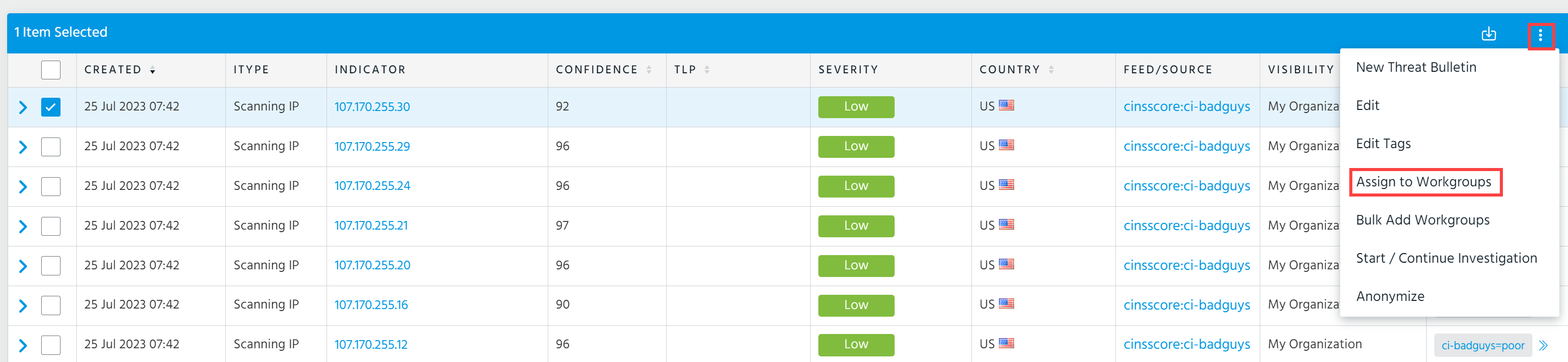
- In the top right corner of the table, click three dots and then click Assign to Workgroups.
- Click Restrict to Workgroups and select the workgroups to which you want to give exclusive access to the observable. You must select at least one workgroup to which you belong.
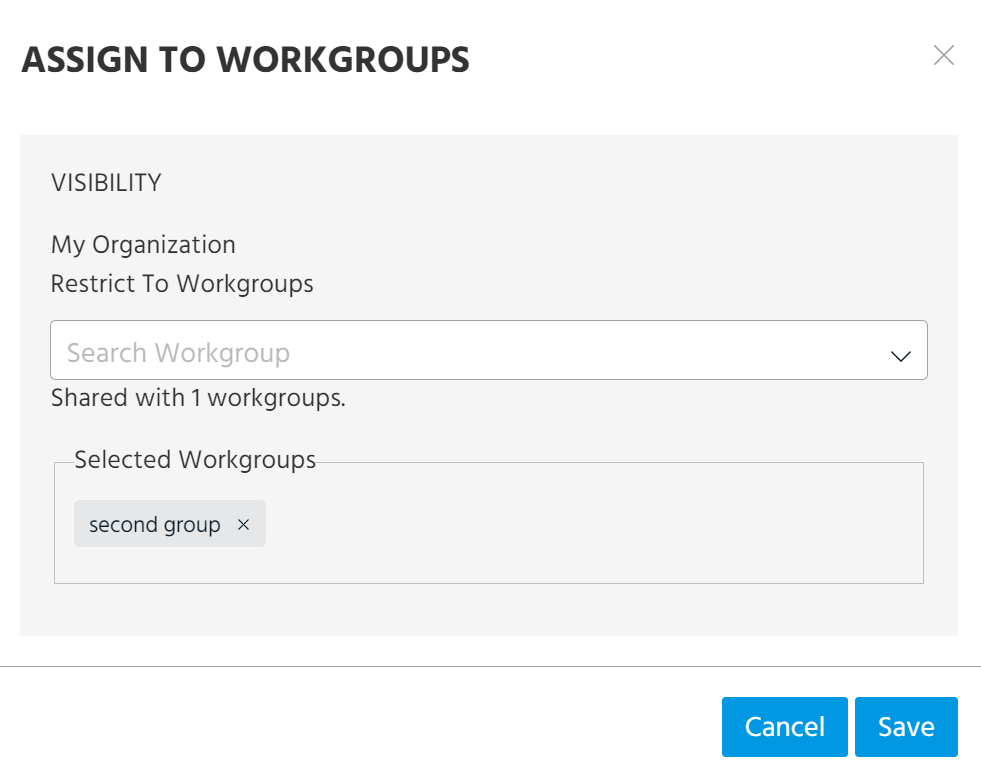
- Click Save.
To restrict observables in bulk to selected workgroups:
- Navigate to ThreatStream > Analyze > Observables.
-
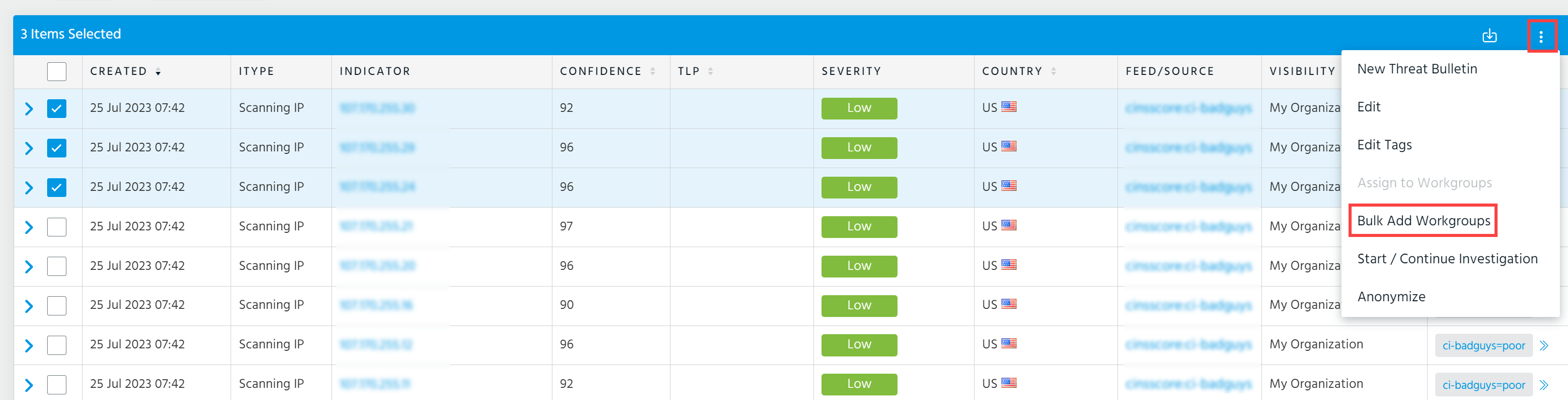
Select the My Organization observables whose visibility you want to restrict.
Note: You must select only observables with identical visibility settings. For example, select only My Organization observables without workgroup restrictions or those shared with the same workgroups.
- In the top right corner of the table, click three dots and then click Bulk Add Workgroups.
- Click Restrict to Workgroups and select the workgroups to which you want to give exclusive access to the observables. You must select at least one workgroup to which you belong.
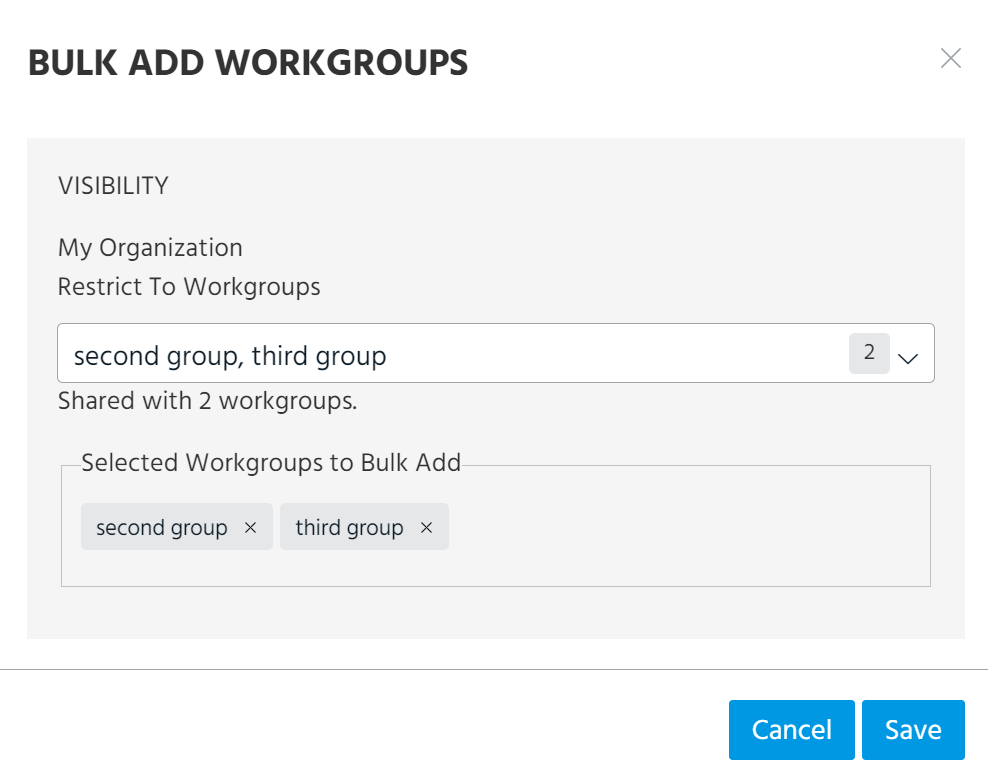
- Click Save.